XML technologies / XSL-FO / Reference / Elements in XSL-FO / fo:initial-property-set
(Excerpt from “XSL-FO ― The Reference” by Manuel Montero Pineda & Steffen Herkert, 2016, dpunkt.verlag)
A | B | C | D | E | F | G | H | I | J | K | L | M | N | O | P | Q | R | S | T | U | V | W | X | Y | Z
Recommendation section: 6.6.4
Category: 6.6 Inline-level Formatting Objects
Description
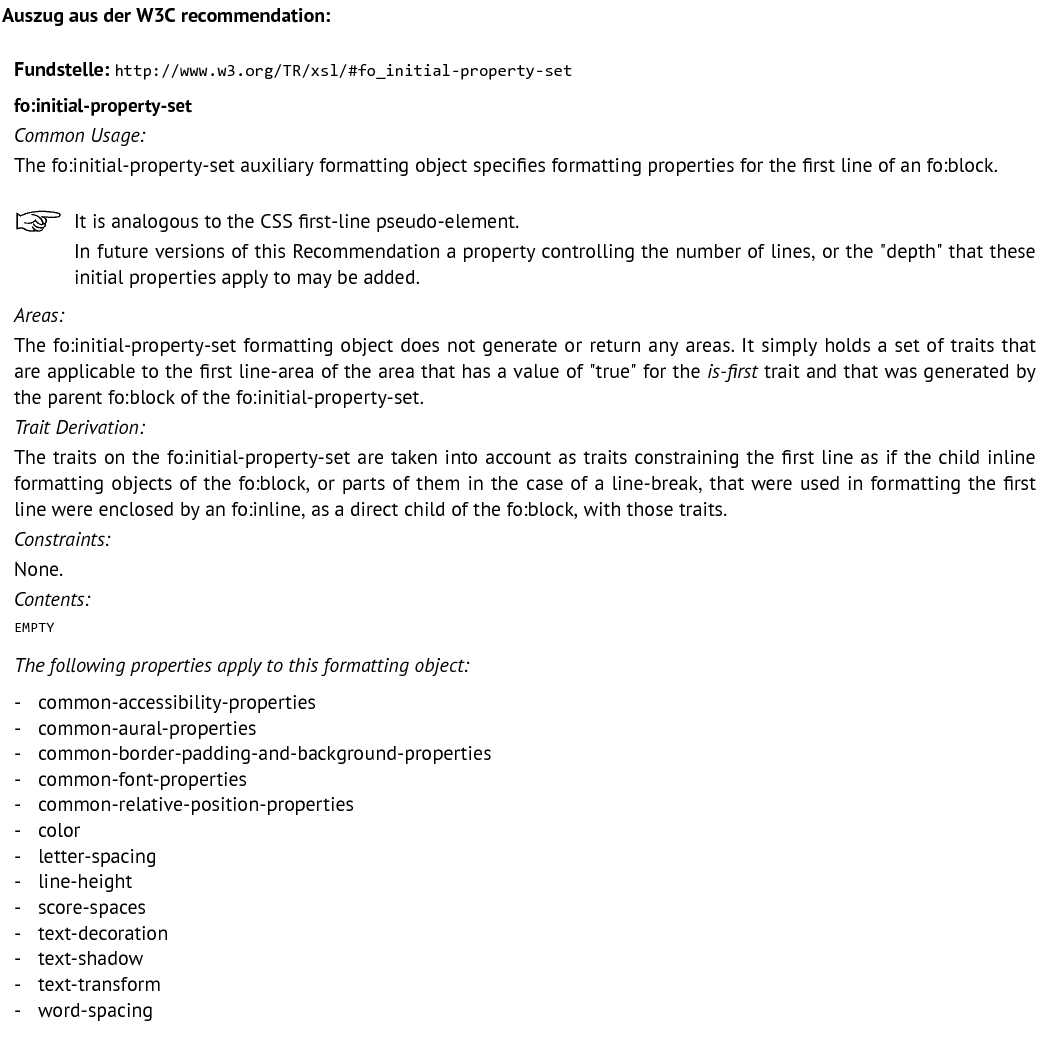
This element specifies separate formatting properties for the first line of a block.
XSL-FO version: 1.0
Parent elements
Attributes
This attribute sets several background properties at once: color (background-color), a background graphic (background-image), its repetition (background-repeat) when the image does not fill the entire reserved area (tiling), scrolling behavior (background-attachment), and positioning (background-position). Any number and combination of these properties may be specified, separated by spaces. Unspecified properties use their respective individual defaults. | |
This attribute determines whether the background moves when the foreground is scrolled. | |
This attribute specifies a background color. | |
This attribute creates a background image in the element using a path given by uri-specification. | |
This property sets both the horizontal and vertical position of a background image specified by background-image. By default, the image aligns with the top-left corner of the element where it is invoked. Positioning can use percentages percentage, absolute measurements length, or constants. One or two values, separated by spaces, may be specified. With two values, the first always sets horizontal positioning and the second vertical positioning. A single value sets horizontal positioning; vertical positioning then defaults to 50%.<fo:block-container background-image="hintergrund.eps" background-position="75%>One value may even be an absolute measurement while the other is a percentage percentage. <fo:block-container background-image="hintergrund.eps" background-position="75mm 10%> One or two values may also be specified when using constants.<fo:block-container background-image="hintergrund.eps" background-position="top right"> A single value applies to the axis for which it is defined. The other axis is set to center. <fo:block-container background-image="hintergrund.eps" background-position="top"> | |
This property sets the horizontal position of the marked area using a percentage value (percentage), an absolute measurement (length), or a predefined value (left, center, right). | |
This property sets the vertical position of the marked area using a percentage value (percentage) or an absolute measurement (length). | |
This property specifies how a background image (background-image) is repeated, or tiled, within an area. By default, the background image is repeated. | |
This attribute simultaneously sets values for all four borders (top, left, bottom and right): width (border-width), color (border-color) and style (border-style). Values may be given for one, two or all three properties. Separate two or three values with spaces. | |
This attribute sets the color of the bottom border. The after side depends on the prevailing writing direction. In Western writing (top to bottom, left to right), it is at the bottom. With another writing direction, it could also be at the top. | |
This attribute sets the style of the bottom border. The after side depends on the prevailing writing direction. In Western writing (top to bottom, left to right), this is the bottom. With another writing direction, it could be the top. | |
This attribute sets the bottom border’s width. The after region follows the writing direction: it is at the bottom for Western writing (top to bottom, left to right), but may be at the top for another direction. | |
This attribute sets the color of the top border. The before side depends on the prevailing writing direction. In Western writing (top to bottom, left to right), it is at the top. With another writing direction, it could also be at the bottom. | |
This attribute sets the style of the top border. The before side depends on the prevailing writing direction. In Western writing (top to bottom, left to right), this is the top. With another writing direction, it could be the bottom. | |
This attribute sets the top border’s width. The before region follows the writing direction: it is at the top for Western writing (top to bottom, left to right), but may be at the bottom for another direction. | |
This attribute sets the bottom border’s width (border-bottom-width), color (border-bottom-color) and style (border-bottom-style). Values may be given for one, two or all three properties. Separate two or three values with spaces. | |
This attribute sets the bottom border’s color. | |
This attribute sets the style of the bottom border. | |
This attribute sets the width of the bottom border. | |
This attribute sets a uniform color for all four borders of an area (top, left, bottom, and right). | |
This attribute sets the color of the right border. The end side depends on the prevailing writing direction. In Western writing (top to bottom, left to right), it is on the right. With another writing direction, such as Arabic, it can also be on the left. | |
This attribute sets the style of the right border. The end side depends on the prevailing writing direction. In Western writing (top to bottom, left to right), this is the right. With another writing direction, it could be the left. | |
This attribute sets the right border’s width. The end region follows the writing direction: it is on the right for Western writing (top to bottom, left to right), but may be on the left for another direction. | |
This attribute sets the left border’s width (border-left-width), color (border-left-color) and style (border-left-style). Values may be given for one, two or all three properties. Separate two or three values with spaces. | |
This attribute sets the left border’s color. | |
This attribute sets the style of the left border. | |
This attribute sets the width of the left border. | |
This attribute sets the right border’s width (border-right-width), color (border-right-color) and style (border-right-style). Values may be given for one, two or all three properties. Separate two or three values with spaces. | |
This attribute sets the right border’s color. | |
This attribute sets the style of the right border. | |
This attribute sets the width of the right border. | |
This attribute sets spacing between adjacent cells of a table (fo:table). Property border-collapse must also be set to separate. The value applies to both width and height. Using the corresponding components for height (block-progression-direction) and width (inline-progression-direction) allows them to be specified separately. | |
This attribute sets the color of the left border. The start side depends on the prevailing writing direction. In Western writing (top to bottom, left to right), it is on the left. With another writing direction, such as Arabic, it can also be on the right. | |
This attribute sets the style of the left border. The start side depends on the prevailing writing direction. In Western writing (top to bottom, left to right), this is the left. With another writing direction, it could be the right. | |
This attribute sets the left border’s width. The start region follows the writing direction: it is on the left for Western writing (top to bottom, left to right), but can be on the right for another direction. | |
This attribute sets a uniform style for all four borders of an area (top, left, bottom, and right). | |
This attribute sets the top border’s width (border-top-width), color (border-top-color) and style (border-top-style). Values may be given for one, two or all three properties. Separate two or three values with spaces. | |
This attribute sets the top border’s color. | |
This attribute sets the style of the top border. | |
This attribute sets the width of the top border. | |
This attribute sets a uniform width for all four borders of an area (top, left, bottom, and right). | |
This attribute specifies the distance of a positioned object (fo:block-container) measured from the bottom edge of its immediate parent block area. | |
This attribute sets the displayed text’s color. The specified color also serves as the default for the region’s borders, if they are generated and their color is not otherwise defined. | |
This attribute is a shorthand font property in which the individual values for the attributes font-style, font-variant, font-weight, font-size, line-height and font-family can be specified together. Values must be specified for font-size and font-family. Values for the remaining properties are optional. Separate individual values with spaces. Only a value for line-height must directly follow the specified font-size value, separated from font-size by a slash (/) rather than a space. Alternatively, instead of assembling the properties individually, you can use system fonts if available. These already have predefined characteristics. The names of these system fonts reflect the contexts in which they are used. | |
This attribute specifies the font to use. Several fonts may be listed and tried in the specified order, allowing characters missing from one font to be taken from another. Names containing spaces, such as Times New Roman, must be enclosed in quotation marks. Multiple font names must be separated by a comma and a space. | |
This attribute defines the criteria for selecting a particular font. | |
This attribute specifies font size relative to the surrounding area, relative to the output medium’s settings, or as an absolute measurement (length). The absolute constants xx-small, x-small, small, medium, large, x-large, and xx-large represent fixed factors scaling the medium’s default font size. The relative constants larger and smaller are predefined factors applied to the surrounding area’s font size. An absolute measurement specifies the font’s maximum extent, defined as the distance between the p-line and k-line (http://de.wikipedia.org/wiki/Schriftgrad). | |
This attribute specifies a font’s x-height relative to its font size. It adjusts and harmonizes text appearance because different fonts may have different x-heights. | |
This attribute selects alternative font faces with a particular character width, allowing narrower or wider faces. Relative and absolute keywords are available. Absolute keywords expand or condense the width of normal by fixed factors (steps of 1.2, 1.2², 1.2³, and so on). Relative keywords expand or condense the width used in the surrounding area by a factor of 1.2. Formatters may also support percentage widths. | |
This attribute specifies a font style. The corresponding face may need to be available for the selected font. | |
This attribute displays small capitals. Intended for the Latin alphabet, it renders lowercase letters as capitals at lowercase height, distinguishing them from actual uppercase letters. | |
This attribute selects the font face by stroke weight (thickness). Relative and absolute keywords and certain numeric values can be specified. Absolute keywords represent fixed numeric values. Relative keywords increase or decrease the surrounding weight by 200 on the numeric scale. The scale runs from 100 to 900 in steps of 100, with 400 as normal. Few fonts provide a separate face for every step. If the required face is unavailable, the nearest available face is used. | |
This attribute shrinks or expands an area at its left edge relative to the parent area. It applies only when position is not static. The other values of position determine the reference area for left. Without a value (0mm), the edge coincides with the parent edge. A positive value shrinks the area at that edge; a negative value expands it. | |
This attribute determines the spacing between individual text characters. The spacing is fixed. For a flexible specification, the attributes letter-spacing.minimum, letter-spacing.maximum and letter-spacing.optimum can be used. | |
This attribute sets the height of text lines. For block areas, the value specifies the minimum height; for inline areas, it is used as an exact measurement. In addition, appending the components .minimum, .maximum, .optimum, .conditionality and .precedence to attribute names can establish relative conditions or priorities when conflicting specifications must be resolved. Settings obtained through inheritance can generally be accepted or discarded. | |
Padding is the inner spacing of an area, between content and border, which need not be visible. An element can use the padding attribute to set top (padding-top), right (padding-right), bottom (padding-bottom) and left (padding-left) spacing together. One value sets all sides equally. Multiple values are separated by spaces. With two values, the first sets top and bottom, the second right and left. With three, the first is top, the second right and left, and the third bottom. Four values follow top, right, bottom, left. All assignments are independent of writing direction. | |
Padding is the inner spacing of an area, between content and border, which need not be visible. An element can use the padding-after attribute to set spacing to the bottom edge, depending on the writing direction selected by attribute writing-mode. With lr-tb (within lines: left to right; lines: top to bottom) and rl-tb (within lines: right to left; lines: top to bottom), padding-after remains spacing to the bottom edge. With tb-rl (within columns: top to bottom; columns: right to left), it concerns the left edge. It always concerns the edge parallel to the line or column that closes the area. | |
Padding is the inner spacing of an area, between content and border, which need not be visible. An element can use the padding-before attribute to set spacing to the top edge depending on the writing-mode attribute. With lr-tb (within lines: left to right; lines: top to bottom) and rl-tb (within lines: right to left; lines: top to bottom), padding-before remains spacing to the top edge. With tb-rl (within columns: top to bottom; columns: right to left), it concerns the left edge. It always concerns the edge parallel to the line or column that opens the area. | |
Padding is the inner spacing between content and border, which need not be visible. Attribute adding-bottom sets spacing to the bottom edge independently of writing-mode. It overrides padding, padding-after and padding-after.length (with lr-tb and rl-tb). | |
Padding is the inner spacing of an area, between content and border, which need not be visible. An element can use the padding-end attribute to set spacing to the right edge depending on writing-mode. With rl-tb (within lines: right to left; lines: top to bottom), padding-end concerns the left edge; with tb-rl (within columns: top to bottom; columns: right to left), the bottom edge; only with lr-tb (within lines: left to right; lines: top to bottom), the right edge. It always concerns the edge at the end of a line or column, creating a line or column break. | |
Padding is the inner spacing between content and border, which need not be visible. Attribute padding-left sets spacing to the left edge independently of writing-mode. It overrides padding, padding-start and padding-start.length (with lr-tb and rl-tb). | |
Padding is the inner spacing between content and border, which need not be visible. Attribute padding-right sets spacing to the right edge independently of writing-mode. It overrides padding, padding-end and padding-end.length (with lr-tb and rl-tb). | |
Padding is the space inside an area: the distance from the content to the border. (The border need not be visible.) An element can use padding-start to specify the space to the left border, depending on the writing direction selected by writing-mode. With rl-tb (within lines: right to left; lines: top to bottom), padding-start refers to the right border. With tb-rl (within columns: top to bottom; columns: right to left), it refers to the top border. Only with lr-tb (within lines: left to right; lines: top to bottom) is it the left border. It always concerns the border at the start of the line or column. | |
Padding is the inner spacing between content and border, which need not be visible. Attribute padding-top sets spacing to the top edge independently of writing-mode. It overrides padding, padding-before and padding-before.length (with lr-tb and rl-tb). | |
This attribute specifies the positioning mode or reference for the marked area on the page. Together with top, right, bottom, and left, it positions the area relative to its text-flow position, the enclosing area, or the page determined by the text flow. | |
This attribute specifies how the marked area is positioned on the page. Unlike position, it only allows static placement or positioning relative to the text flow. In combination with top, right, bottom, and left, it specifies an offset from the position determined by the text flow. | |
This attribute shrinks or expands an area at its right edge relative to the parent area. It applies only when position is not static. The other values of position determine the reference area for right. Without a value (0mm), the edge coincides with the parent edge. A positive value shrinks the area at that edge; a negative value expands it. | |
This attribute creates content-related identifiers that provide alternative output devices, such as audio output, with information about the XML element’s content. | |
If inline markup uses attribute text-decoration, this attribute specifies whether the marked whitespace is displayed as “decorated” or “undecorated”. | |
This attribute identifies an XML document as the source document. If the renderer cannot interpret the FO document, for example for a hypothetical speech output, the source document can also be consulted. It has no practical significance. | |
This attribute decorates text content, for example by adding an overline or underline. | |
This attribute applies shadow effects to text. | |
This attribute standardizes letter case within an area. | |
This attribute specifies the distance of a positioned object (fo:block-container) measured from the top edge of its immediate parent block area. | |
This attribute allows the spacing between words to be adjusted individually. |
Support:
Conformance level | Antenna House | FOP | RenderX XEP | Altsoft XML2PDF | Compart DocBridge |
Extended | J | N | J | J | N |
XSL-FO example:
<fo:root font-family="Arial" font-size="10pt" line-height="1.2em" xmlns:fo="http://www.w3.org/1999/XSL/Format" xmlns:cpfo="http://www.compart.net/xmlns/cpfo" xmlns:svg="http://www.w3.org/2000/svg" xmlns:axf="http://www.antennahouse.com/names/XSL/Extensions">
<fo:layout-master-set>
<fo:simple-page-master master-name="Inhalt-Seiten" margin="0mm 0mm 0mm
                      0mm" page-height="150mm" page-width="148mm">
<fo:region-body margin="10mm 15mm 10mm
                        25mm"/>
</fo:simple-page-master>
</fo:layout-master-set>
<fo:page-sequence master-reference="Inhalt-Seiten" font-size="10pt">
<fo:static-content flow-name="xsl-footnote-separator">
<fo:block text-align="justify" space-before="5mm" space-after="3mm">
<fo:leader leader-length="30%" rule-thickness="1pt" leader-pattern="rule"/>
</fo:block>
</fo:static-content>
<fo:flow flow-name="xsl-region-body">
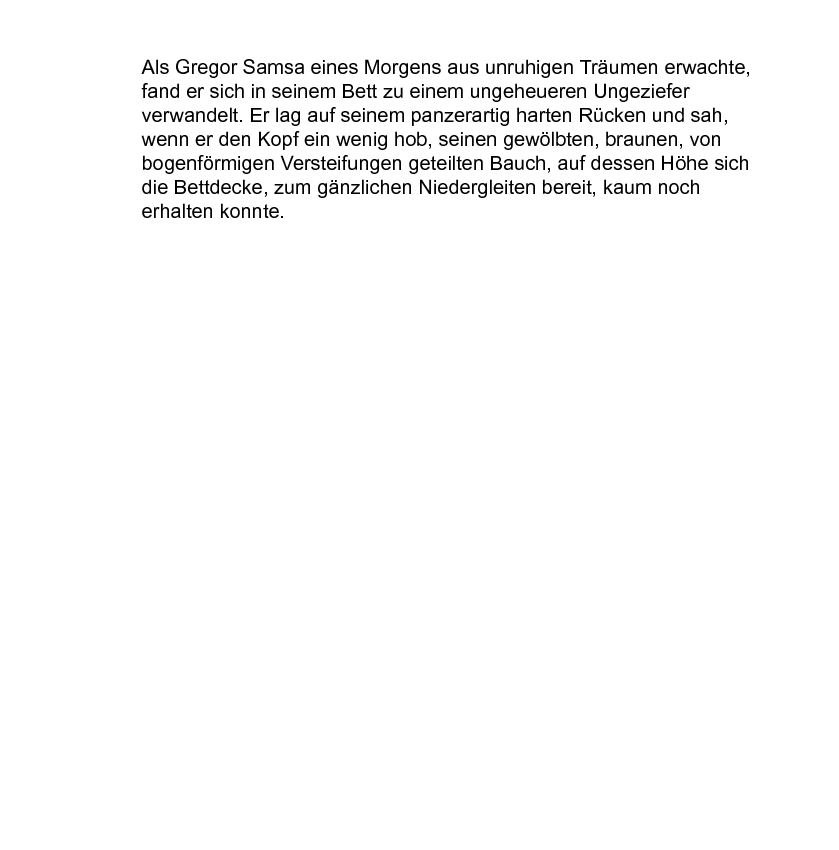
<fo:block>
<fo:initial-property-set font-family="Arial"/>
Als Gregor Samsa
                eines Morgens aus unruhigen Träumen erwachte, fand er sich in seinem Bett zu einem
                ungeheueren Ungeziefer verwandelt. Er lag auf seinem panzerartig harten Rücken und
                sah, wenn er den Kopf ein wenig hob, seinen gewölbten, braunen, von bogenförmigen
                Versteifungen geteilten Bauch, auf dessen Höhe sich die Bettdecke, zum gänzlichen
                Niedergleiten bereit, kaum noch erhalten konnte.
</fo:block>
</fo:flow>
</fo:page-sequence>
</fo:root>In the output:
Excerpt from the W3C Recommendation: