

Software / OCF validation
With OCF validation, Octopus Service extends conventional XML checks into a comprehensive quality process for complete publication packages. In addition to schema and rule checks, links, package structures and semantic anomalies can be checked. The results are then combined in a shared Summary and made traceable down to the specific location in the document.
Further information about OCF validation on the following pages:
AI validation: checking quality when rules alone are insufficient
Summary and issue locations: different validators, one shared view
1. Beyond schema validation
An XML document can be formally valid and still contain quality problems. An external URL may be unreachable. A referenced file may be missing from the package. Alt text may be present but inadequate in content. This is precisely why OCF validation combines several specialised checking methods.
The OCF (Octopus Container Format) is treated as a complete publication unit. Content, media, metadata, manifest and processing results can be checked together.
2. How OCF validation works
The OCF package to be checked and an OVP profile form the input. The profile specifies which checking methods are active for this run. Each validator initially produces results in its own format. These are then normalised and combined in a shared Summary.
3. Multiple validation levels in one run
Depending on the OVP profile, different methods can be combined:
DTD, XSD or RELX NG for formal XML structure
Schematron for domain-specific and editorial rules
Link checking for links, media and other references
FShape for the entire OCF package structure
AI validation for semantic and contextual quality questions
These levels do not replace one another. They complement each other to form a shared picture of quality.
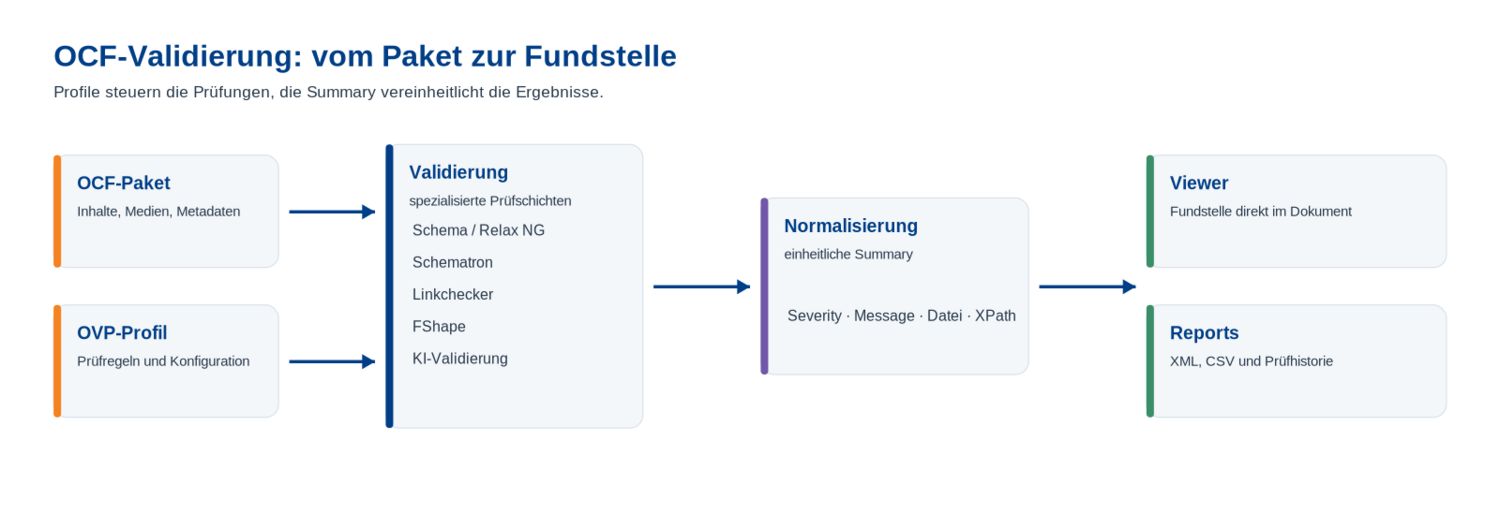
Figure 1: From the OCF package and OVP profile to the shared Summary and issue location. Profiles control the checks; the Summary unifies the results.
4. OVP profiles control quality assurance
The validation pipeline itself remains generic. The applicable rules and checking methods are defined by an Octopus Validation Profile, or OVP for short. This allows different XML formats, versions, customer requirements or project rules to be processed using the same pipeline.
5. Results at the exact location
After normalisation, the results share a common structure. For each finding, the validator, severity, message, file and XML location, among other details, can be stored. This location can be selected in the viewer menu to navigate directly to the affected location.
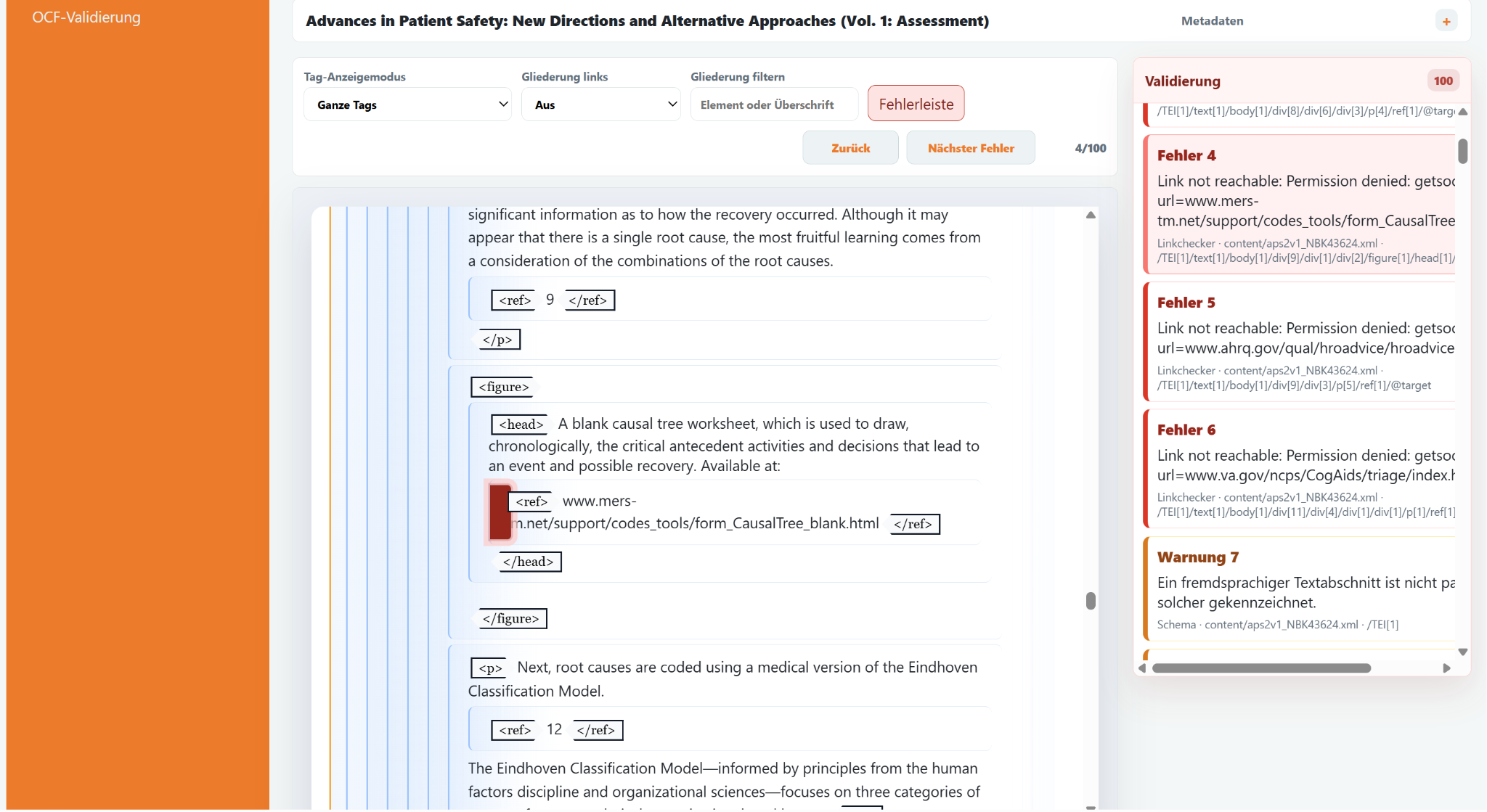
Figure 2: In the viewer menu, the error list is linked to the specific XML location.
The error list and XML view thus form a shared workflow. A technical message becomes a concrete, traceable correction task.
More about Summary and issue locations