

XML technologies / XSL-FO / Reference / Attributes in XSL-FO / border-left-style
(Excerpt from "XSL-FO ― Die Referenz" by Manuel Montero Pineda & Steffen Herkert, 2016, dpunkt.verlag)
A | B | C | D | E | F | G | H | I | J | K | L | M | N | O | P | Q | R | S | T | U | V | W | X | Y | Z
Recommendation section: 7.8.26
Category: 7.8 Common Border, Padding and Background Properties
Description
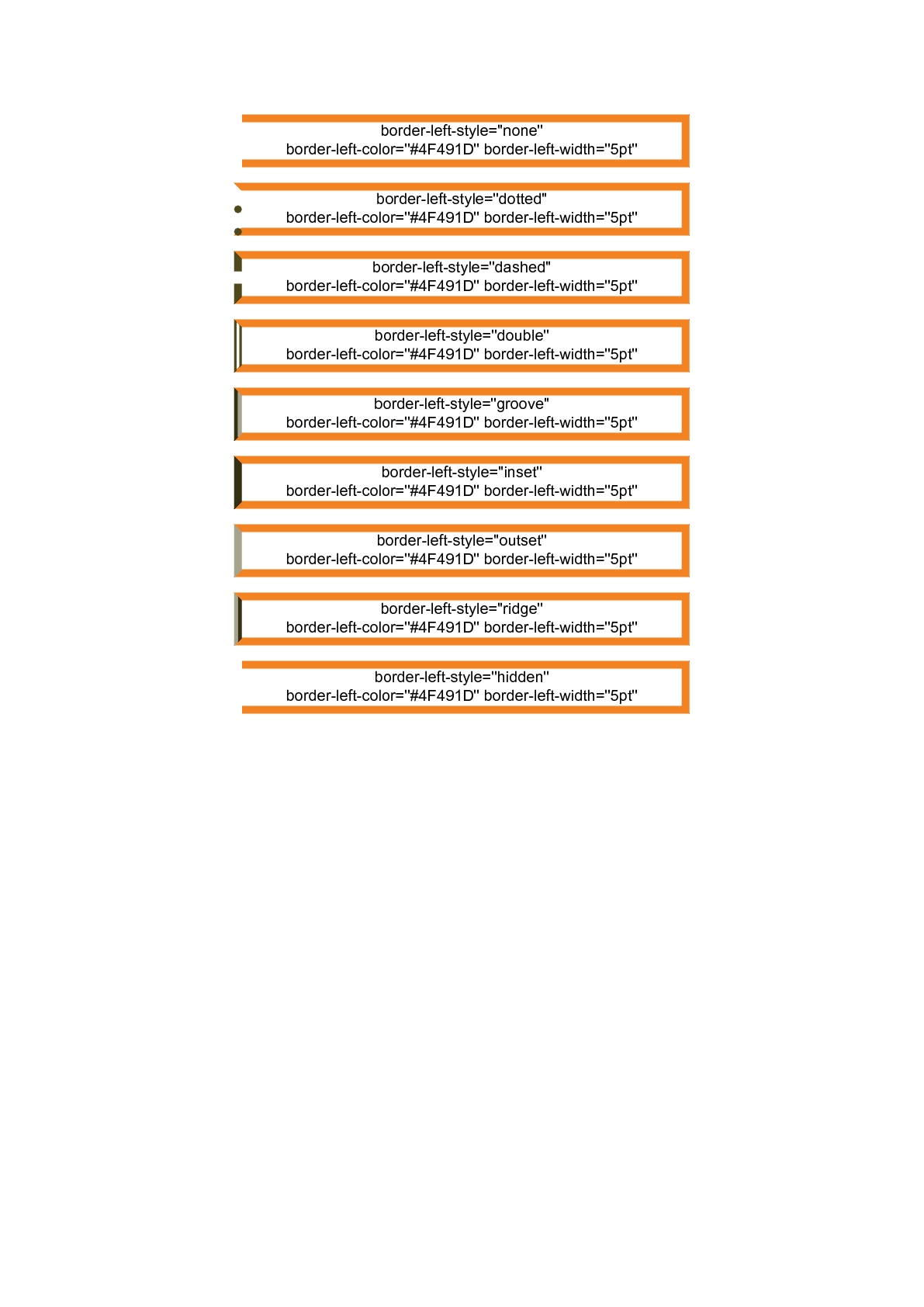
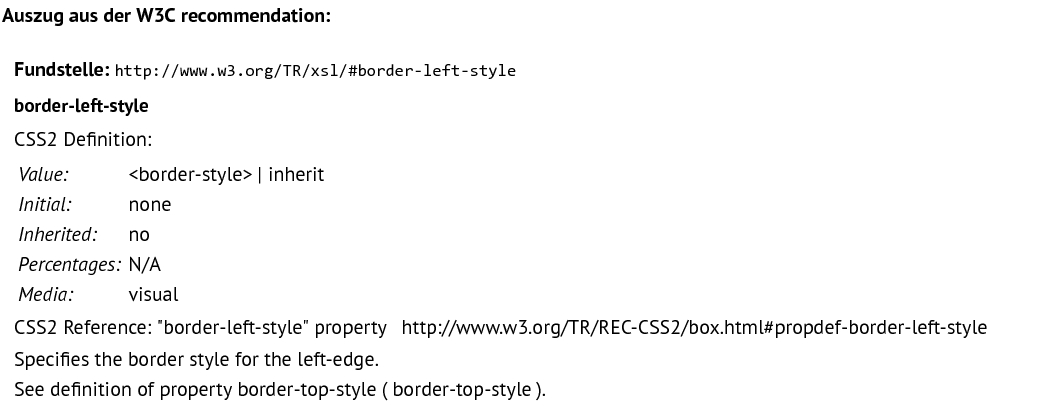
This attribute sets the style of the left border.
Values
No style is specified for the left border. If styles were set globally for all borders, this value specifies that the left border should not receive special rendering, unlike the other borders. | |
hidden | This value applies only with border-collapse set to collapse. It overrides the border styles of collapsed cells (left edge of the cell and right edge of the cell to its right). At the intersection of the two cells, no border is drawn. |
dotted | The left border is displayed as a dotted line. |
dashed | The left border is displayed as a dashed line. |
double | The left border is displayed as two solid lines. |
groove | The left border is a shaded line that appears as a groove. |
inset | The left border is a solid line that makes the enclosed area appear recessed. |
outset | The left border is a solid line that makes the enclosed area appear raised. |
ridge | The left border is a shaded line that appears as a ridge. |
solid | The left border is displayed as a solid line. |
Default value: none
XSL-FO version: 1.0
Allowed in:
<fo:basic-link> , <fo:block> , <fo:block-container> , <fo:character> , <fo:external-graphic> , <fo:initial-property-set> , <fo:inline> , <fo:inline-container> , <fo:instream-foreign-object> , <fo:leader> , <fo:list-block> , <fo:list-item> , <fo:page-number> , <fo:page-number-citation> , <fo:page-number-citation-last> , <fo:region-after> , <fo:region-before> , <fo:region-body> , <fo:region-end> , <fo:region-start> , <fo:scaling-value-citation> , <fo:table> , <fo:table-and-caption> , <fo:table-body> , <fo:table-caption> , <fo:table-cell> , <fo:table-column> , <fo:table-footer> , <fo:table-header> , <fo:table-row> and <fo:title>
Support:
Conformance level | Antenna House | FOP | RenderX XEP | Altsoft XML2PDF | Compart DocBridge |
Basic | Y | Y | Y | Y | P |
XSL-FO example:
<fo:root font-family="Arial" font-size="10pt" line-height="1.2em" xmlns:fo="http://www.w3.org/1999/XSL/Format" xmlns:cpfo="http://www.compart.net/xmlns/cpfo" xmlns:svg="http://www.w3.org/2000/svg" xmlns:axf="http://www.antennahouse.com/names/XSL/Extensions">
<fo:layout-master-set>
<fo:simple-page-master master-name="Inhalt-Seiten" margin="0mm 0mm 0mm
                      0mm" page-height="297mm" page-width="210mm">
<fo:region-body margin="26mm 55mm 41mm
                        55mm"/>
</fo:simple-page-master>
</fo:layout-master-set>
<fo:page-sequence master-reference="Inhalt-Seiten">
<fo:flow flow-name="xsl-region-body">
<fo:block border="solid 5pt
                        #F38222" width="100mm" text-align="center" border-left-color="#4F491D" border-left-style="none" border-left-width="5pt">
border-left-style="none"
<fo:block text-align="center">
border-left-color="#4F491D" border-left-width="5pt"
</fo:block>
</fo:block>
<fo:block border="solid 5pt
                        #F38222" width="100mm" text-align="center" border-left-color="#4F491D" border-left-style="dotted" border-left-width="5pt" space-before="10pt">
border-left-style="dotted"
<fo:block text-align="center">
border-left-color="#4F491D" border-left-width="5pt"
</fo:block>
</fo:block>
<fo:block border="solid 5pt
                        #F38222" width="100mm" text-align="center" border-left-color="#4F491D" border-left-style="dashed" border-left-width="5pt" space-before="10pt">
border-left-style="dashed"
<fo:block text-align="center">
border-left-color="#4F491D" border-left-width="5pt"
</fo:block>
</fo:block>
<fo:block border="solid 5pt
                        #F38222" width="100mm" text-align="center" border-left-color="#4F491D" border-left-style="double" border-left-width="5pt" space-before="10pt">
border-left-style="double"
<fo:block text-align="center">
border-left-color="#4F491D" border-left-width="5pt"
</fo:block>
</fo:block>
<fo:block border="solid 5pt
                        #F38222" width="100mm" text-align="center" border-left-color="#4F491D" border-left-style="groove" border-left-width="5pt" space-before="10pt">
border-left-style="groove"
<fo:block text-align="center">
border-left-color="#4F491D" border-left-width="5pt"
</fo:block>
</fo:block>
<fo:block border="solid 5pt
                        #F38222" width="100mm" text-align="center" border-left-color="#4F491D" border-left-style="inset" border-left-width="5pt" space-before="10pt">
border-left-style="inset"
<fo:block text-align="center">
border-left-color="#4F491D" border-left-width="5pt"
</fo:block>
</fo:block>
<fo:block border="solid 5pt
                        #F38222" width="100mm" text-align="center" border-left-color="#4F491D" border-left-style="outset" border-left-width="5pt" space-before="10pt">
border-left-style="outset"
<fo:block text-align="center">
border-left-color="#4F491D" border-left-width="5pt"
</fo:block>
</fo:block>
<fo:block border="solid 5pt
                        #F38222" width="100mm" text-align="center" border-left-color="#4F491D" border-left-style="ridge" border-left-width="5pt" space-before="10pt">
border-left-style="ridge"
<fo:block text-align="center">
border-left-color="#4F491D" border-left-width="5pt"
</fo:block>
</fo:block>
<fo:block border="solid 5pt
                        #F38222" width="100mm" text-align="center" border-left-color="#4F491D" border-left-style="hidden" border-left-width="5pt" space-before="10pt">
border-left-style="hidden"
<fo:block text-align="center">
border-left-color="#4F491D" border-left-width="5pt"
</fo:block>
</fo:block>
</fo:flow>
</fo:page-sequence>
</fo:root>In the output:
Excerpt from the W3C Recommendation:
More information online about
Introduction: "Borders and spacing">