

XML technologies / SVG / Creating simple SVG graphics / SVG tag syntax / The line tag
(Excerpt from “Das Einsteigerseminar SVG — Webgrafiken mit XML” by Helma Spona)
The tag <line> draws a line, but is only one way to do so: several tags and techniques are available. Besides the universal attributes id and style, this tag supports the attributes x1, y1, x2 and y2.
The attributes x1 and y1 together specify the line’s starting position, while x2 and y2 specify its endpoint. The line is drawn between these two points. The following figure shows two perpendicular lines. The first joins 0/0 to 100/100; the second runs in the opposite direction, joining 100/0 to 0/100. This produces the cross shown.
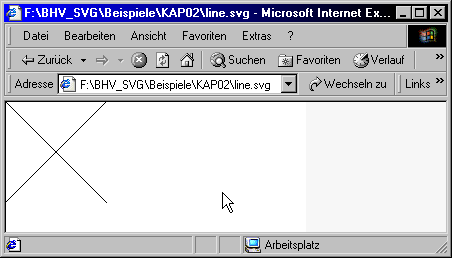
Figure: Two intersecting lines created with the line tag.
Note:
Below, coordinates are always written as x/y. Thus, 0/0 is the coordinate system’s origin, and 0/100 is a position 100 pixels from the top at the left edge.
<?xml version="1.0" standalone="no"?>
...
<svg width="300" height="300">
  <line x1="0" y1="0" x2="100" y2="100" />
  <line x1="100" y1="0" x2="0" y2="100" />
</svg>
Copyright © verlag moderne industrie GmbH 2001
You may print the online version for your private use.
Otherwise, this chapter from “Das Einsteigerseminar SVG — Webgrafiken mit XML” is subject to the same conditions as the bound edition. The work, including all its parts, is protected by copyright. All rights reserved, including reproduction, translation, microfilming, and storage and processing in electronic systems.
verlag moderne industrie GmbH, Justus-von-Liebig-Straße 1, D-86899 Landsberg/Lech, fon ++49 (0) 81 91 / 125 – 0, leserservice(at)mi-verlag.de
back to top