XML technologies / XSL-FO / Reference / Attributes in XSL-FO / border-style
(Excerpt from "XSL-FO ― Die Referenz" by Manuel Montero Pineda & Steffen Herkert, 2016, dpunkt.verlag)
A | B | C | D | E | F | G | H | I | J | K | L | M | N | O | P | Q | R | S | T | U | V | W | X | Y | Z
Recommendation section: 7.31.8
Category: 7.31 Shorthand Properties
Description
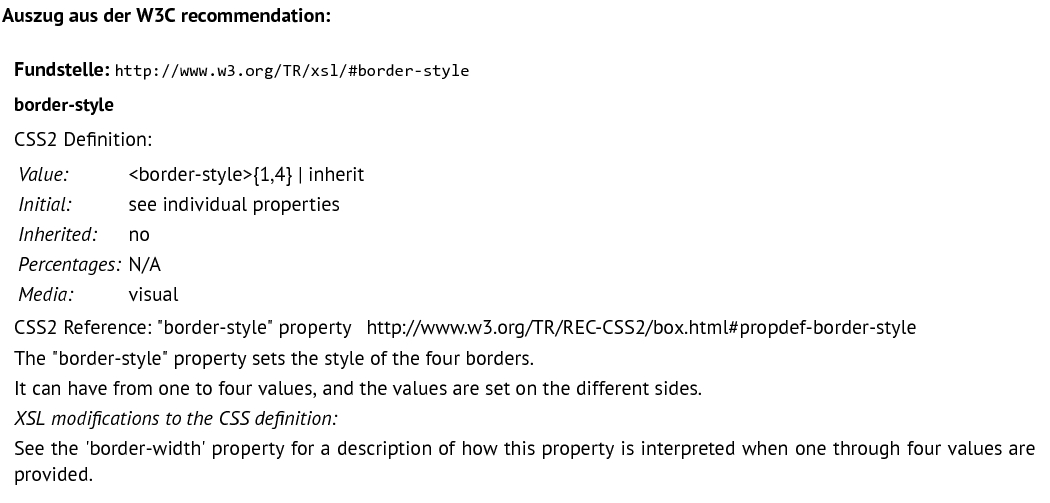
This attribute sets a uniform style for all four borders of an area (top, left, bottom, and right).
Values
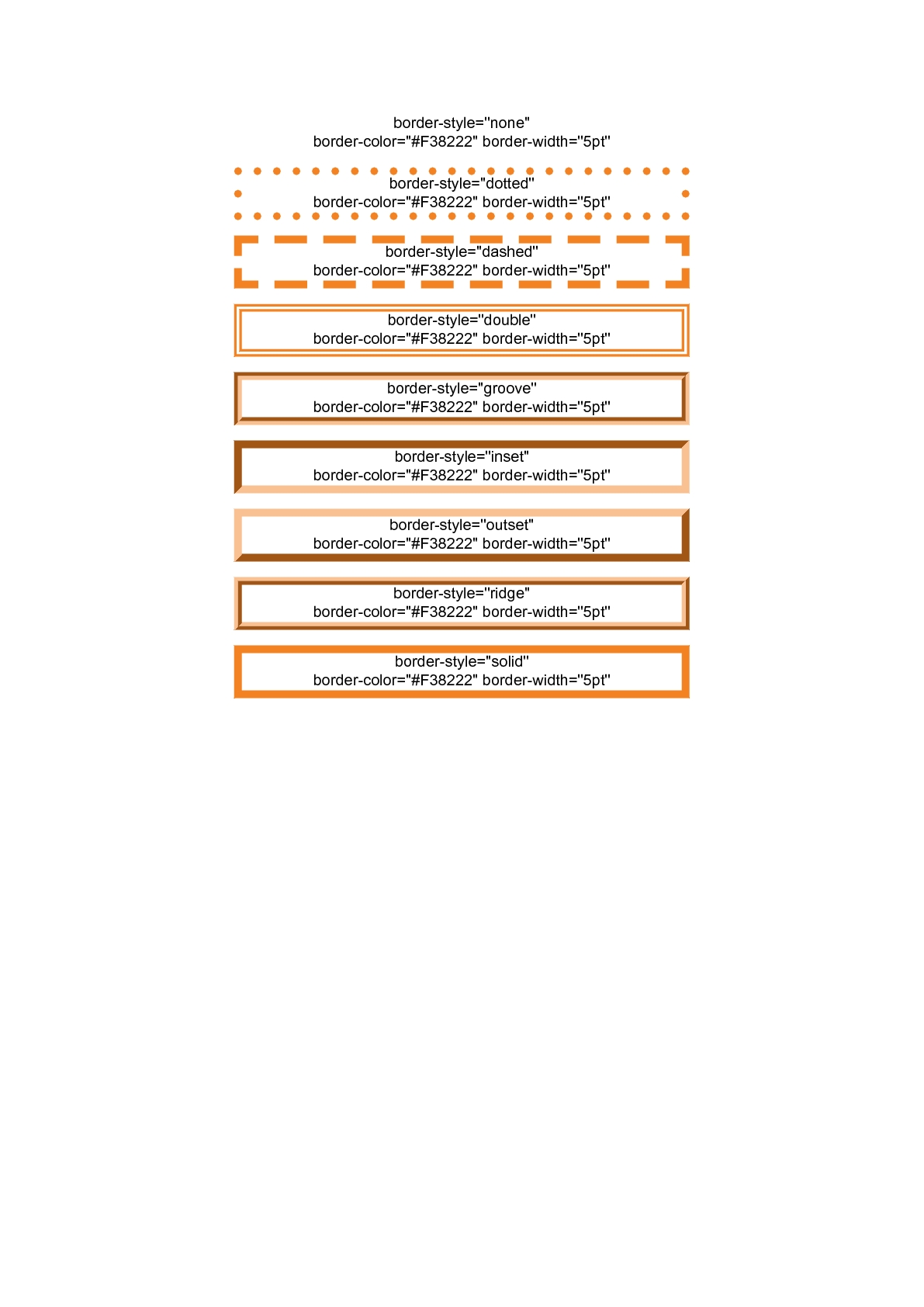
No style is specified for the border of the area. | |
hidden | This value applies only with border-collapse set to collapse. It overrides the border styles of collapsed cells and draws no border at their intersection. |
dotted | The border is displayed as a dotted line. |
dashed | The border is displayed as a dashed line. |
double | The border is displayed as two solid lines. |
groove | The border is a shaded line that appears as a groove. |
inset | The border is a solid line that makes the enclosed area appear recessed. |
outset | The border is a solid line that makes the enclosed area appear raised. |
ridge | The border is a shaded line that appears as a ridge. |
solid | The border is displayed as a solid line. |
Default value: Der Standardwert richtet sich nach den entsprechenden Voreinstellungen der jeweiligen Einzelattribute.
XSL-FO version: 1.0
Allowed in:
<fo:basic-link> , <fo:block> , <fo:block-container> , <fo:character> , <fo:external-graphic> , <fo:initial-property-set> , <fo:inline> , <fo:inline-container> , <fo:instream-foreign-object> , <fo:leader> , <fo:list-block> , <fo:list-item> , <fo:page-number> , <fo:page-number-citation> , <fo:page-number-citation-last> , <fo:region-after> , <fo:region-before> , <fo:region-body> , <fo:region-end> , <fo:region-start> , <fo:scaling-value-citation> , <fo:table> , <fo:table-and-caption> , <fo:table-body> , <fo:table-caption> , <fo:table-cell> , <fo:table-column> , <fo:table-footer> , <fo:table-header> , <fo:table-row> and <fo:title>
Support:
Conformance level | Antenna House | FOP | RenderX XEP | Altsoft XML2PDF | Compart DocBridge |
Complete | Y | Y | Y | Y | Y |
XSL-FO example:
<fo:root font-family="Arial" font-size="10pt" line-height="1.2em" xmlns:fo="http://www.w3.org/1999/XSL/Format" xmlns:cpfo="http://www.compart.net/xmlns/cpfo" xmlns:svg="http://www.w3.org/2000/svg" xmlns:axf="http://www.antennahouse.com/names/XSL/Extensions">
<fo:layout-master-set>
<fo:simple-page-master master-name="Inhalt-Seiten" margin="0mm 0mm 0mm
                      0mm" page-height="297mm" page-width="210mm">
<fo:region-body margin="26mm 55mm 41mm
                        55mm"/>
</fo:simple-page-master>
</fo:layout-master-set>
<fo:page-sequence master-reference="Inhalt-Seiten">
<fo:flow flow-name="xsl-region-body">
<fo:block width="100mm" text-align="center" border-color="#F38222" border-style="none" border-width="5pt">
border-style="none"
<fo:block text-align="center">
border-color="#F38222" border-width="5pt"
</fo:block>
</fo:block>
<fo:block width="100mm" text-align="center" border-color="#F38222" border-style="dotted" border-width="5pt" space-before="10pt">
border-style="dotted"
<fo:block text-align="center">
border-color="#F38222" border-width="5pt"
</fo:block>
</fo:block>
<fo:block width="100mm" text-align="center" border-color="#F38222" border-style="dashed" border-width="5pt" space-before="10pt">
border-style="dashed"
<fo:block text-align="center">
border-color="#F38222" border-width="5pt"
</fo:block>
</fo:block>
<fo:block width="100mm" text-align="center" border-color="#F38222" border-style="double" border-width="5pt" space-before="10pt">
border-style="double"
<fo:block text-align="center">
border-color="#F38222" border-width="5pt"
</fo:block>
</fo:block>
<fo:block width="100mm" text-align="center" border-color="#F38222" border-style="groove" border-width="5pt" space-before="10pt">
border-style="groove"
<fo:block text-align="center">
border-color="#F38222" border-width="5pt"
</fo:block>
</fo:block>
<fo:block width="100mm" text-align="center" border-color="#F38222" border-style="inset" border-width="5pt" space-before="10pt">
border-style="inset"
<fo:block text-align="center">
border-color="#F38222" border-width="5pt"
</fo:block>
</fo:block>
<fo:block width="100mm" text-align="center" border-color="#F38222" border-style="outset" border-width="5pt" space-before="10pt">
border-style="outset"
<fo:block text-align="center">
border-color="#F38222" border-width="5pt"
</fo:block>
</fo:block>
<fo:block width="100mm" text-align="center" border-color="#F38222" border-style="ridge" border-width="5pt" space-before="10pt">
border-style="ridge"
<fo:block text-align="center">
border-color="#F38222" border-width="5pt"
</fo:block>
</fo:block>
<fo:block width="100mm" text-align="center" border-color="#F38222" border-style="solid" border-width="5pt" space-before="10pt">
border-style="solid"
<fo:block text-align="center">
border-color="#F38222" border-width="5pt"
</fo:block>
</fo:block>
</fo:flow>
</fo:page-sequence>
</fo:root>In the output:
Excerpt from the W3C Recommendation: