

XML technologies / XSL-FO / Reference / Attributes in XSL-FO / text-align
(Excerpt from "XSL-FO ― Die Referenz" by Manuel Montero Pineda & Steffen Herkert, 2016, dpunkt.verlag)
A | B | C | D | E | F | G | H | I | J | K | L | M | N | O | P | Q | R | S | T | U | V | W | X | Y | Z
Recommendation section: 7.16.9
Category: 7.16 Block and Line-related Properties
Description
This attribute sets line alignment within an area, such as justified or left-aligned.
Values
start | For left-to-right writing, alignment is to the left; for right-to-left writing, it is reversed. |
center | This value centers the content of the marked area vertically. |
justify | This value produces justified alignment. |
end | For left-to-right writing, alignment is to the right; for right-to-left writing, it is reversed. |
inside | This value aligns to the left on a right-hand page and to the right on a left-hand page. |
outside | This value aligns to the left on a left-hand page and to the right on a right-hand page. |
This value aligns the content of the marked area to the left. | |
This value aligns the content of the marked area to the right. | |
<string> | Content in a table cell can be aligned on a character. |
Inherited: | yes |
Default value: start
XSL-FO version: 1.0
Allowed in:
This element creates a rectangular area that allows many kinds of elements, such as tables, lists and graphics. Attributes can be used to configure various aspects of its appearance. Blocks can be nested to any depth. Information from parent blocks is inherited unless different settings are specified for the child block (inheritance). | |
This element inserts external graphics into the document. Attributes provide numerous configuration options. | |
This element allows inline graphics or other inline objects to be inserted into the document. | |
This element creates a table with a caption above or below it. |
Support:
Conformance level | Antenna House | FOP | RenderX XEP | Altsoft XML2PDF | Compart DocBridge |
Basic | Y | P | Y | Y | Y |
XSL-FO example:
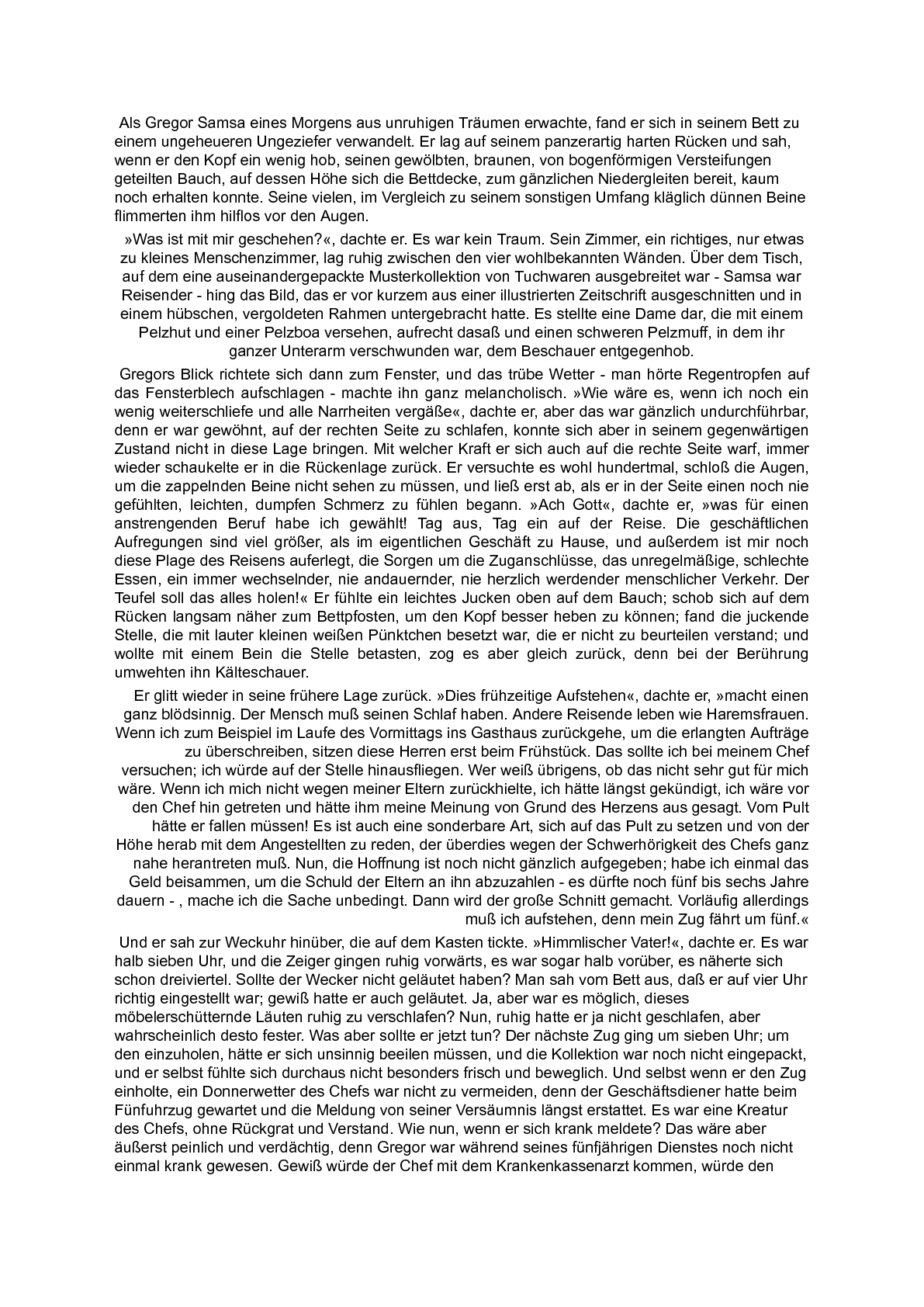
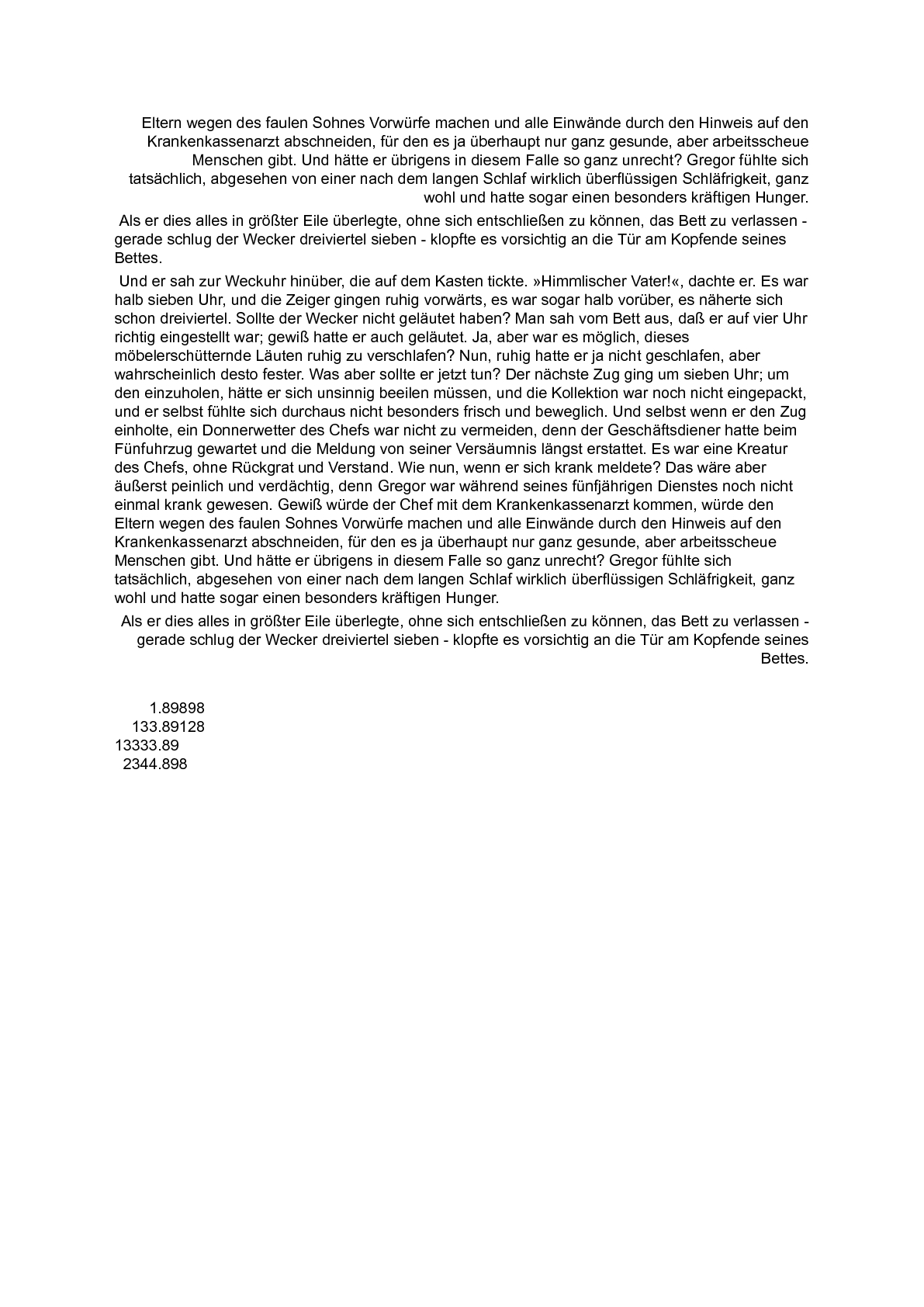
In the output:
Page 2
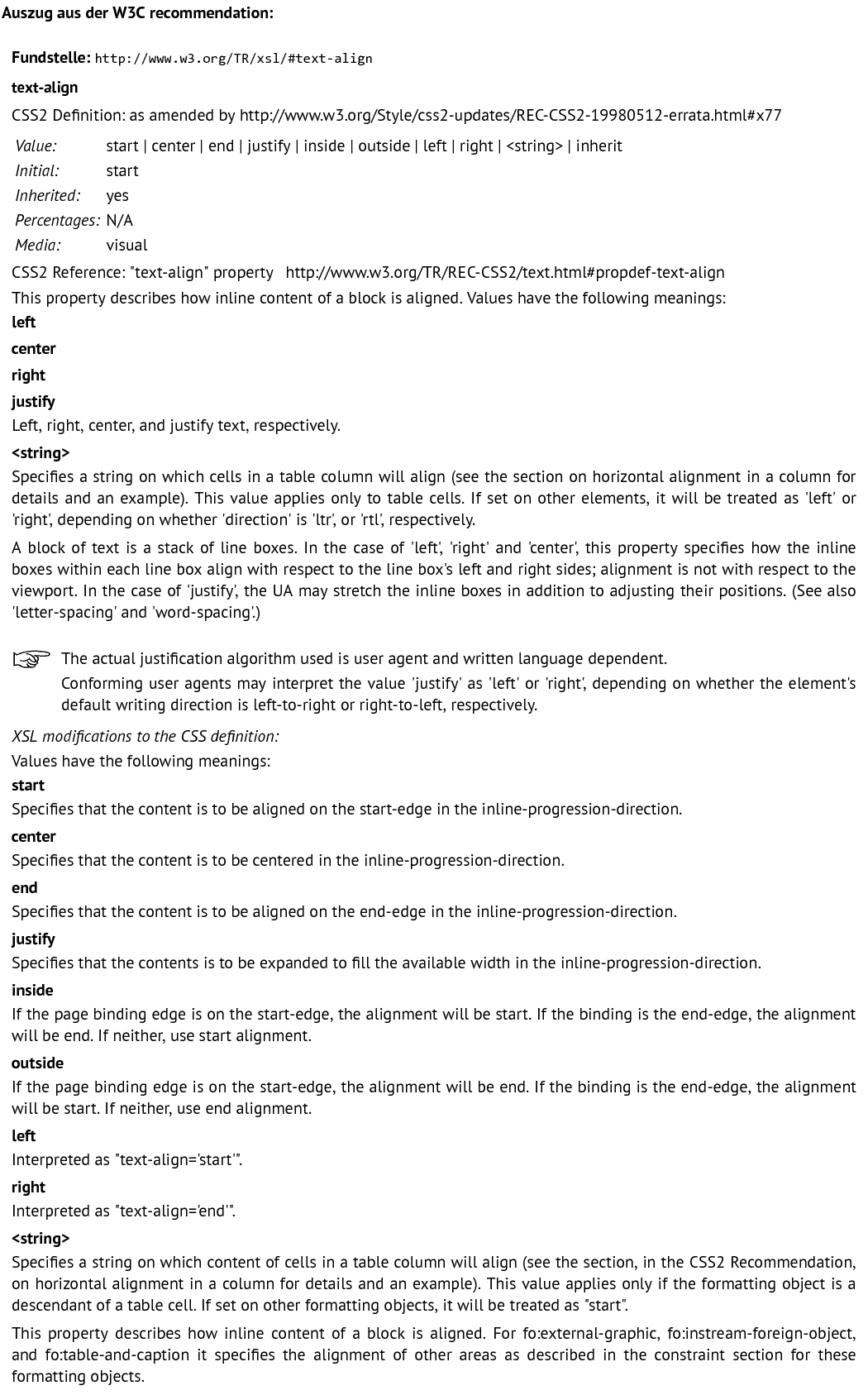
Excerpt from the W3C Recommendation:
More information online about
Property description in the CSS reference "text-align"
Rendering of the property in the XSL-FO reference