

XML technologies / CSS / CSS Cookbook / Lists
(Excerpt from “CSS Kochbuch” by Christopher Schmitt)
Introduction
Lists help people keep track of things and focus on essentials in many ways: from a housewife handing her husband a shopping list as he leaves, to a radio station presenting the hundred worst songs of all time. Web design is no different. HTML lists present a site’s organized content by gathering key elements into a structured form.
HTML lists offer advantages through their distinct document appearance. Items are normally indented and preceded by a marker or bullet: usually a filled circle for unordered lists (see the following figure) and a number for ordered lists. With just a few lines of HTML, authors can create lists with markers without image-editing software. CSS makes them more attractive still.
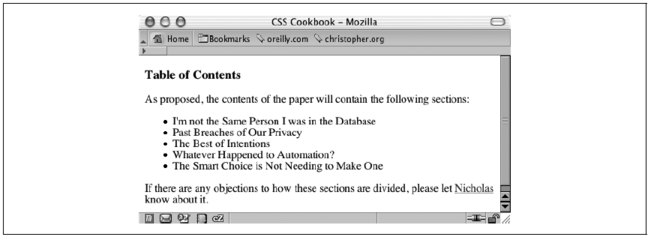
Figure: Default list appearance.
Developers can adapt lists to a page’s overall design instead of relying on browser defaults. This chapter explores customizing numbering, using images as markers, creating hanging indents without markers, and much more.
Copyright of the German edition © 2007 by O’Reilly Verlag GmbH & Co. KG
You may print the online version for your private use.
Otherwise, this chapter from “CSS Kochbuch” is subject to the same conditions as the bound edition: the work, including all its parts, is protected by copyright. All rights reserved, including reproduction, translation, microfilming, and storage and processing in electronic systems.
O’Reilly Verlag GmbH & Co. KG, Balthasarstr. 81, 50670 Köln