

XML technologies / CSS / CSS Cookbook / Lists / Displaying the list marker inside the item
(Excerpt from “CSS Kochbuch” by Christopher Schmitt)
Problem
The marker should appear inside the list item’s box, as shown in the following figure, so the text flows around it.
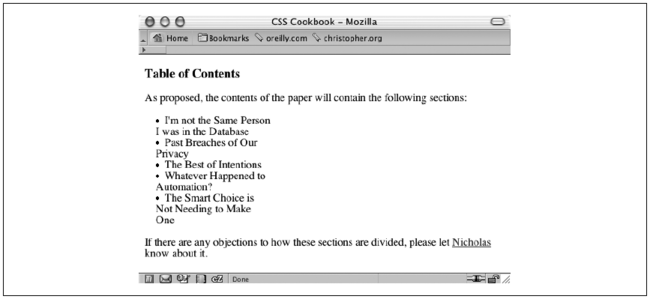
Figure: Displaying the marker inside the list item.
Solution
Use the property list-style-position with the value inside:
li {
 list-style-position: inside;
 width: 33%;
 padding: 0;
 margin: 0;
}
ul {
 margin: 0;
 padding: 0 0 0 1em;
}
Discussion
List markers normally appear outside the items, producing the typical list layout. Some designs may instead call for the marker to appear with the text, for example to avoid excessive empty space on the left. You can enhance this recipe visually by using your own marker, as in the next figure, where arrows replace the default marker.
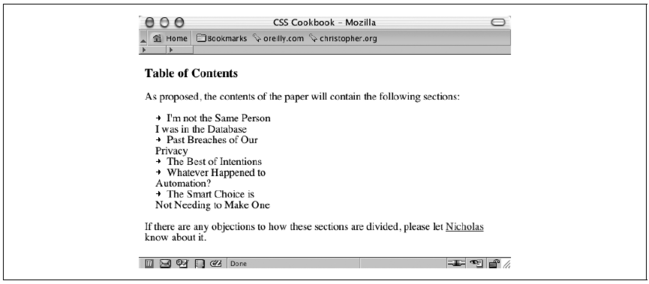
Figure: A custom marker inside the list item.
See also
The CSS 2.1 specification for the property list-style-position.
Copyright of the German edition © 2007 by O’Reilly Verlag GmbH & Co. KG
You may print the online version for your private use.
Otherwise, this chapter from “CSS Kochbuch” is subject to the same conditions as the bound edition: the work, including all its parts, is protected by copyright. All rights reserved, including reproduction, translation, microfilming, and storage and processing in electronic systems.
O’Reilly Verlag GmbH & Co. KG, Balthasarstr. 81, 50670 Köln