

XML technologies / ePUB / ePub für (In)Designer / Images / Working with PDF and InDesign imports
(Excerpt from “ePub für (In)Designer — Mit InDesign Schritt für Schritt zum E-Book” by Sascha Heck & Yves Apel)
Automatically converting PDF and InDesign files to images
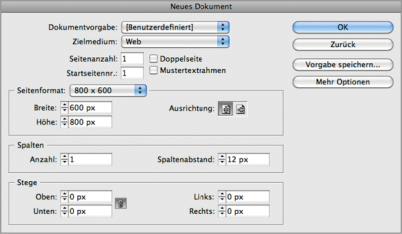
Earlier chapters showed how InDesign CS5.5 and its new Object Export Options convert almost any object during ePub export to an image. Each object must first be selected and configured individually, potentially time-consuming. The illustrated project uses dozens of tables; converting each separately would take too long. A trick simplifies matters: first export the whole document with tables as high-resolution PDF. Create a new InDesign document of any size; we recommend a 600 × 800-pixel text area matching typical e-book dimensions. Match its page count to the PDF.
Figure: New InDesign document with 600 x 800-pixel text area. |
|
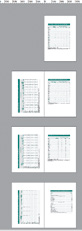
Choose File → Place or CMD + D (Mac)/CTRL + D (Windows) and select the PDF. Enable Show Import Options; Replace Selected Item need not be enabled because no object is replaced.
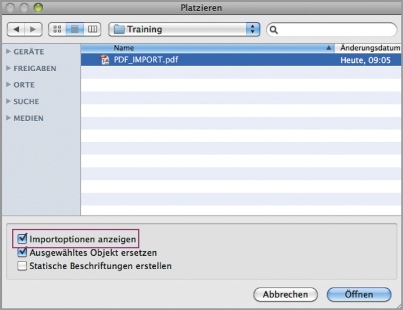
Figure: Placing PDF.
Then choose page ranges and crop boundaries.
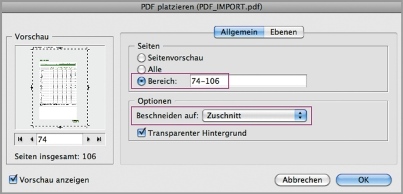
Figure: Selecting PDF page ranges and crop boundaries.
Figure: | Figure: |
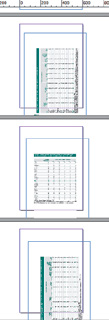
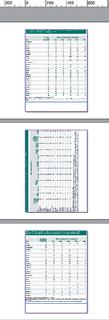
Put each PDF page on its own InDesign page, adjusting position and size. Crop frames to hide unwanted headers or footers.
During global ePub export, the placed tables follow image settings; see ePub export from InDesign CS5 and CS5.5.
Alternatively import the original InDesign file as an image into another InDesign document, using the same procedure but selecting InDesign instead of PDF. This saves PDF-export steps, but requires all original fonts activated and no missing image links.
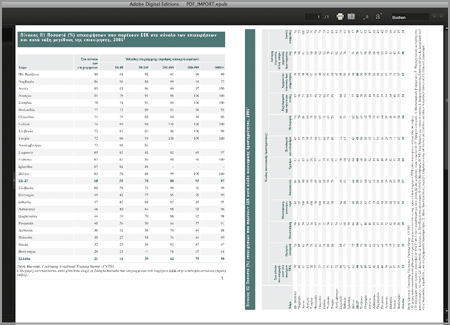
Figure: Result in Adobe Digital Editions.
Copyright © dpunkt.verlag GmbH 2012
You may print the online version for your private use.
Otherwise, this chapter from “ePub für (In)Designer” is subject to the same terms as the printed edition: the work and all its parts are protected by copyright. All rights reserved, including reproduction, translation, microfilming, and storage and processing in electronic systems.
dpunkt.verlag GmbH, Wieblinger Weg 17, 69123 Heidelberg, fon 06221-14830, fax 06221-148399, hallo(at)dpunkt.de