

XML technologies / ePUB / ePub für (In)Designer / Differences between InDesign CS5 and CS5.5
(Excerpt from “ePub für (In)Designer — Mit InDesign Schritt für Schritt zum E-Book” by Sascha Heck & Yves Apel)
Book margins
Enter one em or pixel value for all top, bottom and outer margins. Em best ensures device compatibility. InDesign generates a CSS class @page rule.
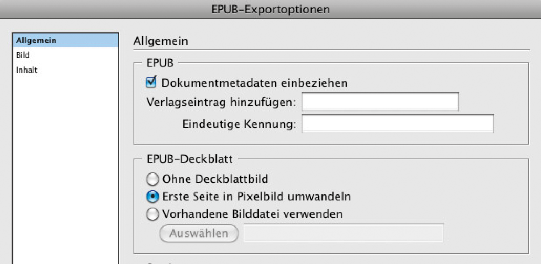
Figure: EPUB Export Options → General—the margin determines how far
text starts from the screen edge, defining the digital text area.
Image resolution
CS5.5 offers 72 ppi for smallest files, 96 ppi as Windows standard, 150 recommended for most e-readers, and 300 ppi for print and Apple Retina Display. CS5 only exports a fixed 72 ppi.
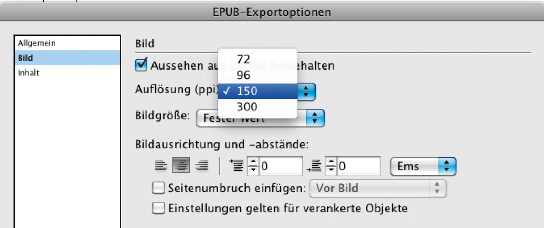
Figure: CS5.5 offers four image resolutions.
Image size
Besides Fixed there is now Relative to Page. Images scale proportionally to the page: a full-width image remains full-width in ePub and adapts to screen size.
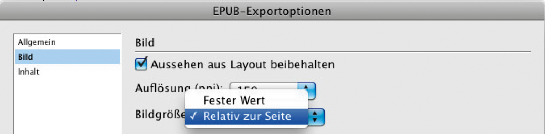
Figure: Relative to Page scales images proportionally.
PNG support
CS5 lacked PNG in ePub export. Selecting PNG in CS5.5 grays compression. It suits lossless images or transparency.
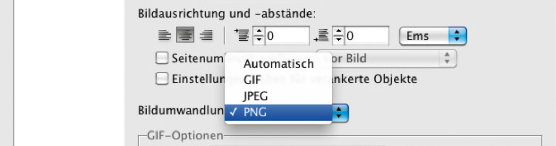
Figure: EPUB Export Options → Image—new PNG option.
Cover image
New cover options include:
Convert the first page to a cover image.
Use an existing image file.
Define no cover, perhaps adding it later.
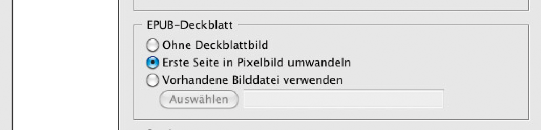
Figure: EPUB Export Options → General—convert the first page
to a raster image during export.
Split document at paragraph style
Earlier versions only supported TOC-based breaks. CS5.5 lets any paragraph style be selected at export, though not multiple styles. It creates separate HTML files for chapters, useful because long chapters slow readers. We explain other methods of page breaks later.
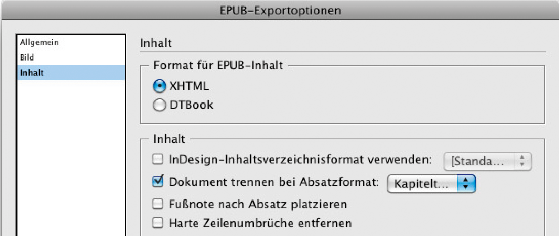
Figure: EPUB Export Options → Contents—split before paragraph style Kapiteltitel.
Place footnotes after paragraphs
Now footnotes can follow their paragraphs immediately instead of appearing at flow end.
Remove forced line breaks
A hard break ends a paragraph, control character ¶, entered with Return. A soft break, ¬, uses Shift-Return and starts a line without interrupting paragraph formatting. The German export-dialog wording is wrong: it means soft breaks, removable automatically during export.
Audio/video tag support
Place MP3 audio and MP4 video using h.264; InDesign generates HTML5 tags <audio> and <video>. Warning: Very few readers support this; Apple iBooks currently leads.
Nested lists
Bulleted and numbered lists export correctly with nested <ul> and <ol> tags when using InDesign lists. However, Combined list types shows a bug combining the two types.
Table-of-contents output
CS5.5 now exports InDesign-generated contents. Earlier versions omit the whole contents page, exporting only the navigation map.
Metadata: publication date
ePub is invalid without a publication date. Previously added manually, CS5.5 now generates it automatically.
Articles panel
Earlier versions used a complex XML side panel for ePub structure. Articles adds a simpler way to order text: drag frames and images into it and reorder freely. In EPUB Export Options select Order: Same as Articles Panel.
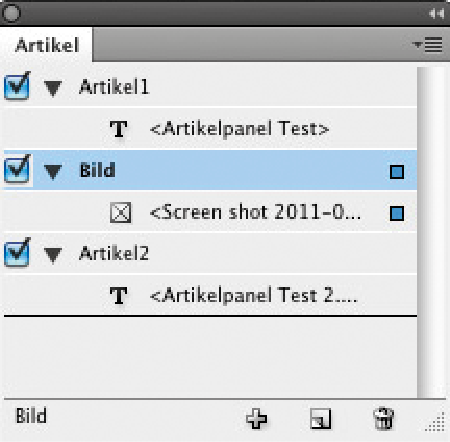
Figure: Articles precisely determines what
exports to ePub.
Export tagging
Paragraph and character styles now include Export Tagging: name CSS classes in InDesign and assign a <p> or <h1> tag.
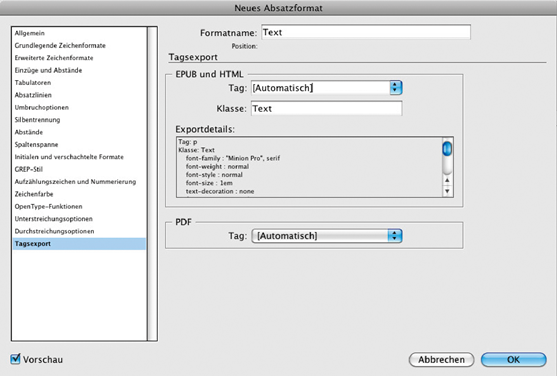
Figure: Export Tagging previews CSS classes.
Mapping styles
Paragraph/character style menus include the somewhat hidden Edit All Export Tags to view and edit all tags together.
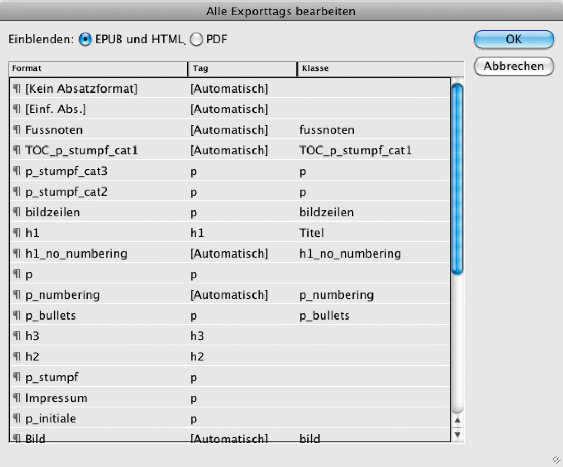
Figure: Edit All Export Tags—overview.
Anchored frames
Anchoring is not new, but CS5.5 adds a practical shortcut. CS5 requires cutting an image, placing the text cursor and pasting, then positioning through Object → Anchored Object → Options, entering values and checking preview, repeated for every image.
In CS5.5, if the image already sits correctly, drag its top-right blue rectangle’s anchor to the text location. No further settings are needed. Anchoring images and objects particularly helps correct ePub reading order.
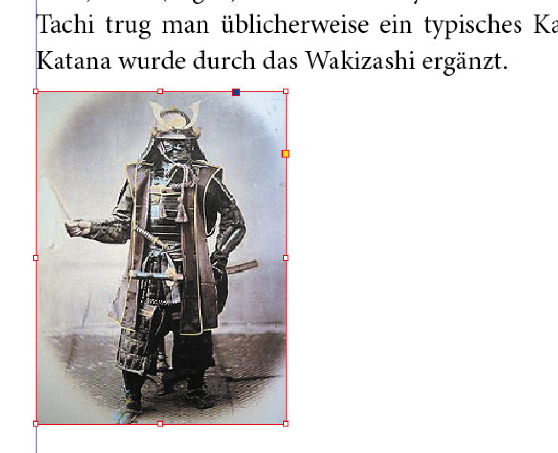
Figure: CS5.5—drag the blue rectangle to the desired text position.
Object Export Options
Also new in CS5.5 are Object Export Options under Object → Object Export Options, defining each object’s ePub/PDF/HTML resolution, size and alignment. Under Alt Text add an accessible description, read aloud to visually impaired users unable to see the image.
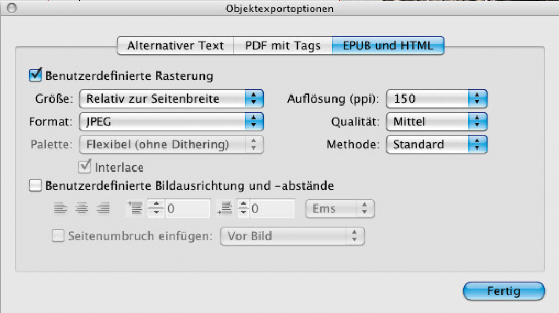
Figure: Object Export Options for PDF, HTML and ePub.
These are the main CS5.5 innovations. Beyond ePub, changes include open-source dictionaries; see Adding Hunspell dictionaries, improved PDF tags and PDF/X4 updates.
Copyright © dpunkt.verlag GmbH 2012
You may print the online version for your private use.
Otherwise, this chapter from “ePub für (In)Designer” is subject to the same terms as the printed edition: the work and all its parts are protected by copyright. All rights reserved, including reproduction, translation, microfilming, and storage and processing in electronic systems.
dpunkt.verlag GmbH, Wieblinger Weg 17, 69123 Heidelberg, fon 06221-14830, fax 06221-148399, hallo(at)dpunkt.de