

XML technologies / ePUB / ePub für (In)Designer / Images / Wrapping text around images and boxes
(Excerpt from “ePub für (In)Designer — Mit InDesign Schritt für Schritt zum E-Book” by Sascha Heck & Yves Apel)
Images and objects often belong between paragraphs, unless tied to a particular passage and placed left or right beside it. InDesign allows precise placement and wrapping, but e-books cannot yet reproduce this as accurately.
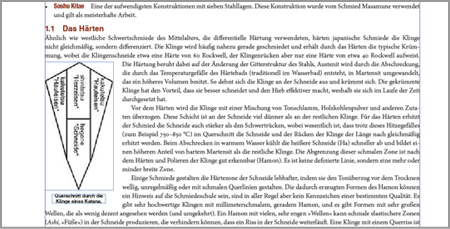
Figure: Captioned image surrounded by text.
Select and group the relevant objects, here image and caption, to produce this effect in the e-book.
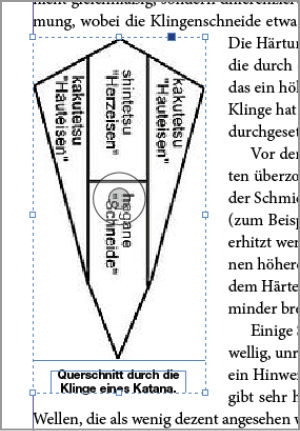
Figure: Selecting image and caption.
As explained under Anchoring images in text flow, anchor the group in the desired passage, here beside “Die Härtung beruht dabei …”. Fixed leading may make InDesign’s display look unusual; do not worry.
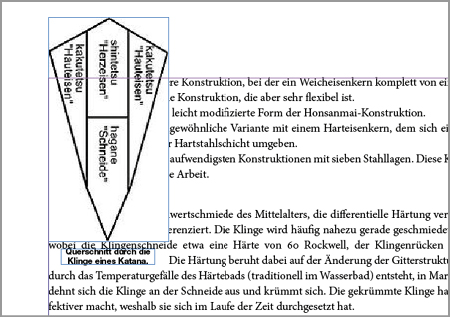
Figure: Anchoring the group in the desired passage.
Select the anchored group and open the panel Text Wrap. Click the icon Wrap Around Bounding Box. This tells InDesign to generate wrapping commands during ePub export.
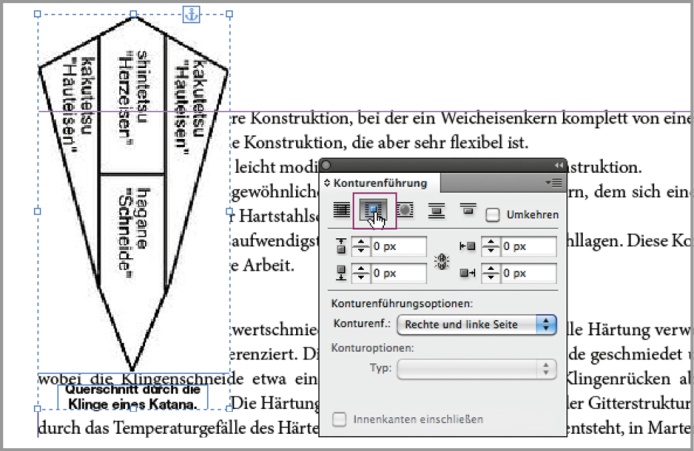
Figure: Click Wrap Around Bounding Box.
With the group still selected, create and assign a new object style. This uniquely identifies the group in the ePub.
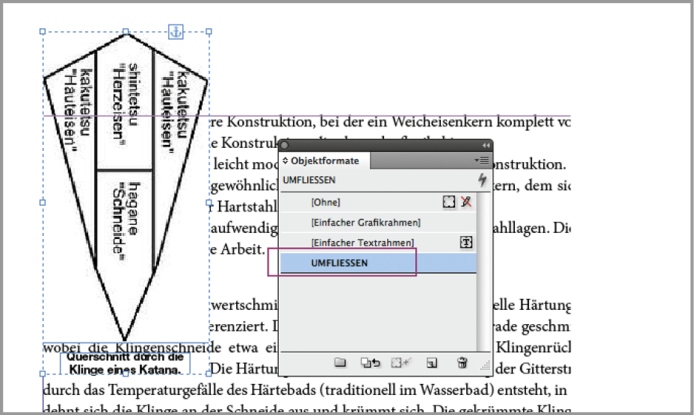
Figure: Create and assign an object style to the group.
InDesign preparation is complete; continue editing in the final ePub.
Copyright © dpunkt.verlag GmbH 2012
You may print the online version for your private use.
Otherwise, this chapter from “ePub für (In)Designer” is subject to the same terms as the printed edition: the work and all its parts are protected by copyright. All rights reserved, including reproduction, translation, microfilming, and storage and processing in electronic systems.
dpunkt.verlag GmbH, Wieblinger Weg 17, 69123 Heidelberg, fon 06221-14830, fax 06221-148399, hallo(at)dpunkt.de
back to top