

XML technologies / ePUB / ePub für (In)Designer / Images / Automatication LayoutZone
(Excerpt from “ePub für (In)Designer — Mit InDesign Schritt für Schritt zum E-Book” by Sascha Heck & Yves Apel)
Here is another freely available script. Automatication’s LayoutZone exports selected objects into an external InDesign file, automatically replacing them with that exported file while preserving position, shape and size.
Read the vendor’s installation instructions: this script installs differently from the usual procedure you may know from other scripts.
Using the script
Select the objects to export, then open the menu Edit → LayoutZone → Assign Zone and enter a filename and location in the next window.
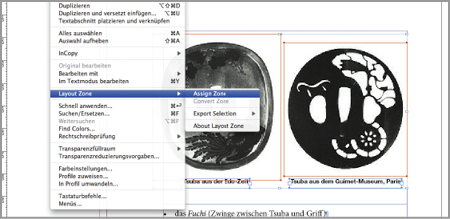
Figure: Edit → LayoutZone → Assign Zone.
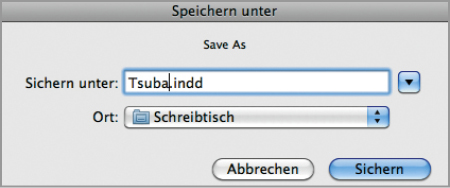
Figure: Entering a filename and location.
Another window offers options; leave the defaults and confirm with OK.
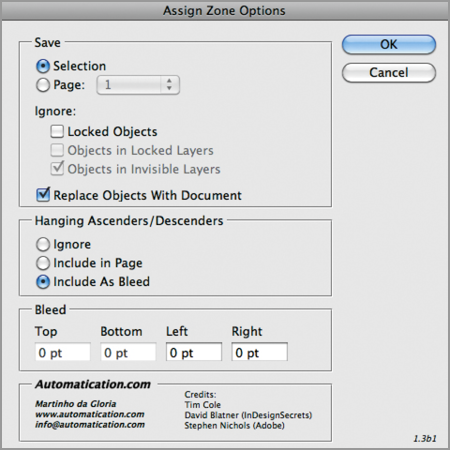
Figure: Keep default settings in Asign Zone Options.
The script replaces the selected objects with the InDesign file, treating it as an image. This is particularly useful when converting groups to images in InDesign CS5.
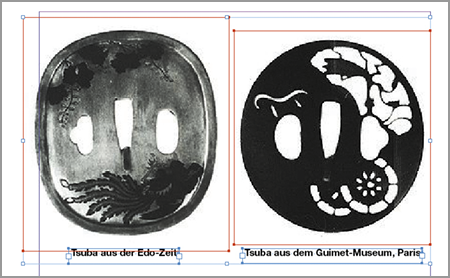
Figure: Before—separate objects.
Figure: After—an imported InDesign file.
Copyright © dpunkt.verlag GmbH 2012
You may print the online version for your private use.
Otherwise, this chapter from “ePub für (In)Designer” is subject to the same terms as the printed edition: the work and all its parts are protected by copyright. All rights reserved, including reproduction, translation, microfilming, and storage and processing in electronic systems.
dpunkt.verlag GmbH, Wieblinger Weg 17, 69123 Heidelberg, fon 06221-14830, fax 06221-148399, hallo(at)dpunkt.de