

XML technologies / ePUB / ePub für (In)Designer / Text / Paragraph and character styles / CS5.5: Mapping tags to styles
(Excerpt from “ePub für (In)Designer — Mit InDesign Schritt für Schritt zum E-Book” by Sascha Heck & Yves Apel)
With InDesign CS5.5 comes an exciting feature. Paragraph Style Options has Export Tagging in the left column. Export Details previews how InDesign converts styles into CSS.
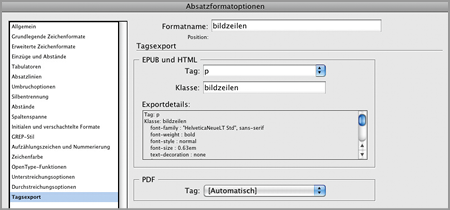
Figure: Assign a tag and your own class name.
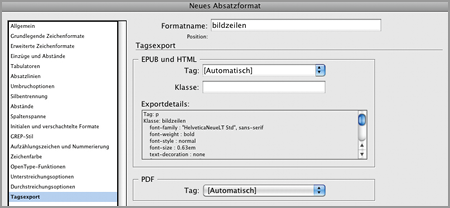
Figure: Automatic lets InDesign name the class.
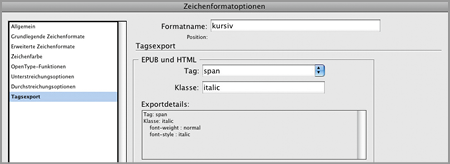
Figure: Character styles also have Export Tagging,
where you define the class for span.
If paragraph or character style tagging under Export Tagging is set to [Automatic], the preview shows the automatic tag and CSS class. Choose whether to keep the name generated from the style or supply another. Class properties stay the same, but clear naming helps later HTML/CSS editing.
Assign classes to tags unless you want e-readers to choose their appearance using default tag rendering; see also Brief introduction to HTML and CSS.
Editing all export tags
CS5.5 also edits all tags together. From the Paragraph Styles panel menu choose Edit All Export Tags.
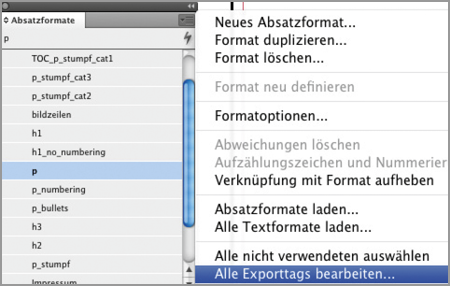
Figure: Paragraph styles—Edit All Export Tags.
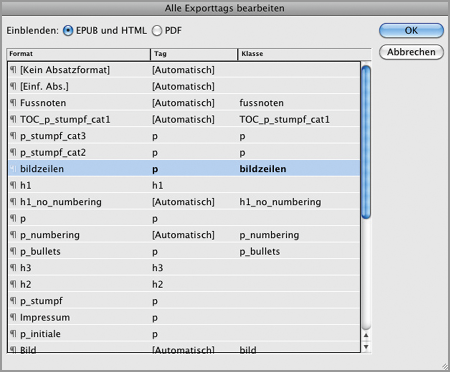
Figure: Edit All Export Tags.
This feature conveniently predetermines export tags. It also adapts styles to an existing CSS file you want to link to ePub.
There are drawbacks: object, table and cell styles cannot be edited or previewed as CSS here. We will still get as much as possible from ePub, starting under The ePub structure.
Copyright © dpunkt.verlag GmbH 2012
You may print the online version for your private use.
Otherwise, this chapter from “ePub für (In)Designer” is subject to the same terms as the printed edition: the work and all its parts are protected by copyright. All rights reserved, including reproduction, translation, microfilming, and storage and processing in electronic systems.
dpunkt.verlag GmbH, Wieblinger Weg 17, 69123 Heidelberg, fon 06221-14830, fax 06221-148399, hallo(at)dpunkt.de