

XML technologies / ePUB / ePub für (In)Designer / Text / Adding spacing
(Excerpt from “ePub für (In)Designer — Mit InDesign Schritt für Schritt zum E-Book” by Sascha Heck & Yves Apel)
Space Before/After
As discussed under Cleaning text, line breaks cannot control e-book spacing. Use Space Before or Space After. ePub has no baseline grid either. Include this spacing in paragraph-style definitions.
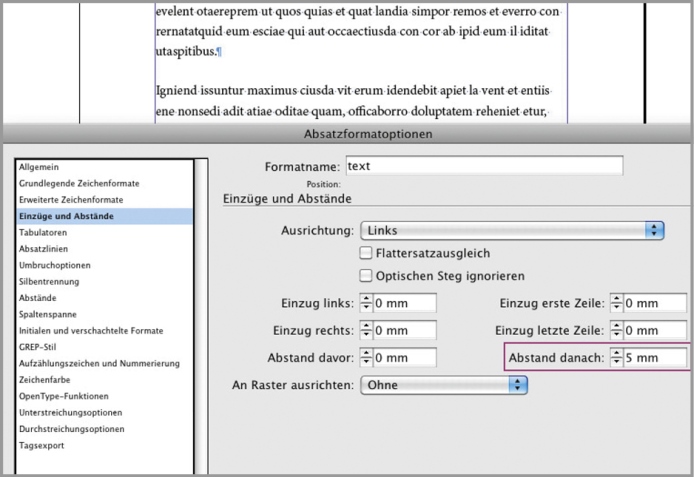
Figure: Define spacing with Space Before/After.
InDesign users position page objects precisely in millimeters, moving frames as usual in frame-based layout software. E-books require another approach.
| Figure: Determining spacing through frames |
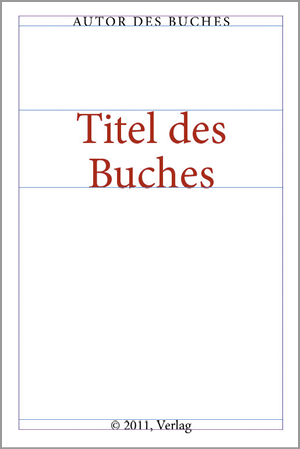
InDesign exports all frames on document pages in a specific order: left to right, top to bottom.
For a typical title page, copy everything into one text frame, keeping it in the same flow. Space After then produces the desired ePub gaps.
| Figure: Correct spacing created with Space After. |

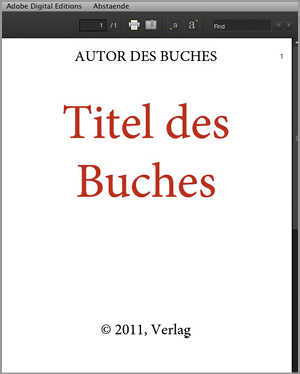
In CS5.5 this works even without a style definition, unlike CS5. There, spacing must be defined in the paragraph style, otherwise only default spacing appears.
| Figure: Result in Adobe Digital Editions. |
Copyright © dpunkt.verlag GmbH 2012
You may print the online version for your private use.
Otherwise, this chapter from “ePub für (In)Designer” is subject to the same terms as the printed edition: the work and all its parts are protected by copyright. All rights reserved, including reproduction, translation, microfilming, and storage and processing in electronic systems.
dpunkt.verlag GmbH, Wieblinger Weg 17, 69123 Heidelberg, fon 06221-14830, fax 06221-148399, hallo(at)dpunkt.de