

XML technologies / ePUB / ePub für (In)Designer / Tools / E-readers
(Excerpt from “ePub für (In)Designer — Mit InDesign Schritt für Schritt zum E-Book” by Sascha Heck & Yves Apel)
First we need a tool to view our ePubs. Beyond hardware such as Sony Reader, Amazon Kindle and Barnes & Noble Nook, many software readers are free downloads for computers or tablets, apps, utilities or browser applications. We examine viewers mainly to test our books.
Apple iBooks
E-books are an old idea that took time to reach their present form. iPad especially inspired enthusiasm and publishing content. Its iBooks app, from App Store, provides digital bookshelves and immediate reading of iTunes Store downloads. iBooks also runs on iPhone and iPod Touch from iOS 4.
iBooks is often mentioned because it offered more features from the outset, including video, audio and even JavaScript. It already implements some HTML5/CSS3 features while others lag. We return to its specific features later.
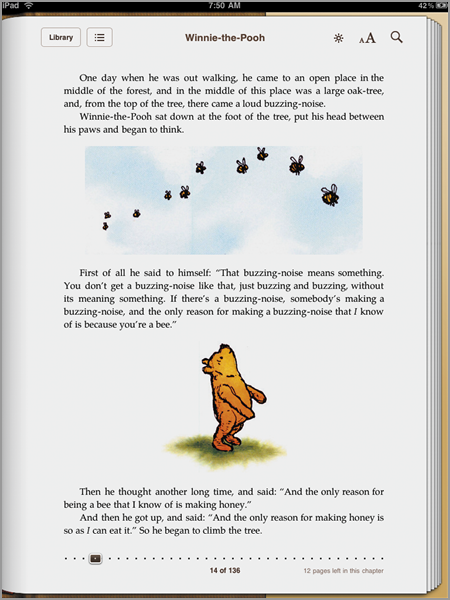
Figure: Winnie the Pooh comes with iBooks.
Adobe Digital Editions
Adobe Digital Editions is recommended for visual ePub checks. It reads, not edits, and handles PDF, HTML and Adobe DRM-protected ePub, Digital Rights Management. Build a library and authorize books on several computers. Adobe’s e-book library offers free examples. Most book examples use Digital Editions as the fastest way to inspect results.
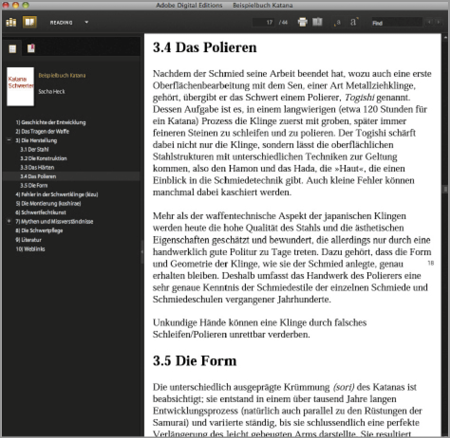
Figure: Adobe Digital Editions reading view.
EPUBReader Firefox add-on
Firefox has many add-ons, small browser extensions. EPUBReader opens and reads ePub with quite good rendering. Like Digital Editions, it mainly helps inspection: test several readers, including hardware, because rendering can differ greatly. After installation and Firefox restart, find ePub-Catalog under Tools.
Simply use Datei → Öffnen to select and display the ePub in Firefox.
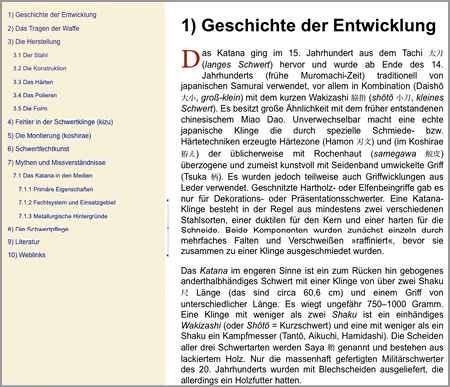
Figure: Firefox EPUBReader reading view and navigation.
Kindle Reader
Besides Kindle hardware, Amazon offers free Windows, Mac, iOS and Android readers. Read purchased books on computers, tablets or smartphones without Kindle hardware. Kindle uses not ePub but AZW, based on Mobipocket. ePub conversion has limitations; see E-books for Kindle.
Amazon uses the cloud: purchases live on servers and download as needed, synchronizing across devices. Its web app, the Kindle Cloud Reader, reads purchases in a browser.
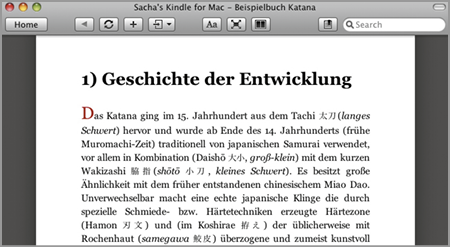
Figure: Kindle Reader on OS X.
Ibis Reader
Threepress’s Ibis Reader (data2type editorial note: Threepress has belonged to Safari Books since 2012) runs entirely in a browser, like Kindle Cloud Reader. Books reside on servers, accessible anywhere with internet; loaded books also work offline. Upload your own ePubs for visual checks. Threepress Consulting provides it and the useful ePub validator; see Validating the ePub.
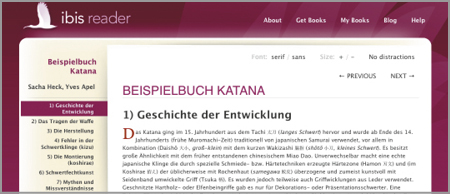
Figure: Ibis Reader is a web-based reader and e-book management tool.
Blio
K-NFB’s Blio is another good reader, available from Android Market, Apple Store and for desktop. Quark XPress 9 helped popularize it; that version supports ePub export and uses Blio for publication. ePub rendering is very good. Blio is a full publishing platform, not just a reader.
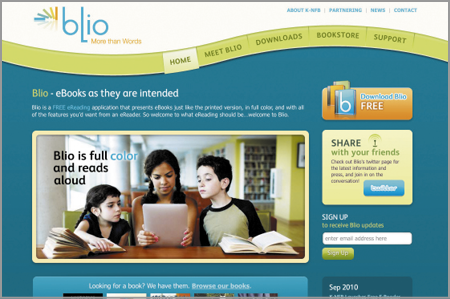
Figure: Blio combines reading and publishing.
Android readers
Android Market offers free readers, though many, including Barnes & Noble and Google Books, remain unavailable in Europe. Kindle for Android exists. Android ePub readers usually fall short of iBooks rendering and lack features such as JavaScript and HTML5 video tags.
For formatting and CSS rules, Bluefire is among the better readers. It runs on iOS and Android and uses Adobe’s publishing platform, producing results like Digital Editions. Blio is also available for Android.
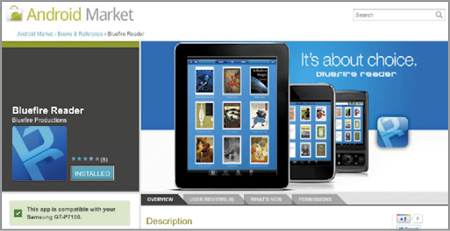
Figure: Bluefire Reader also runs on Android.
Copyright © dpunkt.verlag GmbH 2012
You may print the online version for your private use.
Otherwise, this chapter from “ePub für (In)Designer” is subject to the same terms as the printed edition: the work and all its parts are protected by copyright. All rights reserved, including reproduction, translation, microfilming, and storage and processing in electronic systems.
dpunkt.verlag GmbH, Wieblinger Weg 17, 69123 Heidelberg, fon 06221-14830, fax 06221-148399, hallo(at)dpunkt.de