

XML technologies / CSS / CSS Cookbook / Typography for the web / Bordered pull quotes
(Excerpt from “CSS Kochbuch” by Christopher Schmitt)
Problem
You want to give a pull quote a top and bottom border, as shown in the following figure.
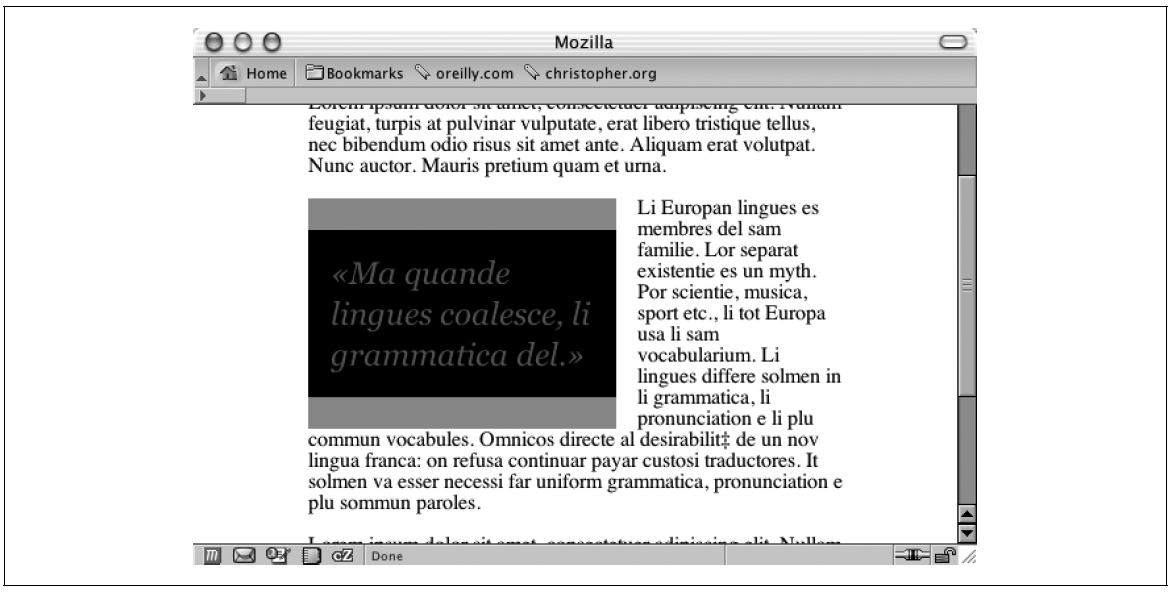
Figure: A bordered pull quote.
To define left and right borders instead of top and bottom borders, use the properties border-left and border-right:
border-left: 1em solid #999;
border-right: 1em solid #999;
Solution
Use the element blockquote to mark up the pull quote’s content:
<blockquote>
<p>«Ma quande lingues coalesce, li grammatica del.»</p>
</blockquote>Then style the text and borders using CSS rules:
blockquote {
 float: left;
 width: 200px;
 margin: 0 0.7em 0 0;
 padding: 0.7em;
 color: #666;
 background-color: black;
 font-family: Georgia, Times, "Times New Roman", serif;
 font-size: 1.5em;
 font-style: italic;
 border-top: 1em solid #999;
 border-bottom: 1em solid #999;
}
blockquote p {
 margin: 0;
 padding: 0;
 text-align: left;
 line-height: 1.3em;
}
Discussion
The properties float and width let you specify whether and how the main content flows around the pull quote:
float: left;
width: 200px;
Changing the pull quote’s foreground and background colors sets it apart from the surrounding text:
color: #666;
background-color: black;
Match the colors of the properties border-top and border-bottom to the text inside the pull quote:
border-top: 1em solid #999;
border-bottom: 1em solid #999;
Note that Internet Explorer up to version 5.5 renders the result slightly differently from CSS2-compliant browsers because of its box model bug. Details and a workaround are provided in the recipe Special values for Internet Explorer 5.x for Windows.
See also
The section Page layouts for further page layout techniques using the property
float,the recipe Bordered headings for adding borders to headings,
the recipes Combining seemingly incompatible things to create contrast and Using contrast to guide the eye for further information on designing with contrasting elements.
Copyright of the German edition © 2007 by O’Reilly Verlag GmbH & Co. KG
You may print the online version for your private use.
Otherwise, this chapter from “CSS Kochbuch” is subject to the same conditions as the bound edition: the work, including all its parts, is protected by copyright. All rights reserved, including reproduction, translation, microfilming, and storage and processing in electronic systems.
O’Reilly Verlag GmbH & Co. KG, Balthasarstr. 81, 50670 Köln