

XML technologies / CSS / CSS Cookbook / Typography for the web / Styling a pull quote with HTML text
(Excerpt from “CSS Kochbuch” by Christopher Schmitt)
Problem
You want to style a pull quote—literally, an attention-grabbing quotation—so that it differs from the default appearance. Without highlighting, quotations are not immediately recognizable as another author’s words (see the next figure), whereas appropriately emphasized quotations are easy to recognize (see the figure after that).
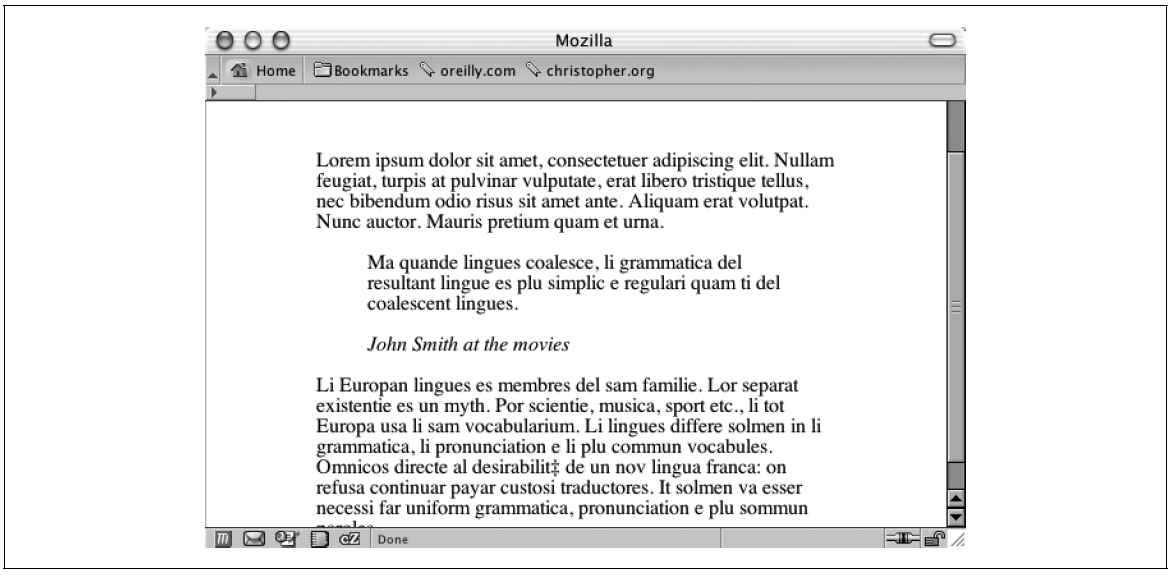
Figure: Default pull quote text appearance.
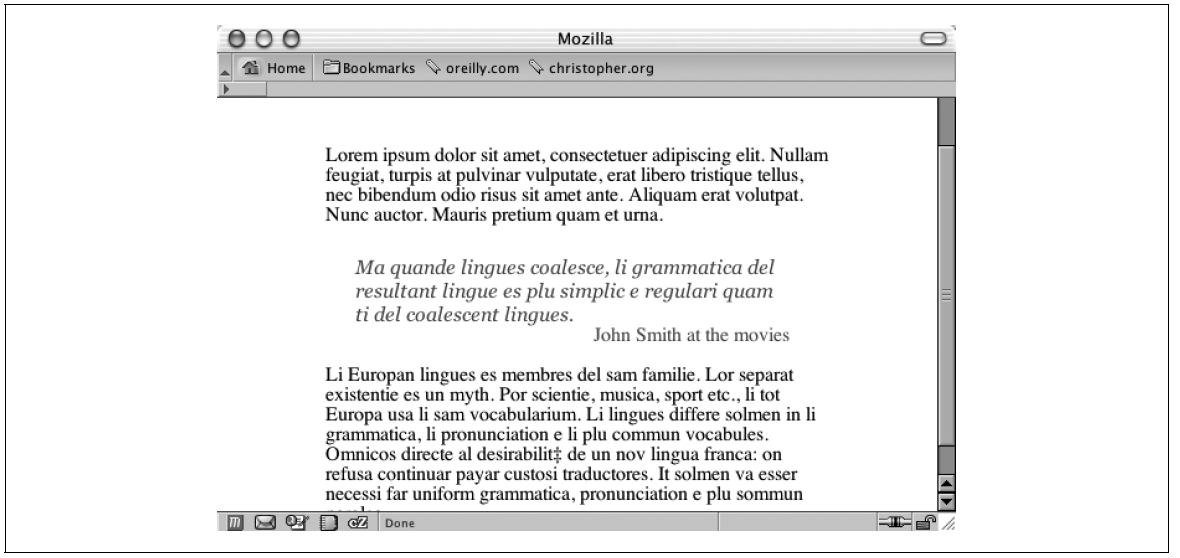
Figure: The pull quote with custom styles.
Solution
Use the element blockquote to mark a pull quote as a quotation in the document structure:
<blockquote>
  <p>Ma quande lingues coalesce, li grammatica del resultant lingue es plu simplic e regulari quam ti del coalescent lingues.</p>
  <div class="source">John Smith at the movies</div>
</blockquote>
Now use CSS to assign the element blockquote padding, margins and color:
blockquote {
 margin: 0;
 padding: 0;
 color: #555;
}
Then define styles for the blockquote element’s p and div elements:
blockquote p {
 font: italic 1em Georgia, Times, "Times New Roman", serif;
 font-size: 1em;
 margin: 1.5em 2em 0 1.5em;
 padding: 0;
}
blockquote .source {
 text-align: right;
 font-style: normal;
 margin-right: 2em;
}
Discussion
Pull quotes attract readers’ attention so that they keep reading your text. A simple way to create them is to change text color. Increase contrast further by changing the generic font family: for example, if the rest of the document uses a sans-serif font, use a serif font for the pull quote.
See also
The recipe Bordered pull quotes and the recipe Pull quotes with images for more information on styling pull quotes with CSS.
Copyright of the German edition © 2007 by O’Reilly Verlag GmbH & Co. KG
You may print the online version for your private use.
Otherwise, this chapter from “CSS Kochbuch” is subject to the same conditions as the bound edition: the work, including all its parts, is protected by copyright. All rights reserved, including reproduction, translation, microfilming, and storage and processing in electronic systems.
O’Reilly Verlag GmbH & Co. KG, Balthasarstr. 81, 50670 Köln