

XML technologies / CSS / CSS Cookbook / Images / Positioning background images
(Excerpt from “CSS Kochbuch” by Christopher Schmitt)
Problem
Place a background image at a particular location on the page.
Solution
Use the property background-position to define the background image’s position. To place it 75 pixels right and 150 pixels down from the viewport’s top-left corner, use the following CSS rule (see the following figure):
body {
 background-image: url(bkgd.jpg);
 background-repeat: no-repeat;
 background-position: 75px 150px;
}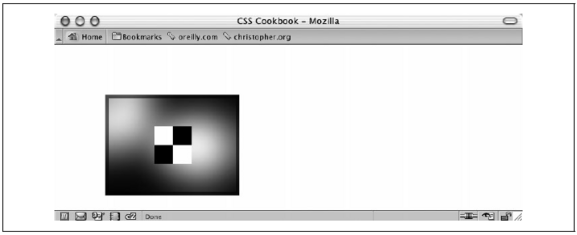
Figure: The background image is exactly 75 pixels right and 150 pixels below the viewport’s top-left corner.
Discussion
The property background-position takes two space-separated values. The first gives the image’s displacement along the axis x, while the second gives the displacement along the axis y. If only one value is given, it controls horizontal displacement; vertical displacement defaults to 50%.
The solution uses pixels, but percentages also work. Setting background-position to 50% centers the image in the viewport, as shown in the following figure. The values 0% or 100% instead place it in the top-left or bottom-left corner respectively.
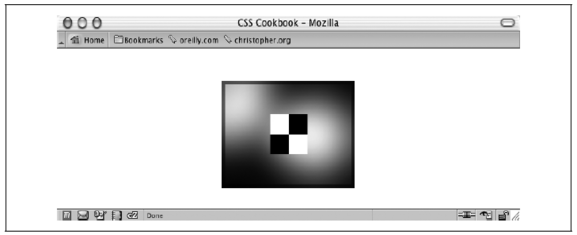
Figure: The background image is centered in the browser window.
Besides pixels and percentages, use the keywords left, center and right for the position along the axis x, and top, center and bottom for the axis y. Combining these keywords places an image at eight defined viewport positions: the corners and the middle positions between them. For example, to reproduce the previous figure’s value 50%, you can write:
body {
 background-image: url(bkgd.jpg);
 background-repeat: no-repeat;
 background-position: center;
}
To position the image in the bottom-right corner instead (see the following figure), use this rule:
body {
 background-image: url(bkgd.jpg);
 background-repeat: no-repeat;
 background-position: bottom right;
}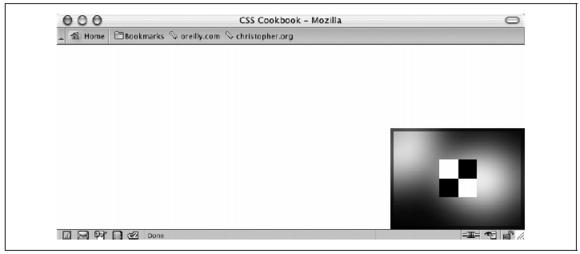
Figure: The background image is in the bottom-right corner.
Combining the properties background-position and background-repeat lets background images repeat from a starting position other than the viewport’s edges. The following snippet produces a design like the next figure:
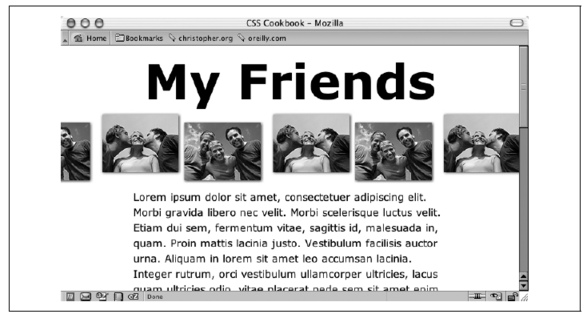
Figure: CSS properties background-repeat and backgroundposition create a repeating photomontage.
body {
 background-image: url(montage.jpg);
 background-repeat: repeat-x;
 background-position: 55px 100px;
}
h1 {
 font-size: 75px;
 font-family: Verdana, Helvetica, Arial, sans-serif;
 text-align: center;
 margin: 0;
 padding: 0 0 125px 0;
}
p {
 line-height: 1.5em;
 font-family: Verdana, Helvetica, Arial, sans-serif;
 margin: 0 15%;
}
See also
The recipe Fixing the background image in place for images that stay in place while the rest of the page scrolls, and
the CSS 2.1 specification for the property
background-position.
Copyright of the German edition © 2007 by O’Reilly Verlag GmbH & Co. KG
You may print the online version for your private use.
Otherwise, this chapter from “CSS Kochbuch” is subject to the same conditions as the bound edition: the work, including all its parts, is protected by copyright. All rights reserved, including reproduction, translation, microfilming, and storage and processing in electronic systems.
O’Reilly Verlag GmbH & Co. KG, Balthasarstr. 81, 50670 Köln