

XML technologies / CSS / CSS Cookbook / Images / Removing default image borders
(Excerpt from “CSS Kochbuch” by Christopher Schmitt)
Problem
You want to remove the borders some browsers apply to linked images by default (see the following figure).
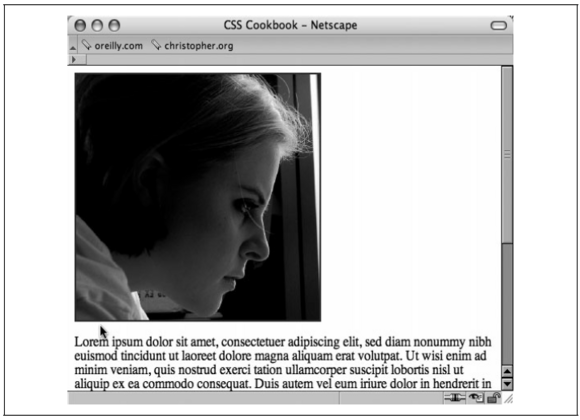
Figure: An image with a border.
Solution
Set the property border to zero for images (see the next figure):
a img {
 border: 0;
}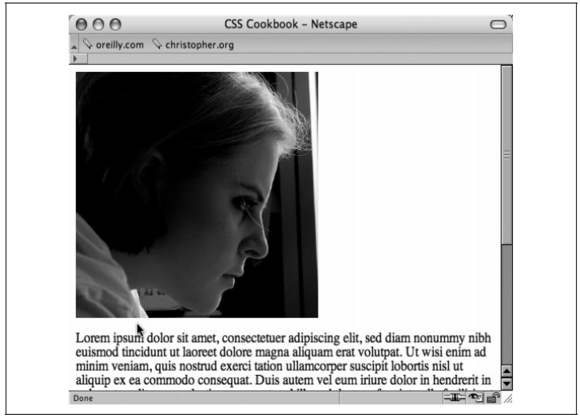
Figure: All linked images now appear without borders.
Discussion
Before CSS, image borders were specified using the attribute border on the img element:
<a href="http://csscookbook.com">
  <img src="file.jpg" border="0" alt="logo" />
</a>
Since the introduction of CSS, developers can separate presentation from content and no longer need to use the border attribute in HTML code, which can easily cause problems.
See also
The recipe Adding borders to images on defining image borders.
Copyright of the German edition © 2007 by O’Reilly Verlag GmbH & Co. KG
You may print the online version for your private use.
Otherwise, this chapter from “CSS Kochbuch” is subject to the same conditions as the bound edition: the work, including all its parts, is protected by copyright. All rights reserved, including reproduction, translation, microfilming, and storage and processing in electronic systems.
O’Reilly Verlag GmbH & Co. KG, Balthasarstr. 81, 50670 Köln