

XML technologies / CSS / CSS Cookbook / Images / Adding borders to images
(Excerpt from “CSS Kochbuch” by Christopher Schmitt)
Problem
You want to add a border to an image.
Solution
Use the property border for the element img (see the following figure):
img {
 width: 300px;
 border: 6px double #666;
 background: #fff;
 padding: 6px;
}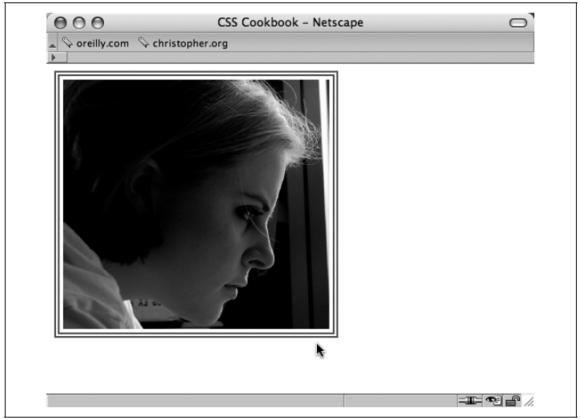
Figure: A border is added to the image.
Discussion
If you make the image a link, the property border can make the presentation more elaborate. Using the pseudo-class :hover changes the border style when the pointer is over the image (see the next figure):
img {
 width: 30px;
 border: 4px double #666;
 background: #fff;
 padding: 4px;
}
a:hover img {
 border-style: solid;
 background: #999;
}
The CSS border acts like a real picture frame. Its styles can change dynamically as the pointer moves over the image. Using four pixels of padding on the img element also allows further colour changes inside the frame. Two declaration blocks can therefore produce rich visual effects.
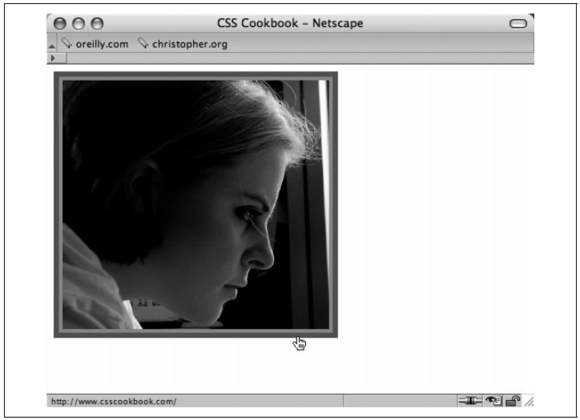
Figure: Combining background colours and borders creates interesting rollover effects.
See also
The recipe Removing default image borders on removing image borders.
Copyright of the German edition © 2007 by O’Reilly Verlag GmbH & Co. KG
You may print the online version for your private use.
Otherwise, this chapter from “CSS Kochbuch” is subject to the same conditions as the bound edition: the work, including all its parts, is protected by copyright. All rights reserved, including reproduction, translation, microfilming, and storage and processing in electronic systems.
O’Reilly Verlag GmbH & Co. KG, Balthasarstr. 81, 50670 Köln