XML technologies / XSL-FO / Reference / Elements in XSL-FO / fo:folio-suffix
(Excerpt from "XSL-FO ― Die Referenz" by Manuel Montero Pineda & Steffen Herkert, 2016, dpunkt.verlag)
A | B | C | D | E | F | G | H | I | J | K | L | M | N | O | P | Q | R | S | T | U | V | W | X | Y | Z
Recommendation section: 6.6.14
Category: 6.6 Inline-level Formatting Objects
Description
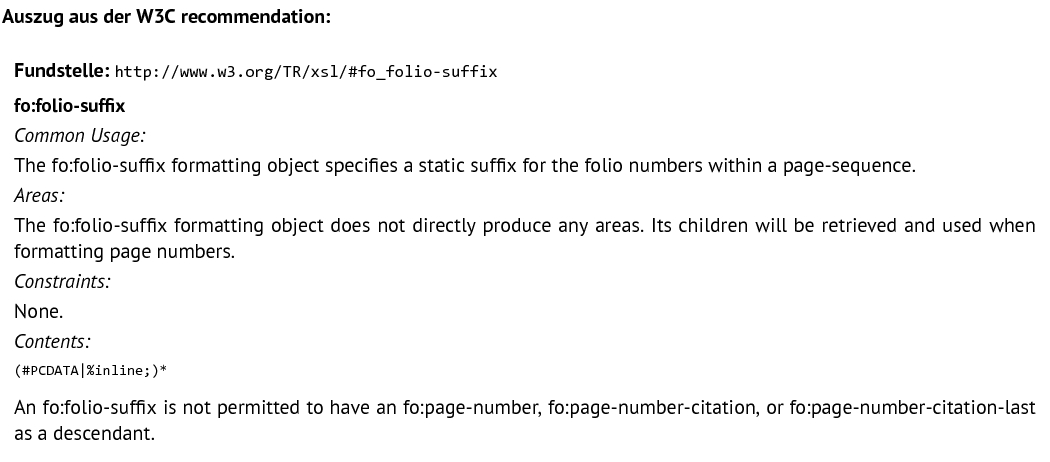
This element provides a static suffix for folio numbers within a page sequence.
XSL-FO version: 1.1
Parent elements
This element defines how page sequences are used within a document. It also embeds the document content in the page sequence. | |
This element defines how page sequences are used within a document. It also embeds the document content in the page sequence. |
Child elements
This element creates a link in the document pointing to an internal or external reference. | |
This element allows the desired writing direction to be set if the default Unicode bidirectional algorithm cannot be applied. | |
This element marks the start of a "change region", which is ended by its matching fo:change-bar-end. The change region has a change bar running along either the start or end edge of the column. The change bar’s appearance is determined by the values of the corresponding properties. | |
This element marks the end of a "change region" started by its matching fo:change-bar-begin. | |
This element provides separate rendering of individual characters. | |
This element inserts external graphics into the document. Attributes provide numerous configuration options. | |
This element positions content relative to a display block, for example to wrap text around graphics or create marginal notes. | |
This element creates a reference to a footnote. | |
This element groups the collections of cited page items generated by its fo:index-key-reference child elements. Ultimately, fo:index-page-citation-list is used to create a formatted list of page numbers and page ranges (a page citation list). | |
This element marks the start of an "indexed range" associated with an index key. The range is closed by a corresponding fo:index-range-end. | |
This element marks the end of an "indexed range" started by its matching fo:index-range-begin. | |
This element creates an inline area that applies separate formatting properties to specific portions of text in a block, for example to emphasize passages with italics. | |
This element creates a container in which shared settings can be applied to several inline areas. | |
This element allows inline graphics or other inline objects to be inserted into the document. | |
This element creates a line of repeated characters to separate two text formatting objects, for example headings and their page numbers in a table of contents. | |
This element allows switching between different sets of properties. | |
This element allows switching between different subtrees of formatting objects. | |
When used inside a <fo:multi-case> element, this element provides access to other <fo:multi-case> elements. | |
This element displays the current page number in the document. | |
This element references the number of the page containing a specific formatting object, for example to display page numbers alongside headings in a table of contents. | |
This element references the number of the last page containing an area that (a) is returned by the referenced formatting object and (b) has an area-class compatible with the specified page citation strategy. | |
This element retrieves the area marked in <fo:marker>, for example for running headings. | |
Together with <fo:marker>, this element allows areas in tables to be repeated. | |
This element retrieves the scaling factor of the referenced fo:external-graphic. | |
Properties for a group of formatting objects can be specified in <fo:multi-properties>. | |
This element creates a link in the document pointing to an internal or external reference. | |
This element allows the desired writing direction to be set if the default Unicode bidirectional algorithm cannot be applied. | |
This element marks the start of a "change region", which is ended by its matching fo:change-bar-end. The change region has a change bar running along either the start or end edge of the column. The change bar’s appearance is determined by the values of the corresponding properties. | |
This element marks the end of a "change region" started by its matching fo:change-bar-begin. | |
This element provides separate rendering of individual characters. | |
This element inserts external graphics into the document. Attributes provide numerous configuration options. | |
This element positions content relative to a display block, for example to wrap text around graphics or create marginal notes. | |
This element creates a reference to a footnote. | |
This element groups the collections of cited page items generated by its fo:index-key-reference child elements. Ultimately, fo:index-page-citation-list is used to create a formatted list of page numbers and page ranges (a page citation list). | |
This element marks the start of an "indexed range" associated with an index key. The range is closed by a corresponding fo:index-range-end. | |
This element marks the end of an "indexed range" started by its matching fo:index-range-begin. | |
This element creates an inline area that applies separate formatting properties to specific portions of text in a block, for example to emphasize passages with italics. | |
This element creates a container in which shared settings can be applied to several inline areas. | |
This element allows inline graphics or other inline objects to be inserted into the document. | |
This element creates a line of repeated characters to separate two text formatting objects, for example headings and their page numbers in a table of contents. | |
This element allows switching between different sets of properties. | |
This element allows switching between different subtrees of formatting objects. | |
When used inside a <fo:multi-case> element, this element provides access to other <fo:multi-case> elements. | |
This element displays the current page number in the document. | |
This element references the number of the page containing a specific formatting object, for example to display page numbers alongside headings in a table of contents. | |
This element references the number of the last page containing an area that (a) is returned by the referenced formatting object and (b) has an area-class compatible with the specified page citation strategy. | |
This element retrieves the area marked in <fo:marker>, for example for running headings. | |
Together with <fo:marker>, this element allows areas in tables to be repeated. | |
This element retrieves the scaling factor of the referenced fo:external-graphic. | |
Properties for a group of formatting objects can be specified in <fo:multi-properties>. |
Attributes
Support:
Conformance level | Antenna House | FOP | RenderX XEP | Altsoft XML2PDF | Compart DocBridge |
Extended | Y | N | - | Y | N |
XSL-FO example:
<fo:root font-family="Arial" font-size="10pt" line-height="1.2em" xmlns:fo="http://www.w3.org/1999/XSL/Format" xmlns:cpfo="http://www.compart.net/xmlns/cpfo" xmlns:svg="http://www.w3.org/2000/svg" xmlns:axf="http://www.antennahouse.com/names/XSL/Extensions">
<fo:layout-master-set>
<fo:simple-page-master master-name="Inhalt-Seiten" margin="0mm 0mm 0mm
                      0mm" page-height="297mm" page-width="210mm">
<fo:region-body margin="26mm 55mm 41mm
                        55mm"/>
<fo:region-before extent="5mm"/>
<fo:region-after extent="30mm"/>
</fo:simple-page-master>
</fo:layout-master-set>
<fo:page-sequence master-reference="Inhalt-Seiten">
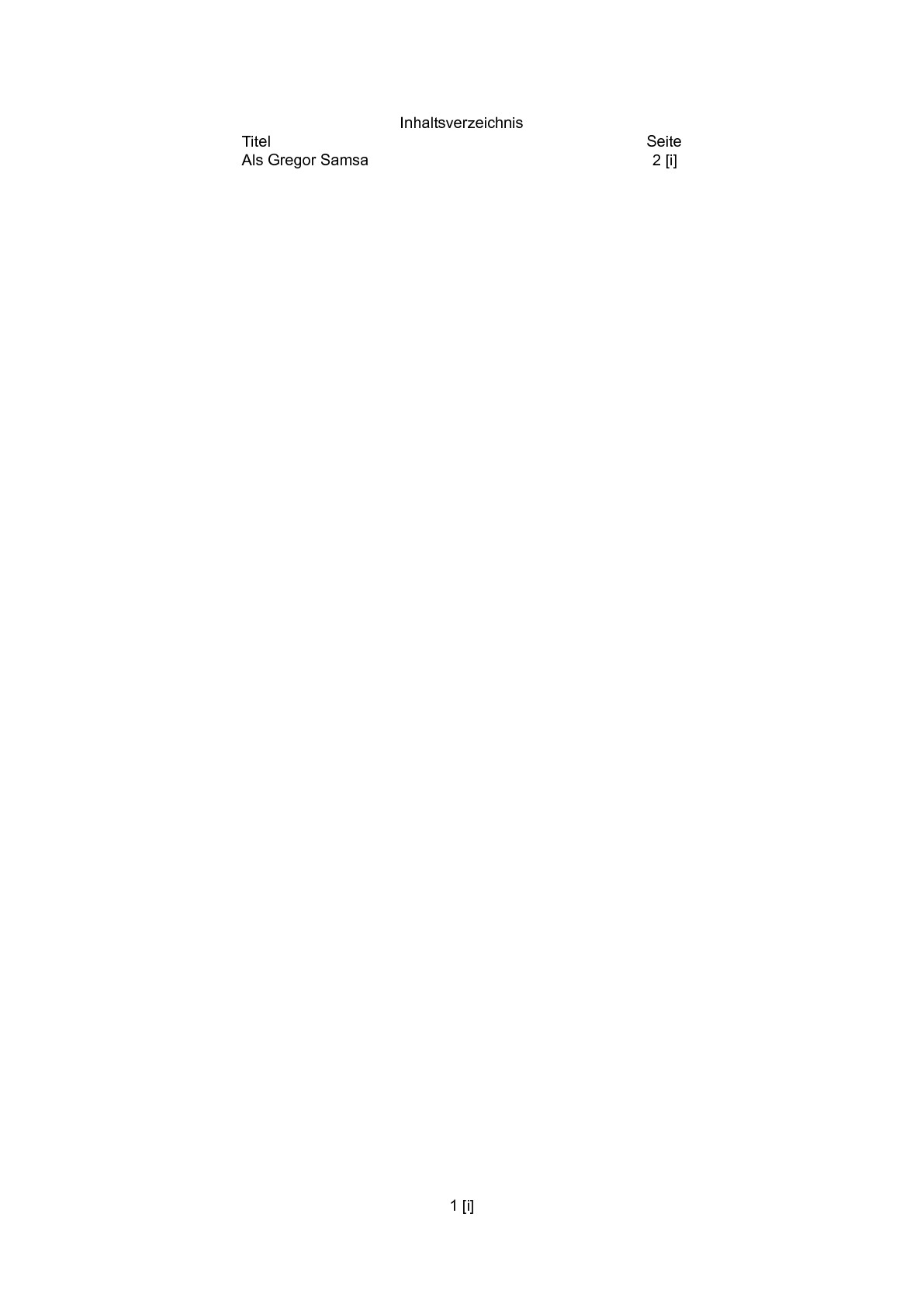
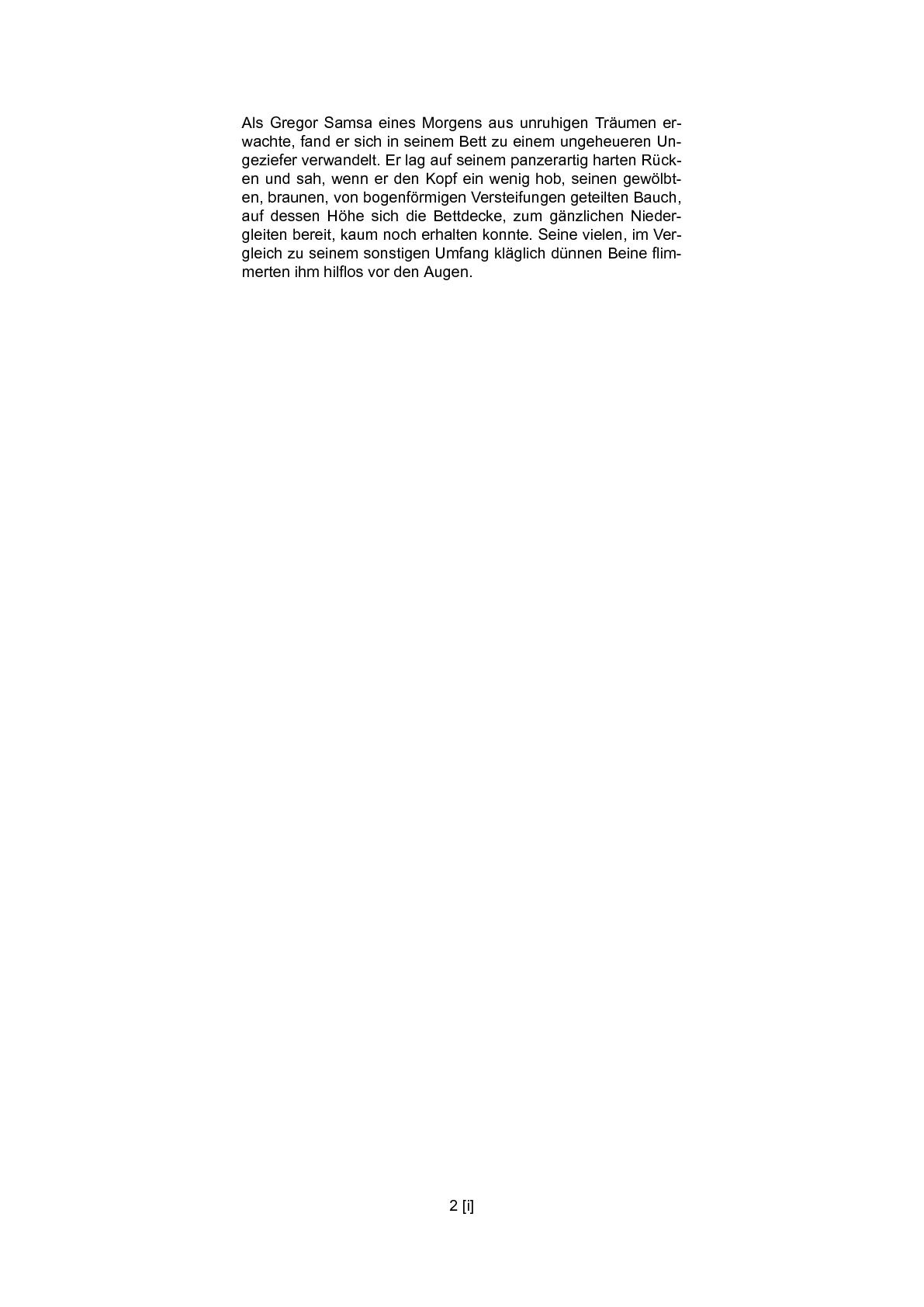
<fo:folio-suffix>
<fo:inline>
[i]
</fo:inline>
</fo:folio-suffix>
<fo:static-content flow-name="xsl-region-after">
<fo:block text-align="center" margin="5mm
                    10mm">
<fo:page-number/>
</fo:block>
</fo:static-content>
<fo:flow flow-name="xsl-region-body">
<fo:table page-break-after="always" width="100%">
<fo:table-column width="90%"/>
<fo:table-column width="10%"/>
<fo:table-body>
<fo:table-row>
<fo:table-cell number-columns-spanned="2">
<fo:block text-align="center">
Inhaltsverzeichnis
</fo:block>
</fo:table-cell>
</fo:table-row>
<fo:table-row>
<fo:table-cell>
<fo:block>
Titel
</fo:block>
</fo:table-cell>
<fo:table-cell text-align="right">
<fo:block>
Seite
</fo:block>
</fo:table-cell>
</fo:table-row>
<fo:table-row>
<fo:table-cell>
<fo:block>
Als Gregor Samsa
</fo:block>
</fo:table-cell>
<fo:table-cell>
<fo:block text-align="right">
<fo:page-number-citation ref-id="AlsGregorSamsa"/>
</fo:block>
</fo:table-cell>
</fo:table-row>
</fo:table-body>
</fo:table>
<fo:block text-align="justify" hyphenate="true">
<fo:block space-after="1em" id="AlsGregorSamsa">
Als Gregor Samsa
                eines Morgens aus unruhigen Träumen erwachte, fand er sich in seinem Bett zu einem
                ungeheueren Ungeziefer verwandelt. Er lag auf seinem panzerartig harten Rücken und
                sah, wenn er den Kopf ein wenig hob, seinen gewölbten, braunen, von bogenförmigen
                Versteifungen geteilten Bauch, auf dessen Höhe sich die Bettdecke, zum gänzlichen
                Niedergleiten bereit, kaum noch erhalten konnte. Seine vielen, im Vergleich zu
                seinem sonstigen Umfang kläglich dünnen Beine flimmerten ihm hilflos vor den
                Augen.
</fo:block>
</fo:block>
</fo:flow>
</fo:page-sequence>
</fo:root>In the output:
Page 2
Excerpt from the W3C Recommendation: