

XML technologies / CSS / CSS Cookbook / Images / Rounded corners (Mountaintop technique)
(Excerpt from “CSS Kochbuch” by Christopher Schmitt)
Problem
Create only one set of rounded-corner images for columns whose color can vary.
Solution
Use the Mountaintop technique developed by web designer Dan Cederholm.
Create a small image as the basis for the rounded corners (see the following figure). The area shown in white must match the background color of the web page or the column’s parent element.
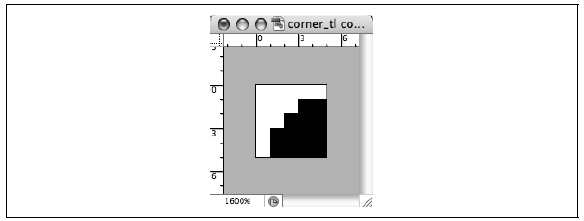
Figure: The image for the bottom-left corner.
Note: Note that the black color in the figure above is made transparent when exporting the image.
Export the image as a GIF with the filename corner_tl.gif.
Then rotate the image 90 degrees (see the next figure) and export it again as a GIF, this time named corner_tr.gif. Repeat these two steps to create the bottom corners named corner_br.gif and corner_bl.gif.
Wrap the column content in an additional element div:
<div id="box">
<div id="head_outer">
<div id="head_inner">
<h2>I Met a Girl I’d Like to Know Better</h2>
</div>
</div>
<p>Lorem ipsum dolor sit amet, consectetuer adipiscing elit, sed diam nonummy nibh euismod tincidunt ut laoreet dolore magna aliquam erat volutpat. Ut wisi enim ad minim veniam.</p>
</div>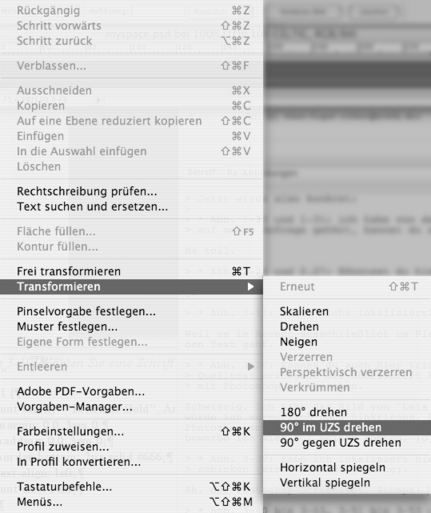
Figure: The image is rotated 90 degrees.
Define the four images as backgrounds for the element p and the three elements div to place the rounded corners in their intended positions (see the next figure):
div#box {
 width: 55%;
 background-color: #999999;
 background-image: url(corner_bl.gif);
 background-repeat: no-repeat;
 background-position: bottom left;
}
#head_outer {
 background-image: url(corner_tl.gif);
 background-repeat: no-repeat;
}
#head_inner {
 background-image: url(corner_tr.gif);
 background-repeat: no-repeat;
 background-position: top right;
}
div p {
 margin: 0;
 padding: 7px;
 font-family: Verdana, Arial, Helvetica, sans-serif;
 font-size: 1.1em;
 background-image: url(corner_br.gif);
 background-position: bottom right;
 background-repeat: no-repeat;
 color: #333333;
 font-size: .8em;
 line-height: 1.5;
}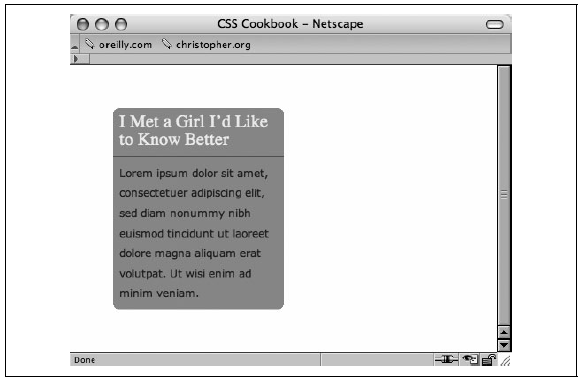
Figure: Rounded corners with the Mountaintop technique.
Discussion
The beauty of the Mountaintop technique is its simplicity. Four small images, kept small in file size by GIF compression, serve as backgrounds for the four block elements.
Nor does this technique require extending several images to accommodate changing column sizes, as in the recipe Rounded corners (Sliding Doors technique).
Mountaintop also allows background colors to change without modifying the four images, as shown in the following figure. However, changing the background of the web page or the column’s parent element does require updating the images.
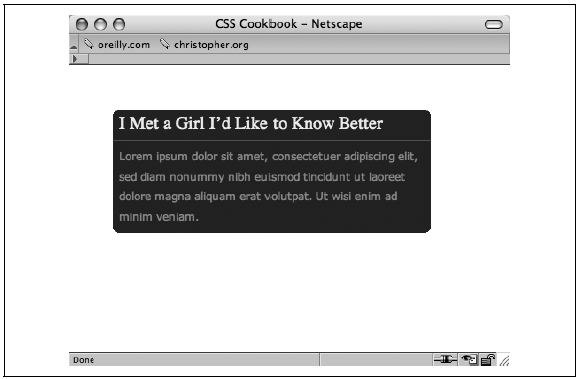
Figure: The column remains intact when its background color and size change.
See also
The recipe Rounded corners with JavaScript for automatically adding rounded corners to columns without creating custom images.
Copyright of the German edition © 2007 by O’Reilly Verlag GmbH & Co. KG
You may print the online version for your private use.
Otherwise, this chapter from “CSS Kochbuch” is subject to the same conditions as the bound edition: the work, including all its parts, is protected by copyright. All rights reserved, including reproduction, translation, microfilming, and storage and processing in electronic systems.
O’Reilly Verlag GmbH & Co. KG, Balthasarstr. 81, 50670 Köln