

XML technologies / CSS / CSS Cookbook / Images / Rounded corners with JavaScript
(Excerpt from “CSS Kochbuch” by Christopher Schmitt)
Problem
Add rounded corners automatically without excessive extra markup or images.
Solution
Use the JavaScript Nifty Corners Cube by Alessandro Fulciniti.
First download the required source code as a ZIP containing JavaScript and CSS files.
Upload the files for Nifty Corners Cube to your web server and include its JavaScript element script with the attribute src in the target page:
<script type="text/javascript" src="/_assets/js/niftycube.js"></script>Note: Unlike usual practice, CSS is not referenced directly here: JavaScript loads it automatically. Our files are in the directory js inside the folder _assets.
Give each element that should have rounded corners a unique value for the attribute id (see the next figure):
<div id="box">
  <h2>Marquee selectus</h2>
  <p>...</p>
</div>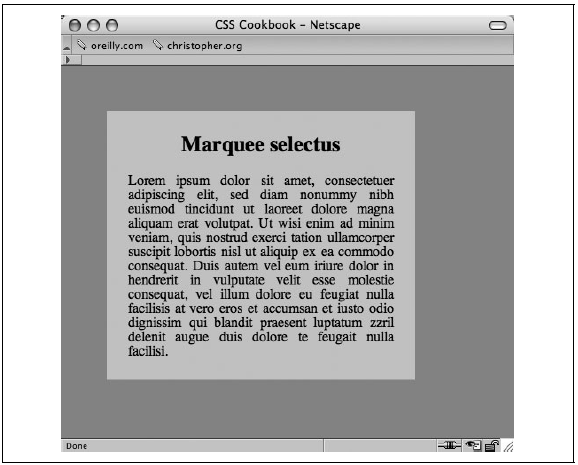
Figure: Default column display.
Round the element by calling the function Nifty from the included script, passing its ID and size information (see the next figure):
<script type="text/javascript" src="niftycube.js"></script>
<script type="text/javascript">window.onload=function( ) {Nifty("div#box","big");}</script>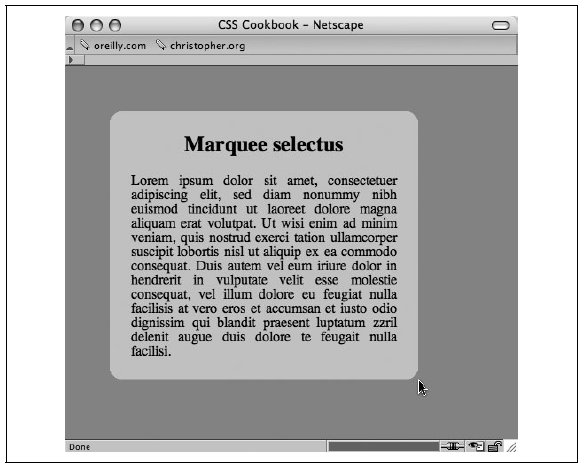
Figure: Rounded corners appear automatically.
Discussion
Since Nifty Corners Cube works almost automatically, it is more a tool than a technique.
Different colors
JavaScript detects colors automatically, matching corners to the backgrounds of the element and its parent, normally the page’s element body. Developers can focus on choosing elements and corner sizes rather than colors.
Different sizes
Corner sizes in the Nifty Corners Cube script use four keywords: none, small, normal (default) and big. The value small means 2 pixels, normal means 5 pixels and big means 10 pixels. The value none disables rounding for the element.
For small rounded corners, use a JavaScript call like this:
<script type="text/javascript">window.onload=function( ) {Nifty("div#box","small");}</script>Different elements
Nifty Corners Cube supports many selectors, simplifying element selection. The next table lists them.
Table: Selectors supported by Nifty Corners Cube.
Example | |
|---|---|
Type selector | " |
ID selector | " |
Class selector | " |
Child selector with ID | " |
Child selector with class | " |
Grouped selectors | " |
Round several elements at once with this call:
<script type="text/javascript">window.onload=function( ) {Nifty("div, h3.main div, p","small");}</script>Particular corners
The script Nifty Corners Cube also lets designers round only particular corners. The next table lists keywords for choosing individual corners.
Table: Nifty Corners Cube keywords for particular corners.
Keyword | Meaning |
|---|---|
| Top-left corner |
| Top-right corner |
| Bottom-left corner |
| Bottom-right corner |
| Both top corners |
| Both bottom corners |
| Both left corners |
| Both right corners |
| All corners |
To round only the top corners of several elements, write:
<script type="text/javascript">window.onload=function( ) {Nifty("div, h3.main div, p","small top");}</script>See also
More information about the Nifty Corners Cube script.
Copyright of the German edition © 2007 by O’Reilly Verlag GmbH & Co. KG
You may print the online version for your private use.
Otherwise, this chapter from “CSS Kochbuch” is subject to the same conditions as the bound edition: the work, including all its parts, is protected by copyright. All rights reserved, including reproduction, translation, microfilming, and storage and processing in electronic systems.
O’Reilly Verlag GmbH & Co. KG, Balthasarstr. 81, 50670 Köln