

XML technologies / CSS / CSS Cookbook / Printing / Design example: a print-friendly page with CSS
(Excerpt from “CSS Kochbuch” by Christopher Schmitt)
In this example we turn an existing web document, shown in the next figure, into a version better suited to printing. CSS has changed web design and offers a new way to provide print-friendly documents: instead of extra pages or scripts, use CSS to create a print version when the user clicks Print. The page’s HTML is not included here because presentation can be adapted entirely through CSS.
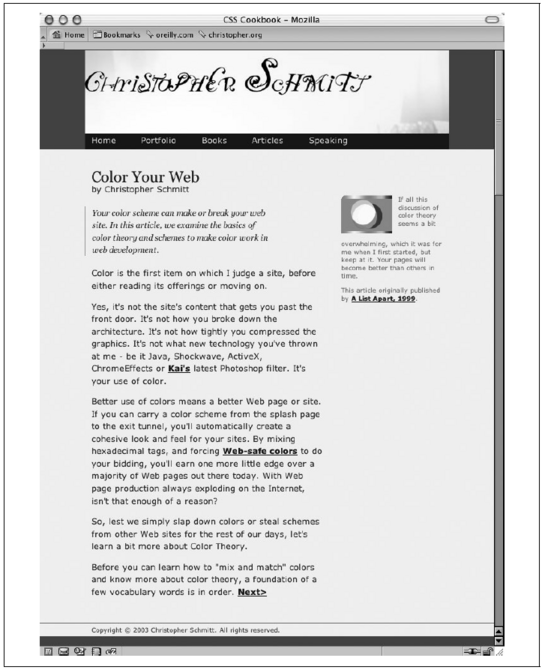
Figure: Web page styled for the screen.
Develop print styles in a browser to see their effects quickly. This also protects the environment and your budget by avoiding wasted ink. First comment out the screen stylesheet, then create new print rules:
<!-- CSS für Bildschirmmedien während der Arbeit an der Druckversion verstecken -->
<!-- link href="adv.css" type="text/css" rel="stylesheet" media="screen" -->
<style type="text/css">
 /* Die CSS-Regeln für den Ausdruck kommen hier hin */
</style>
Preparing for black-and-white printing
The first CSS rule targets the element body, specifying black text on a white background:
body {
 background-color: white;
 color: black;
}
Also choose a serif font for printing, Garamond in our example. Sans-serif text is easier to read on screen, while serif fonts are more readable in print. Include Times as a fallback: it is installed on most, if not all, computers and suits most situations. Provide alternatives in case Times is absent too:
body {
 background-color: white;
 color: black;
 font-family: Times, "Times New Roman", Garamond, serif;
}
Next, hide navigation links and other elements unwanted in print, including the navigation bar beneath the main heading and internal anchors. If the page has advertising banners, hide those too (see the following figure):
#navigation, hr, body>div>a, #blipvert {
 display: none;
}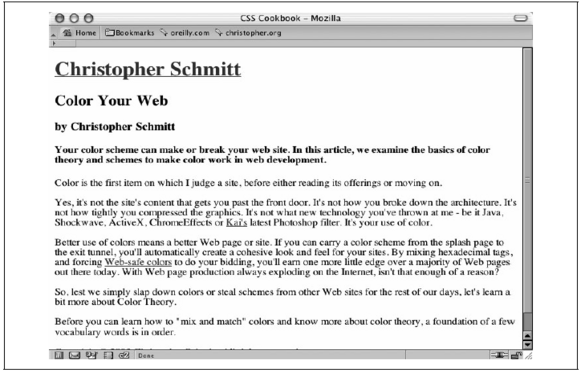
Figure: Hiding navigation and other elements.
Styling the main heading
Black and gray text on white leaves few options for the main heading. Even so, these limited options can make it stand out graphically and attract attention on its own.
First give the heading a black background and white text:
#header h1 {
 color: white;
 background-color: black;
}
White text provides the contrast needed for readability. Here the heading also links to the home page, so link rules control its colors. Use an extra rule to avoid problems:
#header h1 {
 background-color: black;
}
#header h1 a {
 color: white;
}
Further styles make the visible text more noticeable: center it and use all capitals.
#header h1 {
 background-color: black;
 font-size: 24pt;
 text-align: center;
 text-transform: uppercase;
}
Use a sans-serif font to distinguish it from the document and add top and bottom padding (see the next figure):
#header h1 {
 background-color: black;
 font-size: 24pt;
 text-align: center;
 font-family: Helvetica, Verdana, Arial, sans-serif;
 padding: 7pt;
 text-transform: uppercase;
}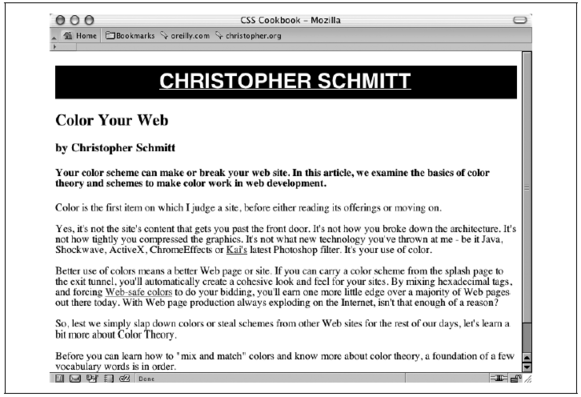
Figure: The main heading’s design.
Styling the article heading and byline
Take a more dramatic approach for the article title and byline: set padding and margins on elements h2 and h3 to 0.
#inhalt h2 {
 padding: 0;
 margin: 0;
}
#inhalt h3 {
 padding: 0;
 margin: 0 ;
}
Enlarge the article title and add a fine hairline below it. Right-align the byline and use italics (see the next figure):
#inhalt h2 {
 padding: 0;
 margin: 0;
 font-size: 20pt;
 border-bottom: 1px solid black;
}
#inhalt h3 {
 padding: 0;
 margin: 0;
 text-align: right;
 font-style: italic;
 }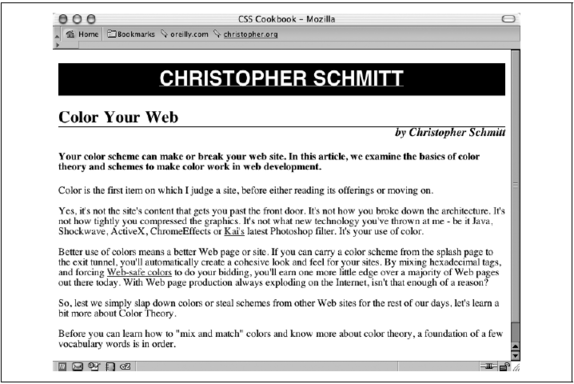
Figure: Article heading and byline design.
Using a teaser
Now consider the contents of the element h4. It serves as the article’s introductory teaser (teaser), so it should stand out from the rest. Give it a gray background, a sans-serif font and some padding (see the next figure):
#inhalt h4 {
 font-family: Helvetica, Verdana, Arial, sans-serif;
 border-top: 3pt solid black;
 background-color: #BEBEBE; /*~30% black */
 padding: 12pt;
 margin: 0;
}
The article itself stays unchanged except for two details: leading, covered here, and links, covered in the next section.
Recall that our rules for the element body specified a serif font for the document. Through inheritance, paragraphs use that font too. However, they need more line spacing, or leading. Set this using the property line-height:
#inhalt p {
 line-height: 18pt;
}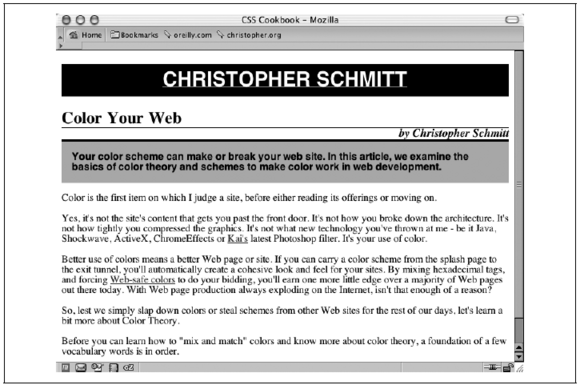
Figure: Styling the teaser.
Showing URIs after links
Links normally lose their usefulness in print. To keep them useful, also print their URIs. Another CSS rule adds each URI after its link. For a more attractive appearance, remove default underlining and make links gray and bold using the property font-weight (see the next figure):
#inhalt a:after {
 content: " <" attr(href) "> ";
 font-family: courier, monospace;
 font-weight: normal;
}
a {
 text-decoration: none;
 font-weight: bold;
 color: #626466;
}
Note, however, that Internet Explorer supports neither the pseudo-element :after nor content generation with content, so it does not print link URIs.
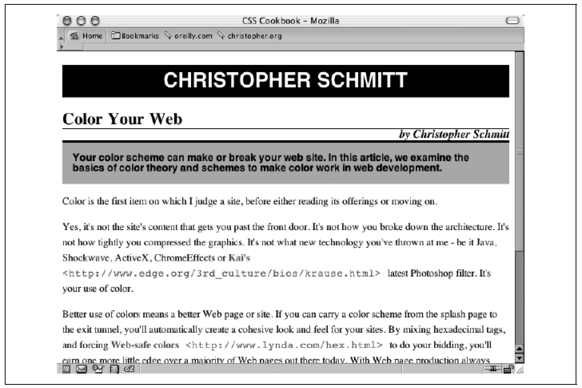
Figure: Adjusting content links and leading.
Finally, the footer
The page is now styled; turn to the copyright footer. For visual balance, center its text in a sans-serif font, like the main heading. Add another hairline above it with the property border-top. The next figure shows the result.
#footer {
 border-top: 1px solid #000; text-align: center;
 font-family: Helvetica, Verdana, Arial, sans-serif;
}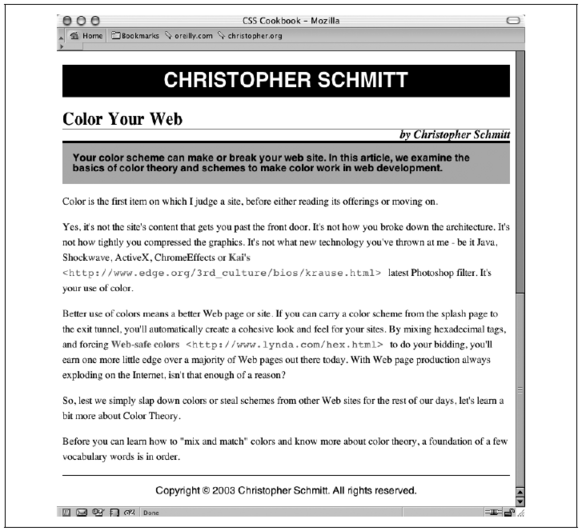
Figure: The styled footer.
With all print styles finished, save them in an external stylesheet print.css. Then uncomment the screen CSS and include the print stylesheet with an element link in the document:
<link href="adv.css" type="text/css" rel="stylesheet" media="screen" />
<link href="print.css" type="text/css" rel="stylesheet" media="print" />
You now know how to create print-friendly stylesheets. If visitors use a browser supporting print media types, the correct layout is automatically sent to the printer.
Copyright of the German edition © 2007 by O’Reilly Verlag GmbH & Co. KG
You may print the online version for your private use.
Otherwise, this chapter from “CSS Kochbuch” is subject to the same conditions as the bound edition: the work, including all its parts, is protected by copyright. All rights reserved, including reproduction, translation, microfilming, and storage and processing in electronic systems.
O’Reilly Verlag GmbH & Co. KG, Balthasarstr. 81, 50670 Köln