

XML technologies / CSS / CSS Cookbook / Forms / Two-column forms without tables
(Excerpt from “CSS Kochbuch” by Christopher Schmitt)
Problem
A form that normally occupies one column should be displayed in two columns (see the following figure).
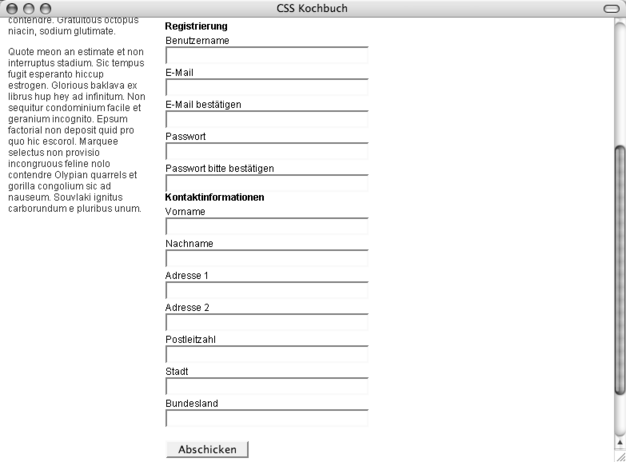
Figure: The form displayed in a single column.
Solution
First divide the form into two parts using elements div:
<form id="regform" name="regform" method="post" action="/regform.php">
  <div id="register">
    <h4>Register</h4>
    <label for="fmlogin">Benutzername</label>
    <input type="text" name="fmlogin" id="fmlogin" />
    <label for="fmemail">E-Mail</label>
    <input type="text" name="fmemail" id="fmemail" />
    <label for="fmemail2">E-Mail bestätigen</label>
    <input type="text" name="fmemail2" id="fmemail2" />
    <label for="fmpswd">Passwort</label>
    <input type="password" name="fmpswd" id="fmpswd" />
    <label for="fmpswd2">Passwort bitte bestätigen</label>
    <input type="password" name="fmpswd2" id="fmpswd2" />
  </div>
  <div id="contactinfo">
    <h4>Kontaktinformationen</h4>
    <label for="fmfname">Vorname</label>
    <input type="text" name="fmfname" id="fmfname" />
    <label for="fmlname">Nachname</label>
    <input type="text" name="fmlname" id="fmlname" />
    <label for="fmaddy1">Adresse 1</label>
    <input type="text" name="fmaddy1" id="fmaddy1" />
    <label for="fmaddy2">Adresse 2</label>
    <input type="text" name="fmaddy2" id="fmaddy2" />
    <label for="fmzip">Postleitzahl</label>
    <input type="text" name="fmzip" id="fmzip" />
    <label for="fmcity">Stadt</label>
    <input type="text" name="fmcity" id="fmcity" />
    <label for="fmstate">Bundesland</label>
    <input type="text" name="fmstate" id="fmstate" size="5" />
    <input type="submit" name="submit" value="Abschicken" class="submit" />
  </div>
</form>
Then use the property display to specify that the elements input and label should be displayed as block elements:
label {
 margin-top: .33em;
 display: block;
}
input {
 display: block;
 width: 250px;
}
Create the second form column by defining the first element div (with ID register) as a left-positioned float (see the next figure):
#register {
 float: left;
}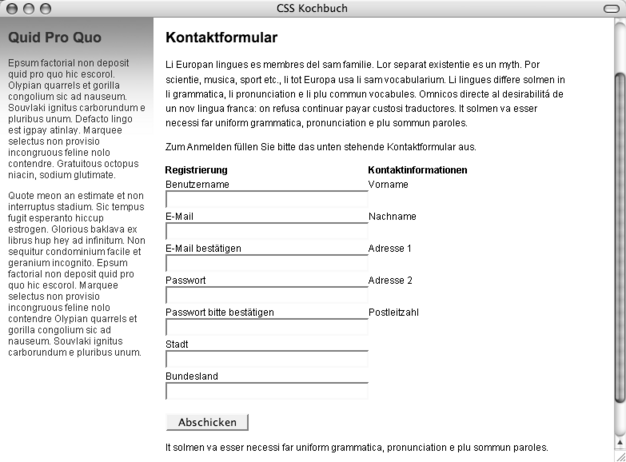
Figure: Form elements are displayed in two columns.
If the second column is shorter than the first, define enough left padding (see the next figure):
#contactinfo {
 padding-left: 275px;
}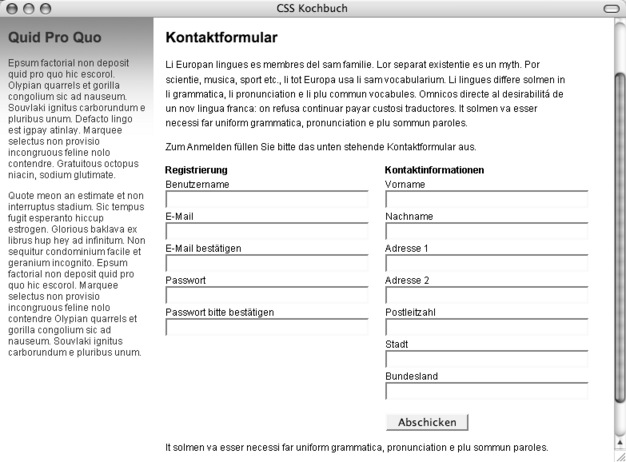
Figure: The finished two-column form.
Discussion
Using the property float lets designers create two-column forms. The main problem with this approach is that the right column may be longer than the left. The wrapping of form elements may confuse users. Adjusting the padding to the height of the first column lets designers achieve equal column heights.
See also
The section Page layouts for more techniques for laying out web page elements.
Copyright of the German edition © 2007 by O’Reilly Verlag GmbH & Co. KG
You may print the online version for your private use.
Otherwise, this chapter from “CSS Kochbuch” is subject to the same conditions as the bound edition: the work, including all its parts, is protected by copyright. All rights reserved, including reproduction, translation, microfilming, and storage and processing in electronic systems.
O’Reilly Verlag GmbH & Co. KG, Balthasarstr. 81, 50670 Köln