

XML technologies / CSS / CSS Cookbook / Forms / Adjusting the space around a form
(Excerpt from “CSS Kochbuch” by Christopher Schmitt)
Problem
You want to change the default space around a form.
Solution
Set the margin of the form element to zero and adjust its padding to suit your needs instead (see the following figure):
form {
 margin: 0;
 padding: 1em 0;
 border: 1px dotted red;
 /* verwendet, um die Auswirkungen der Innenabstände zu verdeutlichen */
}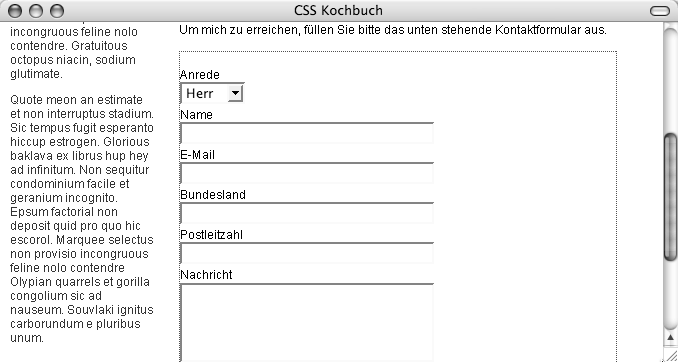
Figure: Custom padding has been defined for the form.
Discussion
Integrating forms into a web page’s design often requires adjusting the space between the form and the other page elements. Most commonly, the padding above and below the form is set to suit the situation.
See also
The recipe Styling input elements on styling input elements.
Copyright of the German edition © 2007 by O’Reilly Verlag GmbH & Co. KG
You may print the online version for your private use.
Otherwise, this chapter from “CSS Kochbuch” is subject to the same conditions as the bound edition: the work, including all its parts, is protected by copyright. All rights reserved, including reproduction, translation, microfilming, and storage and processing in electronic systems.
O’Reilly Verlag GmbH & Co. KG, Balthasarstr. 81, 50670 Köln