

XML technologies / CSS / CSS Cookbook / General topics / Relative positioning
(Excerpt from “CSS Kochbuch” by Christopher Schmitt)
Problem
You want to place an element relative to its original position in the document. Rather than displaying it at its default position in the flow, you want to shift it a certain distance up, down, left or right.
Solution
Again, use the property position, but this time with the value relative. Now use the values of top, left, bottom and right to specify how far the element should move from its original position.
The following CSS rule makes the image overlap the paragraph content in the next figure:
.relative {
  position: relative;
  top: 100px;
  left: 20px;
}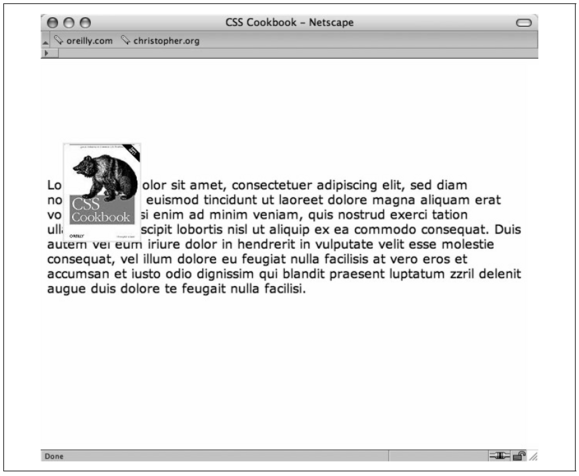
Figure: Relative positioning places an element relative to its original position in the document flow.
Discussion
Unlike absolute positioning, relative positioning does not remove the element from the normal document flow. Instead, its actual position in the flow is the starting point. The example instructs the browser to move the image 20 pixels to the right and 100 pixels down from its original position. Had you used the value absolute, the element would instead be positioned relative to the containing block’s edges, without regard for its original position.
See also
The W3C 2.1 specification on relative positioning.
Copyright of the German edition © 2007 by O’Reilly Verlag GmbH & Co. KG
You may print the online version for your private use.
Otherwise, this chapter from “CSS Kochbuch” is subject to the same conditions as the bound edition: the work, including all its parts, is protected by copyright. All rights reserved, including reproduction, translation, microfilming, and storage and processing in electronic systems.
O’Reilly Verlag GmbH & Co. KG, Balthasarstr. 81, 50670 Köln