

XML technologies / CSS / CSS Cookbook / General information / CSS and HTML together
(Excerpt from “CSS Kochbuch” by Christopher Schmitt)
Problem
Use CSS in your web pages.
Solution
Start with a blank page in Notepad, your favorite word processor, or a web development program such as Macromedia Dreamweaver or Microsoft Expression.
Insert the following HTML between the tags body and save the file as Kochbuch.html (see the following figure):
<html>
  <head>
    <title>CSS Kochbuch</title>
  </head>
  <body>
    <h1>Seitenüberschrift</h1>
    <p>Dies ist ein Beispielabsatz mit einem <a href="http://csscookbook.com">Link</a>.</p>
  </body>
</html>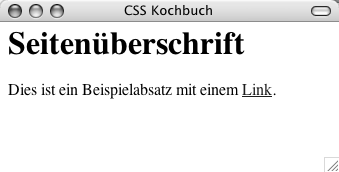
Figure: The browser’s default rendering of the HTML.
Add the following changes to the source. They redefine the default styles for links, unordered lists and headings. The next figure shows the result:
<html>
  <head>
    <title>CSS Kochbuch</title>
    <style type="text/css">
    <!--
      body {
        font-family: verdana, arial, sans-serif;
      }
      h1 {
        font-size: 120%;
      }
      a {
        text-decoration: none;
      }
      p {
        font-size: 90%;
      }
    -->
    </style>
  </head>
  <body>
    <h1>Seitenüberschrift</h1>
    <p>Dies ist ein Beispielabsatz mit einem <a href="http://csscookbook.com">Link</a>.</p>
  </body>
</html>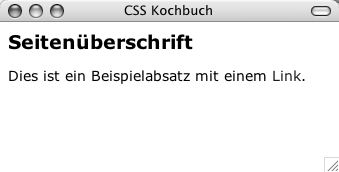
Figure: The page changes after adding CSS.
Discussion
CSS rules have two parts: selectors and properties. The selector determines which part of the page receives the styles. A pair of braces follows it, containing one or more properties and their values. The property tells the browser which element to change, while the value indicates which changes to make.
For example, this declaration block tells the browser to display content marked with the element h1 120% larger than the browser default:
h1 {
 font-size: 120%;
}
The table breaks down this solution’s CSS by selector, property and value. Its result column explains what happens when each property and value applies to the selected element.
Table: Selectors, properties and values used in the solution.
Selector | Property | Value | Result |
|---|---|---|---|
|
|
| Text is larger than the browser default. |
|
|
| Links appear without decorations, including underlines. |
|
|
| Text appears blue. |
|
|
| Text is smaller than the browser default. |
A CSS statement normally consists of a selector followed by properties and values in braces. The selector usually matches the HTML tag to style. A colon separates property and value:
Selektor { Eigenschaft: Wert; }For readability, most designers put properties and values on their own lines, as here:
Selektor {
Eigenschaft: Wert;
}Both approaches are valid CSS. Use whichever suits your situation.
Selectors can also receive multiple properties for more complex visual results. Separate declarations with semicolons, as in the next example. Its second half also shows several selectors sharing the same styles, separated by commas:
Selektor {
 Eigenschaft: Wert;
 Eigenschaft: Wert, Wert, Wert;
 Eigenschaft: Wert Wert Wert Wert;
}
Selektor, Selektor {
 Eigenschaft: Wert;
}
See also
The recipe Different selectors for assigning styles provides more information on CSS selectors; CSS 2.1: selectors, pseudo-classes and pseudo-elements lists the available selectors.
Copyright of the German edition © 2007 by O’Reilly Verlag GmbH & Co. KG
You may print the online version for your private use.
Otherwise, this chapter from “CSS Kochbuch” is subject to the same conditions as the bound edition: the work, including all its parts, is protected by copyright. All rights reserved, including reproduction, translation, microfilming, and storage and processing in electronic systems.
O’Reilly Verlag GmbH & Co. KG, Balthasarstr. 81, 50670 Köln