

XML technologies / CSS / CSS Cookbook / General principles / CSS in Adobe Dreamweaver
(Excerpt from “CSS Kochbuch” by Christopher Schmitt)
Problem
You use Adobe Dreamweaver to create and edit web pages and want to use its CSS features.
Solution
Use the tab CSS-STILE to create, edit, delete and view CSS styles (see the next two figures).
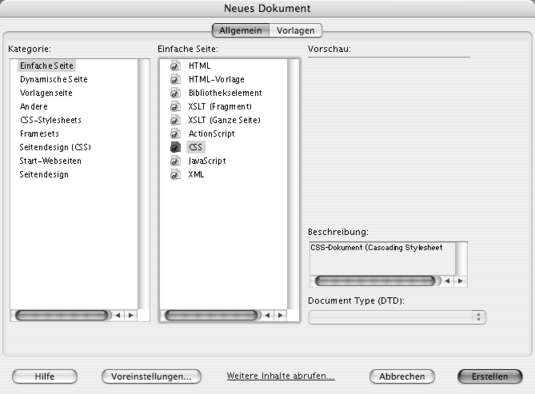
Figure: Creating a new CSS file in Dreamweaver.
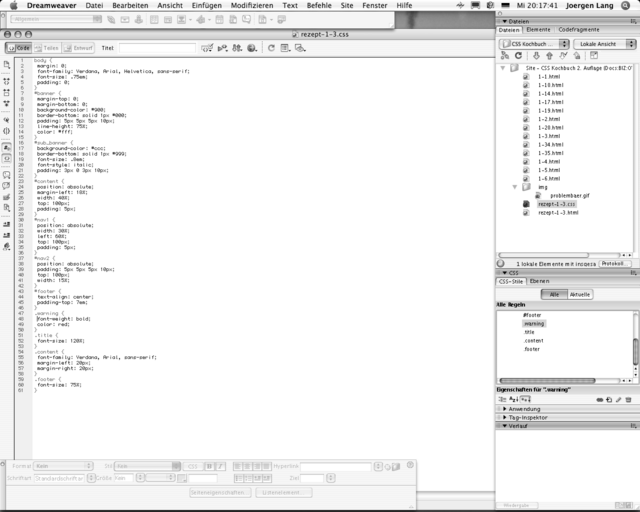
Figure: Editing styles in a CSS file with Dreamweaver.
There are several ways to work with stylesheets:
To attach stylesheets to any HTML document, you can also click the icon
STYLESHEET ANFÜGENin the tabCSS-STILE(see the following figure).
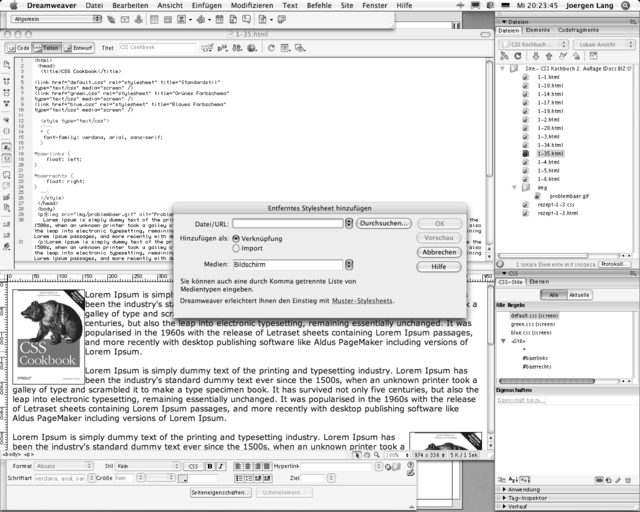
Figure: Using Dreamweaver’s CSS tab to attach an external stylesheet.
To create a CSS document, choose
DATEI ➝ NEU…. In the next window (see the first figure), select the entry in the second column (EINFACHE SEITE):CSS.Edit your web page like a Word document. Dreamweaver automatically maintains an internal stylesheet with the required definitions in the background.
Enter your style definitions in split view or code view.
You can display CSS properties grouped into categories such as font, background and border, or in an alphabetical list.
Discussion
When you apply styles to a document’s HTML in Dreamweaver through the palette EIGENSCHAFTEN, they are automatically added as definitions in an internal stylesheet instead of using obsolete tags font (see the following figure). Older Dreamweaver versions would instead have generated code like this:
<font face="georgia, times new roman, serif" color="#ff0000" size="2">Dies ist Text!</font>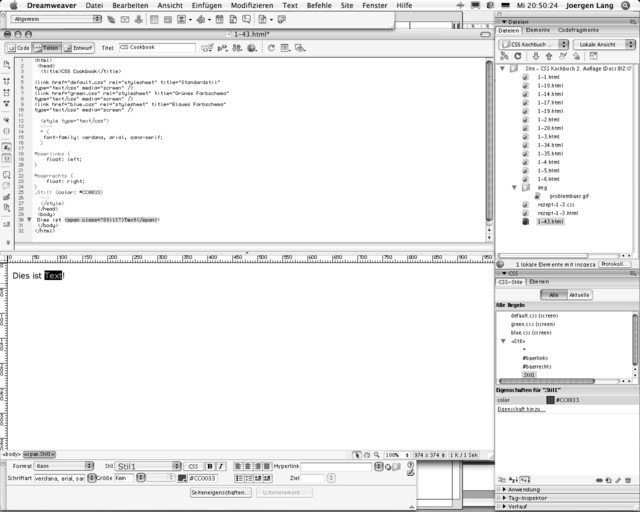
Figure: Choosing font properties and colors automatically creates the required styles in Dreamweaver.
The CSS tab also lets you view the styles created by Dreamweaver (see the following figure).
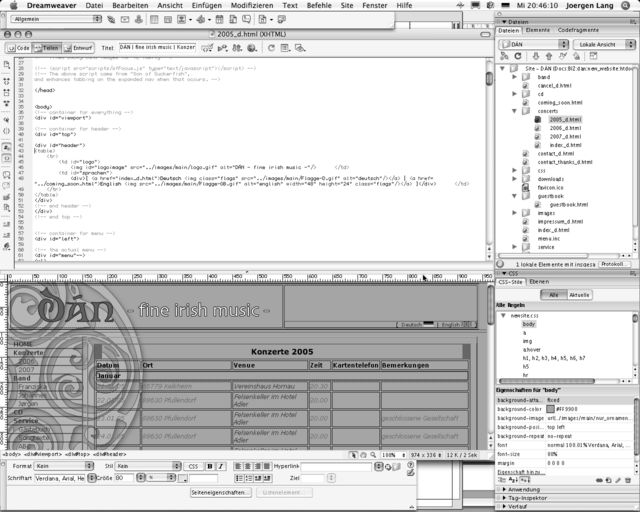
Figure: Viewing the current element’s styles in Dreamweaver’s CSS tab.
See also
The Adobe Dreamweaver home page.
Copyright of the German edition © 2007 by O’Reilly Verlag GmbH & Co. KG
You may print the online version for your private use.
Otherwise, this chapter from “CSS Kochbuch” is subject to the same conditions as the bound edition: the work, including all its parts, is protected by copyright. All rights reserved, including reproduction, translation, microfilming, and storage and processing in electronic systems.
O’Reilly Verlag GmbH & Co. KG, Balthasarstr. 81, 50670 Köln