

XML technologies / CSS / CSS Cookbook / General principles / Absolute positioning
(Excerpt from “CSS Kochbuch” by Christopher Schmitt)
Problem
Position an element freely in the viewport instead of at its default location in the document.
Solution
In the stylesheet, set the property position for the element concerned to absolute. The properties top, right, bottom and left specify how the element should be positioned.
.absolute {
  position: absolute;
  top: 50px;
  left: 100px;
}
Discussion
Setting the value absolute for the property position removes the element from the document’s normal flow and places it at a specified location in the containing block according to additional settings. (Note: for more about positioning elements, see chapter 10 of CSS – Das umfassende Handbuch by Eric Meyer, O’Reilly.) The example code instructs the browser to display elements of class absolute exactly 50 pixels below the top edge (top) and 100 pixels from the left edge (left) of the containing block. For simplicity, this example assumes that the containing block corresponds to the browser window.
The following figure shows the element’s position in normal document flow.
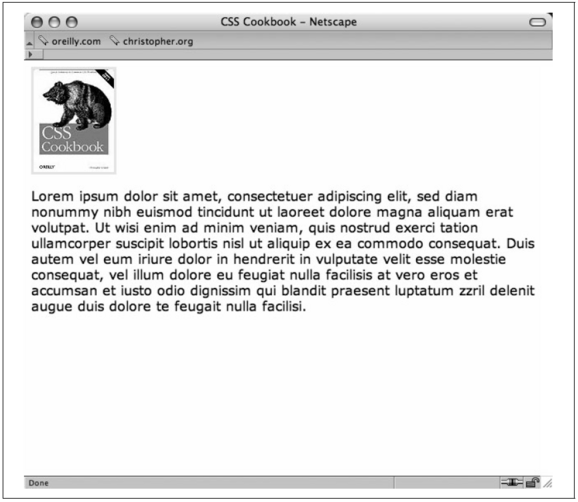
Figure: Default presentation of the content.
Next, specify absolute positioning for the element div surrounding the content by assigning the corresponding value (absolute) to the attribute class. The next figure shows the result:
<div class="absolute">
  <img src="csscookbook.gif" alt="titelseite" />
  <p>Lorem ipsum dolor sit amet, consectetuer adipiscing elit, sed diam nonummy nibh euismod tincidunt ut laoreet dolore magna aliquam erat volutpat ...</p>
</div>
You can also use the properties right and bottom to influence absolute positioning. The property bottom specifies the distance from the containing block’s bottom edge, regardless of window size. Note that the properties right and bottom are not supported by Internet Explorer 5 or Netscape 6.0.
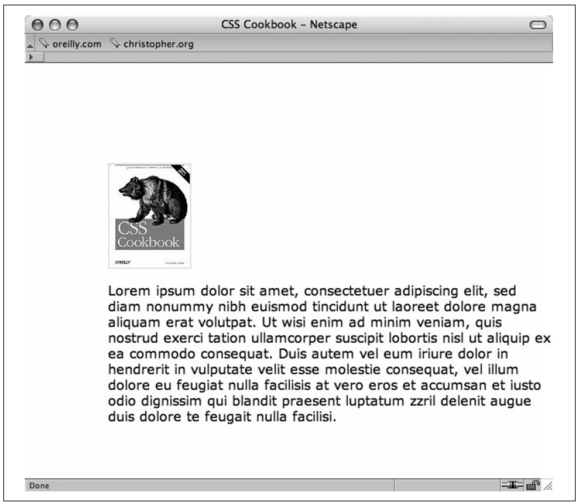
Figure: Absolute positioning places an element independently of the rest of the document flow.
Warning:
Absolute positioning is used here to demonstrate positioning itself. Use this technique cautiously, however: positioned elements do not move even in flexible page layouts or when changing the text size alters the presentation.
See also
The recipe Displaying floated columns in any order shows how absolute positioning can create page layouts; also see the W3C 2.1 specification on absolute positioning.
Copyright of the German edition © 2007 by O’Reilly Verlag GmbH & Co. KG
You may print the online version for your private use.
Otherwise, this chapter from “CSS Kochbuch” is subject to the same conditions as the bound edition: the work, including all its parts, is protected by copyright. All rights reserved, including reproduction, translation, microfilming, and storage and processing in electronic systems.
O’Reilly Verlag GmbH & Co. KG, Balthasarstr. 81, 50670 Köln