

XML technologies / CSS / CSS Cookbook / Images / Combining image formats
(Excerpt from “CSS Kochbuch” by Christopher Schmitt)
Problem
Combine two formats, such as the GIF and JPEG forming one graphic in the figure.
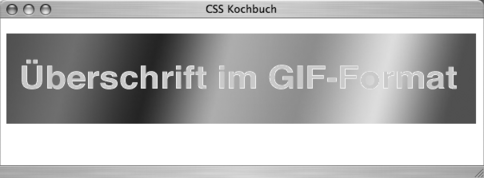
Figure: Two combined image formats.
Solution
Wrap one image in a block element such as div or h2:
<h2><img src="headline_text.gif" alt="Überschrift im GIF-Format" /></h2>Split the image into two formats with an image editor (see the figure).

Figure: Two images to recombine on the page.
Name one image for the attribute src of the element img. Use the other as the block’s background, visually merging both.
h2 {
 background-image: url(headline_bkgd.jpg);
 background-repeat: none;
 width: 587px;
 height: 113px;
}
Discussion
GIF and JPEG dominate web images, compressing differently. Large flat-color areas compress better as GIF; photos and subtle gradients suit JPEG.
The combined files above are smaller than one file containing both images. Different image parts suit different compression: GIF would enlarge the photographic part; JPEG would enlarge flat-color areas. Splitting formats reduces total size.
This solution uses background properties. Positioned blocks containing images also work, as the boat drawing and children’s photograph demonstrate below.
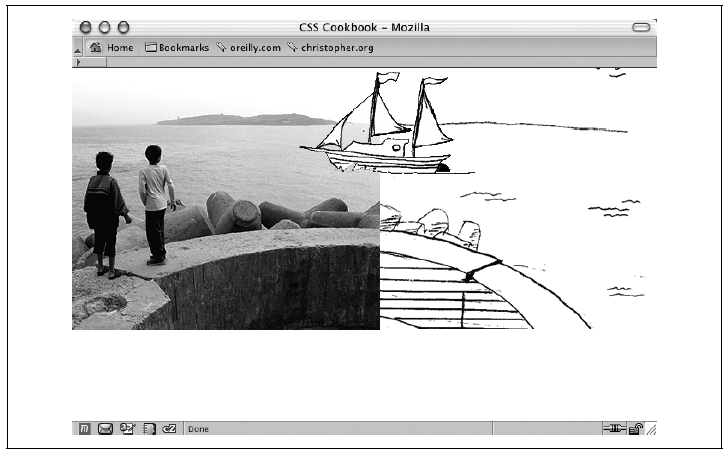
Figure: A complex combination of two formats.
Wrap images in block elements, here div, as in this HTML:
<head>
  <title>CSS Cookbook</title>
</head>
<body>
  <img src="kids.jpg" width="360" height="304" alt="kids playing" />
  <div id="boat"><img src="boat.gif" width="207" height="123" alt="boat" /></div>
  <div id="water"><img src="landscape.gif" width="315" height="323" alt="landscape" /></div>
</body>
Set the property position for both elements to absolute. This removes them from normal flow. Control position with left and top. The property z-index controls which image appears on top:
#boat {
 position: absolute;
 width: 207px;
 height: 123px;
 z-index: 2;
 left: 264px;
 top: 0;
}
#water {
 position: absolute;
 width: 315px;
 height: 323px;
 z-index: 1;
 left: 359px;
 top: -20px;
}
Values for left and top are relative to the nearest ancestor whose position differs from static, or here to the initial containing block.
Also set the margin (margin) of the element body to 0, placing the origin at the window’s top-left corner.
body {
 margin: 0;
}
Later document changes can disrupt exact positioning. A heading added above the images causes the following anomaly:
<h2>Kids Welcome New Boat!</h2>
<img src="kids.jpg" width="360" height="304" alt="kids playing" />
<div id="boat"><img src="boat.gif" width="207" height="123" alt="boat" /></div>
<div id="water"><img src="landscape.gif" width="315" height="323" alt="landscape" /></div>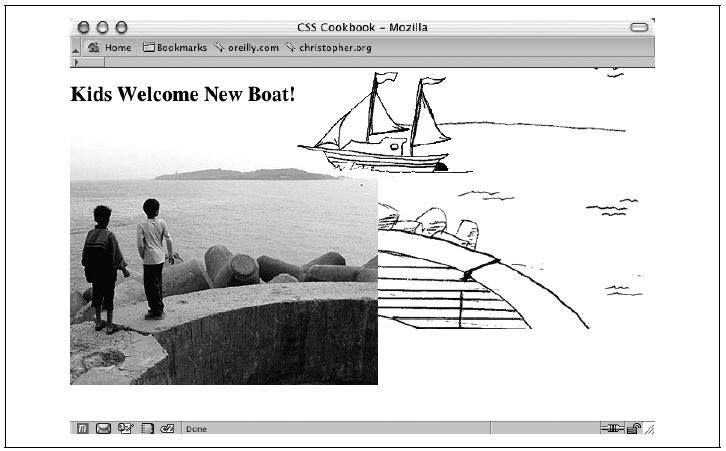
Figure: A heading disrupts the image arrangement.
The children’s image was not positioned with absolute, so document flow pushes it down. The other remains anchored in the initial containing block.
The property background-position with block elements creates a container keeping the arrangement intact when content changes, as in the next figure and code.
<head>
  <title>CSS Cookbook</title>
  <style type="text/css">
    body {
     margin: 5% 10% 0 10%;
    }
    #content {
     background-image: url(landscape.gif);
     background-repeat: no-repeat;
     background-position: bottom right;
     height: 400px;
     width: 674px;
    }
    h2 {
     margin: 0;
     padding: 0;
     background-image: url(kids.jpg);
     background-repeat: no-repeat;
     background-position: bottom left;
     height: 400px;
     width: 600px;
    }
    #boat {
     background-image: url(boat.gif);
     background-repeat: no-repeat;
     display: block;
     width: 207px;
     height: 123px;
     margin-left: 250px;
     margin-top: 75px;
    }
  </style>
</head>
<body>
  <div id="content">
    <h2>Kids Welcome New Boat! <span id="boat"></span></h2>
  </div>
</body>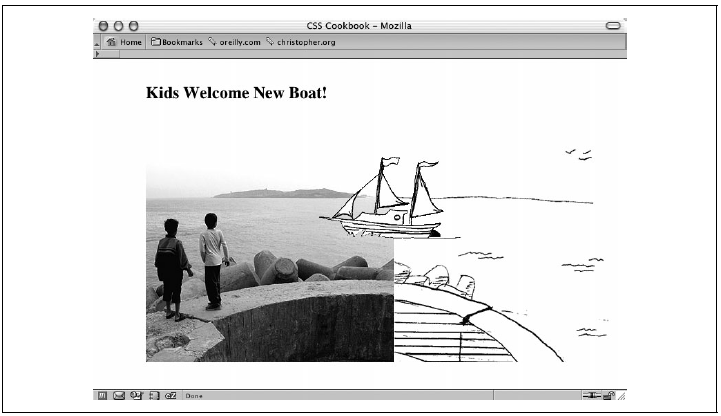
Figure: Another image-combination approach.
See also
The recipe Creating unexpected discrepancies for unexpected differences between elements, and
the recipe Combining apparently mismatched things for contrast for combining dissimilar elements.
Copyright of the German edition © 2007 by O’Reilly Verlag GmbH & Co. KG
You may print the online version for your private use.
Otherwise, this chapter from “CSS Kochbuch” is subject to the same conditions as the bound edition: the work, including all its parts, is protected by copyright. All rights reserved, including reproduction, translation, microfilming, and storage and processing in electronic systems.
O’Reilly Verlag GmbH & Co. KG, Balthasarstr. 81, 50670 Köln