

XML technologies / CSS / CSS Cookbook / Typography for the web / Changing line spacing
(Excerpt from “CSS Kochbuch” by Christopher Schmitt)
Problem
You want to change the spacing between lines. The next figure shows the default appearance; the figure after that increases line spacing by half.
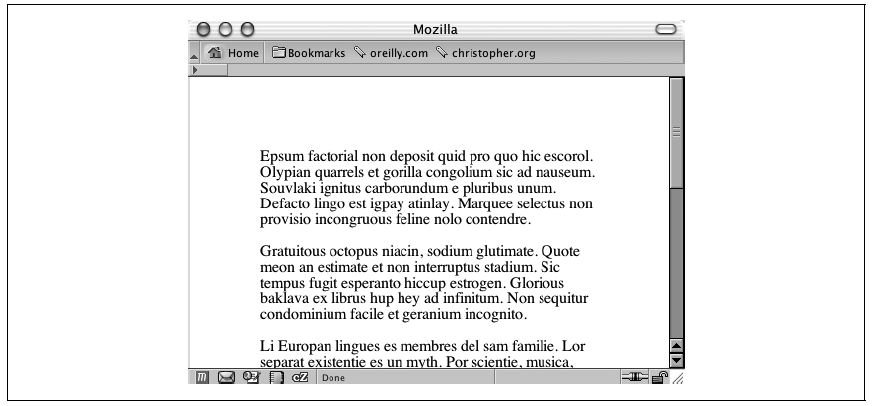
Figure: Default paragraph line spacing.
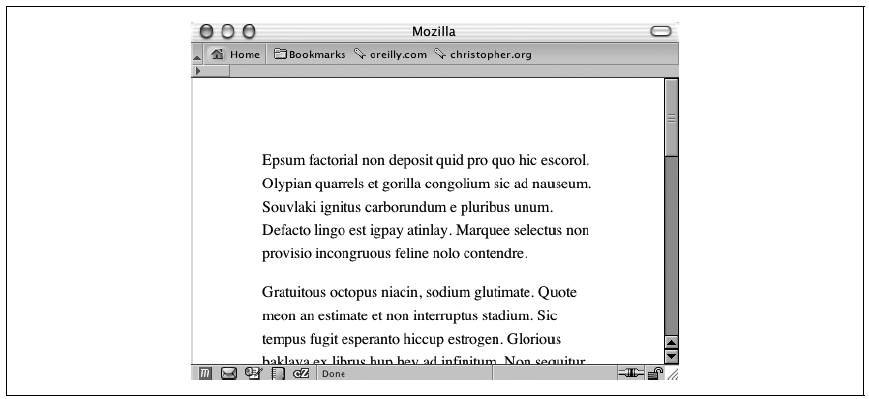
Figure: Increased spacing between text lines.
Solution
Adjust the value of the property line-height:
p {
 line-height: 1.5em;
}
Discussion
Increasing the value of the property line-height increases line spacing. Decreasing it reduces the spacing until lines may overlap. Designers distinguish between line height and what is called leading.
The value for line-height may be a number with a unit (such as 14pt), a number alone (1.5), or a number with a percent sign (70%). If line-height is specified as a number alone, that value is used as a scaling factor for the element and its children.
Negative values are not allowed for line-height.
The following rules set the font size (font-size) to 12px and the line height (line-height) to 14.4px ((10px * 1.2) * 1.2px = 14.4px):
body {
 font-size: 10px;
}
p {
 font-size: 1.2em;
 line-height: 1.2;
}
The value of the property line-height can also be set using the property font when accompanied by a value for font-size. The following line displays text in an element p at a size of 1em in a sans-serif font and with a line height of 1.5em:
p {
 font: 1em/1.5em sans-serif;
}
See also
The CSS 2.1 specification on the property line-height and the recipe Images as drop caps for more information on the property font.
Copyright of the German edition © 2007 by O’Reilly Verlag GmbH & Co. KG
You may print the online version for your private use.
Otherwise, this chapter from “CSS Kochbuch” is subject to the same conditions as the bound edition: the work, including all its parts, is protected by copyright. All rights reserved, including reproduction, translation, microfilming, and storage and processing in electronic systems.
O’Reilly Verlag GmbH & Co. KG, Balthasarstr. 81, 50670 Köln