

XML technologies / CSS / CSS Cookbook / Images / Translucent backgrounds for HTML text
(Excerpt from “CSS Kochbuch” by Christopher Schmitt)
Problem
You want to place a semitransparent background behind HTML text.
Solution
Set the image as a background, then apply the styles needed to position the text.
First enclose the text in an element div with an attribute id (see the following figure):
<div id="frame">
  <div id="banner">
    <h1>White House Confidential <br /><span>Classified Lawn Care Secrets</span></h1>
  </div> <!-- end #banner -->
  <p>...</p>
</div> <!-- end #frame -->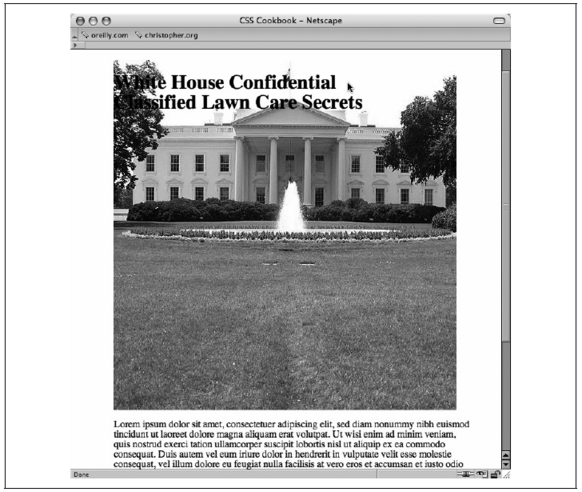
Figure: HTML text without styles is enclosed in a div element.
Add the image with the property background-image and set the required height and width:
#banner {
 width: 550px;
 height: 561px;
 overflow: hidden;
 background-image: url(whitehouse.jpg);
 background-position: 0;
 background-repeat: no-repeat;
}
Then apply the desired text styles (see the next figure):
h1 {
 margin: 0;
 padding: 0;
 font-family: Verdana, Arial, sans-serif
 margin-top: 325px;
 margin-left: 25px;

 /* Innenabstände ober- und unterhalb des Textes */
 padding-left: 25px;
 padding-bottom: 25px;

 /* das durchscheinende Hintergrundbild definieren */
 background-image: url(white-banner.png);
 background-position: bottom;
 background-repeat: no-repeat;
}
h1 span {
 font-size: .8em;
}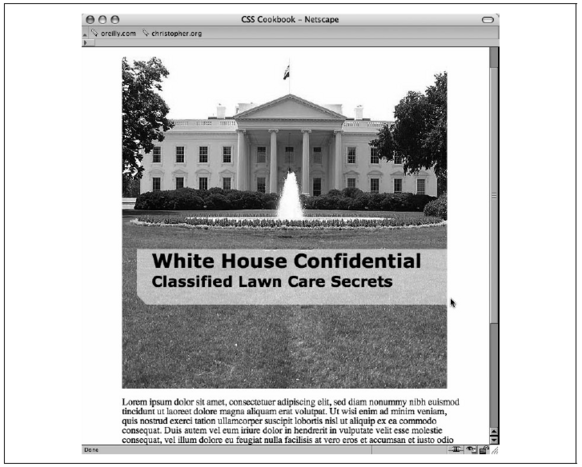
Figure: The heading has styles and a semitransparent background.
Discussion
Text over a background image is often hard to read without additional styling. A heading can have its own background color, but that would completely obscure the image. A semitransparent heading background is much more elegant.
Fortunately, PNG files can display semitransparent images. Since Internet Explorer 7 also handles PNG correctly, nothing prevents this approach. The trick is to give the heading its own background image (white-banner.png), lying like frosted glass between the page background and the text, as shown in our figure.
See also
The recipe Replacing HTML text with an image.
Copyright of the German edition © 2007 by O’Reilly Verlag GmbH & Co. KG
You may print the online version for your private use.
Otherwise, this chapter from “CSS Kochbuch” is subject to the same conditions as the bound edition: the work, including all its parts, is protected by copyright. All rights reserved, including reproduction, translation, microfilming, and storage and processing in electronic systems.
O’Reilly Verlag GmbH & Co. KG, Balthasarstr. 81, 50670 Köln