

XML technologies / CSS / CSS Cookbook / Images / Replacing HTML text with an image
(Excerpt from “CSS Kochbuch” by Christopher Schmitt)
Problem
Overlay HTML text, such as the heading below, with an image for greater graphic or typographic freedom.
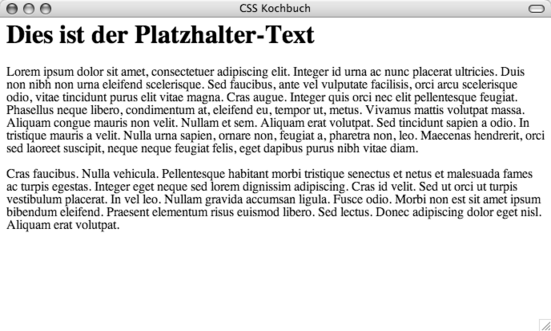
Figure: The default text heading.
Solution
Use the Gilder/Levin image replacement technique.
First insert an element span before the HTML text:
<h1>
  <span></span>
  Dies ist der Platzhalter-Text
</h1>
Next, set the element h1’s width and height to match the replacement image. Also set the property position to relative:
h1 {
 width: 216px;
 height: 72px;
 position: relative:
}
Then position the element span with the value absolute. Adjusting the width and height of the element span within the heading (h1) places the element span over the HTML text. Finally, set the replacement image with the property background (see the following figure):
h1 span {
 background: url(ersetzungsbild.jpg) no-repeat;
 position: absolute;
 width: 100%;
 height: 100%;
}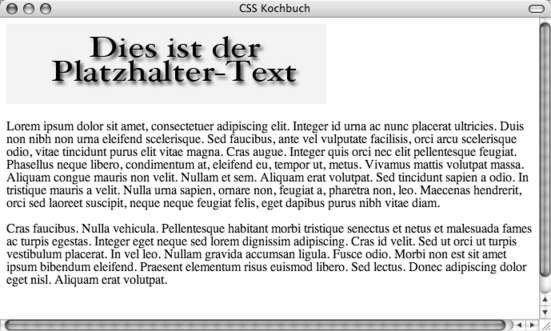
Figure: HTML text replaced by a graphic.
Discussion
Many image replacement techniques exist, each with advantages and disadvantages.
Origins of image replacement
Todd Fahrner is among those credited with the original image replacement concept.
The method named after him, Fahrner Image Replacement (FIR), also uses a nonsemantic element span. Here, however, the element span surrounds the content:
<h1>
  <span>Dies ist der Platzhalter-Text</span>
</h1>
The replacement image becomes the background of the element h1 while the text is hidden:
h1 {
 background: url(ersetzungsbild.jpg) no-repeat;
 width: 216px;
 height: 72px;
}
h1 span {
 display: none;
}
FIR’s drawback
FIR’s simplicity made it popular, but screen readers for visually impaired people often missed the text because the element span was set not to display (display: none;). Important text can therefore be lost to some visitors.
The Phark image replacement method
FIR and Gilder/Levin both use a semantically unnecessary tag span. Another technique, invented by Mike Rundle of phark.net, needs no extra tag span.
First remove the tag span from the HTML:
<h1>Dies ist der Platzhalter-Text</h1>Use a negative value for the property text-indent to hide the text. This removes the need for display:none:
h1 {
 text-indent: -9000em;
 background: url(ersetzungsbild.jpg) no-repeat;
 width: 216px;
 height: 72px;
}
Like the others, the Phark replacement technique works well. Its drawback is that the HTML text disappears if browser images are disabled.
Image replacement with CSS 3
CSS 3 offers a simple replacement method, if browsers ever implement it. For example, replacing a tag h1’s content with an image would require only this CSS:
h1 {
 content: url(logo.gif);
}
The specification does not restrict which multimedia types the property content should support. A developer could theoretically use a QuickTime movie instead of an animated GIF:
h1 {
 content: url(logo.mov);
}
However, even modern browsers support CSS 3 only partially, and its specification is still under development.
See also
The CSS 3 specification for information about inserting content.
Copyright of the German edition © 2007 by O’Reilly Verlag GmbH & Co. KG
You may print the online version for your private use.
Otherwise, this chapter from “CSS Kochbuch” is subject to the same conditions as the bound edition: the work, including all its parts, is protected by copyright. All rights reserved, including reproduction, translation, microfilming, and storage and processing in electronic systems.
O’Reilly Verlag GmbH & Co. KG, Balthasarstr. 81, 50670 Köln