

XML technologies / ePUB / ePub für (In)Designer / Text / Cleaning text / Line breaks
(Excerpt from “ePub für (In)Designer — Mit InDesign Schritt für Schritt zum E-Book” by Sascha Heck & Yves Apel)
E-books have no true pages: ePub is a continuous text flow breaking differently on each reader. You cannot force line layout. Remove hard line breaks (Shift + Enter) to avoid surprises, except deliberately required breaks, for example in subheadings.
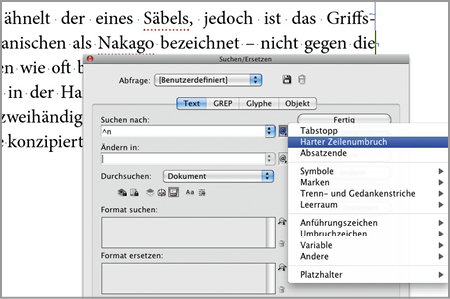
Figure: Finding and replacing hard line breaks.
Otherwise an unexpectedly short line may appear, as here at “nicht gegen die …”.
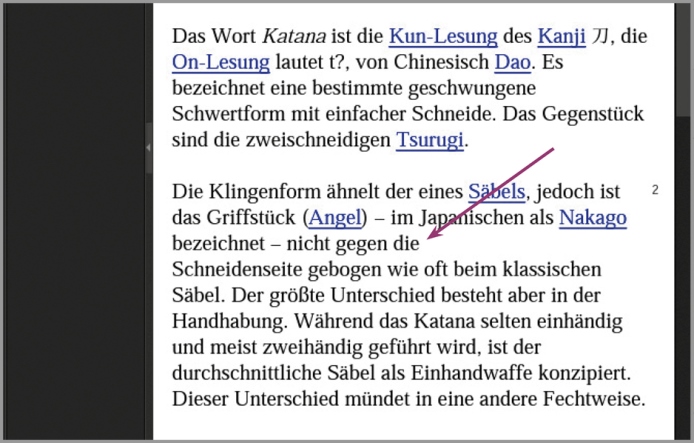
Figure: Effect of hard line breaks in ePub.
CS5.5: CS5.5’s EPUB export dialog now has, under Content, an option to remove hard line breaks automatically during export.
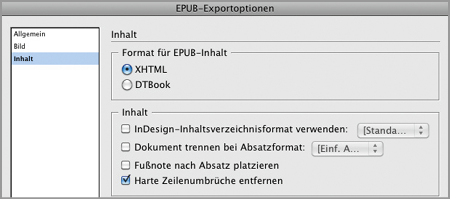
Figure: EPUB export options: Remove hard line breaks.
Repeated Enter presses do not create useful ePub spacing. Most readers apply a fixed gap to consecutive paragraph breaks, whether Enter was pressed five times or just once or twice. Control spacing with Space Before/Space After instead; see Adding spacing.
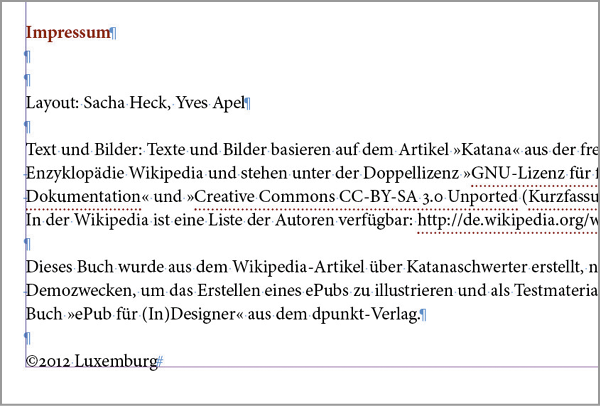
Figure: Do not force spacing with line breaks.
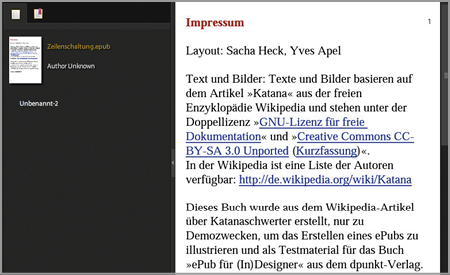
Figure: Digital Editions always shows the same gap, regardless of the number
of line breaks.
Copyright © dpunkt.verlag GmbH 2012
You may print the online version for your private use.
Otherwise, this chapter from “ePub für (In)Designer” is subject to the same terms as the printed edition: the work and all its parts are protected by copyright. All rights reserved, including reproduction, translation, microfilming, and storage and processing in electronic systems.
dpunkt.verlag GmbH, Wieblinger Weg 17, 69123 Heidelberg, fon 06221-14830, fax 06221-148399, hallo(at)dpunkt.de
back to top