

XML technologies / DITA / DITA authoring environments / <oXygen/> XML Author
(Excerpt from “DITA – Der neue Standard für Technische Dokumentation” by Johannes Hentrich)
<oXygen/> XML Author from SyncRO Soft Ltd. is the XML editor currently available for the most platforms. <oXygen/> XML Author runs on Mac, Windows, Linux and Sun Solaris. The Java Runtime Environment must first be installed on the computer concerned.
As its name suggests, <oXygen/> XML Author is an XML editor that addresses authors’ needs when creating XML-based documents. It provides a dedicated WYSIWYG editor for DocBook, DITA, TEI (Guidelines for Electronic Text Encoding and Interchange) and XHTML.
Documents based on the Open Document Format (ODF) and Microsoft® Office 2007 documents based on Office Open XML (OOXML) can also be edited.
In <oXygen/> XML Author you can switch between a WYSIWYG view, a plain text view and a grid view. The grid view displays the XML file’s structure visually.
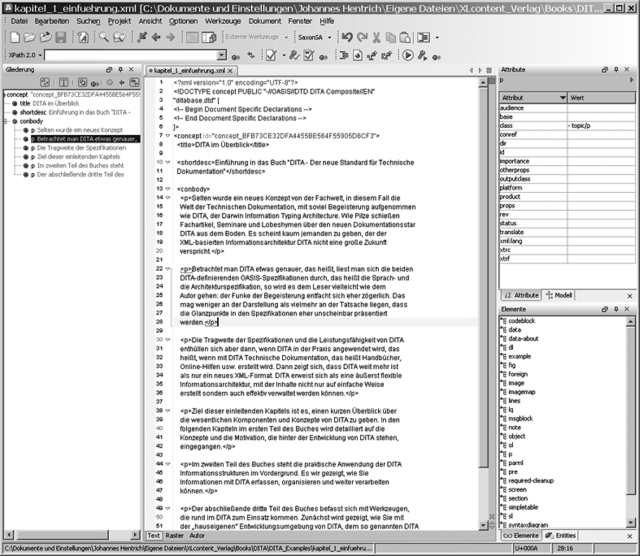
Figure: A concept topic in the <oXygen/> XML Author text view.
The DITA Open Toolkit is fully integrated into <oXygen/> XML Author. In a standard <oXygen/> XML Author installation, the complete version 1.4.2.1 package is located in the C:\Programme\Oxygen XML Author 9\frameworks\dita\DITA-OT directory. To use a newer version of the DITA Open Toolkit, simply copy it into the C:\Programme\Oxygen XML Author 9\frameworks\dita\ directory.
To use the newer DITA Open Toolkit version’s stylesheets to generate output, you must configure a transformation scenario. The easiest way is to copy an existing transformation scenario and change its path to point to the new DITA Open Toolkit.
Because <oXygen/> XML Author uses the complete DITA Open Toolkit to produce output, it can generate all output formats for which the toolkit provides stylesheets.
Working with specializations is extremely simple. Define a new document type in <oXygen/> XML Author’s global settings. There is no need to reinvent anything: copy an existing document type and modify the copy according to the specialization’s requirements.
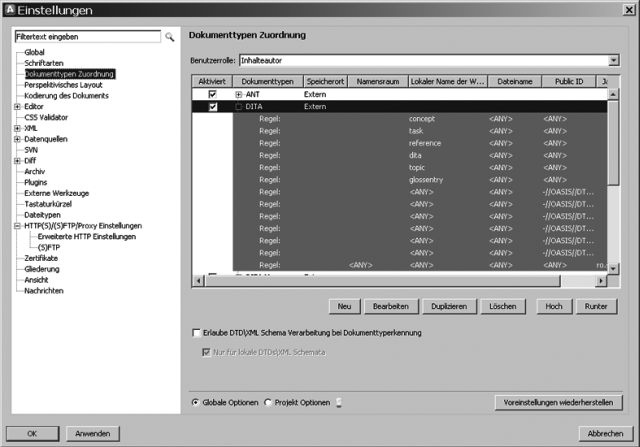
Figure: Document types in <oXygen/> XML Author.
<oXygen/> XML Author can connect to
Content management systems
Databases
FTP servers
WebDAV
Version control systems such as CVS or SVN
<oXygen/> XML Author provides a very powerful environment for creating and processing DITA XML files. In particular, customizing and configuring <oXygen/> XML Author proves very easy. If you want to try a newer version of the DITA Open Toolkit or DITA DTDs, you can test it quickly with <oXygen/> XML Author.
Copyright © 2008 XLcontent Verlag
You may print the online version for your private use.
Otherwise, this chapter from “DITA - Der neue Standard für Technische Dokumentation” is subject to the same conditions as the bound edition. The work, including all its parts, is protected by copyright. All rights reserved, including reproduction, translation, microfilming, and storage and processing in electronic systems.
XLcontent Verlag, Pflegerstraße 40, 81247 München
back to top