

XML technologies / CSS / CSS Cookbook / Images / Speech bubbles
(Excerpt from “CSS Kochbuch” by Christopher Schmitt)
Problem
Display text as a speech bubble, as shown in the following figure.
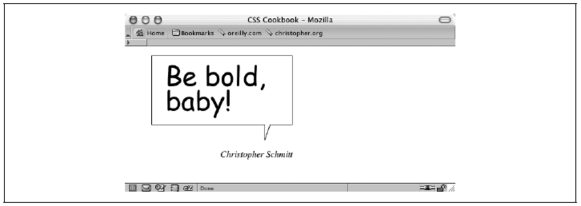
Figure: The speech bubble.
Solution
Mark up the speech bubble’s content, placing both its text and the quoted person’s name in the appropriate locations (see the next figure):
<blockquote>
  <p><span>Be bold, baby!</span></p>
  <cite>Christopher Schmitt</cite>
</blockquote>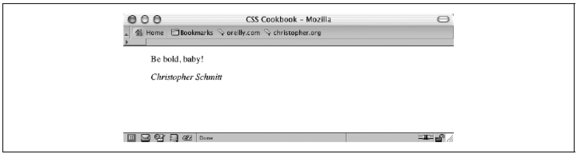
Figure: Structured content for the speech bubble.
Create the speech bubble using the image shown in the following figure and the CSS properties border and background. Position the quoted person’s name below the speech bubble’s pointer:
blockquote {
 width: 250px;
}
blockquote p {
 background: url(balloontip.gif);
 background-repeat: no-repeat;
 background-position: bottom;
 padding-bottom: 28px;
}
blockquote p span {
 display: block;
 padding: 0.25em 0.25em 0.5em 0.5em;
 border: 1pt solid black;
 border-bottom-width: 0;
 font-size: 3em;
 font-family: "Comic Sans MS", Verdana, Helvetica, sans-serif;
 line-height: 0.9em;
}
cite {
 text-align: right;
 display: block;
 width: 250px;
}
Discussion
Creating the speech bubble requires at least one image containing its pointer and bottom border (see the following figure). Create the other three sides by giving the element span borders on those sides.

Figure: The bottom of the speech bubble.
To make the result look even more like a comic, choose an appropriate font. Our example uses Comic Sans MS from Microsoft:
font-family: "Comic Sans MS", Verdana, Helvetica, sans-serif;On a Windows computer, the font is probably already installed. However, some users may not have it. In that case, the browser goes through the list to load another font for displaying the page.
A small change to the markup and CSS can give the presentation an even more comic touch. First give the element span an attribute class with the value no:
<blockquote>
  <p><span>Be bold, baby!</span></p>
  <cite><span class="no">Christopher Schmitt</span></cite>
</blockquote>
The following rule prevents elements of class no from being displayed in the browser:
.no {
 display: none;
}
Finally, give the element cite an image through the property background-position (see the following figure):
cite {
 margin: 0;
 padding: 0;
 background-image: url(baby.jpg);
 background-position: 0 0;
 height: 386px;
 text-align: right;
 display: block;
 width: 250px;
}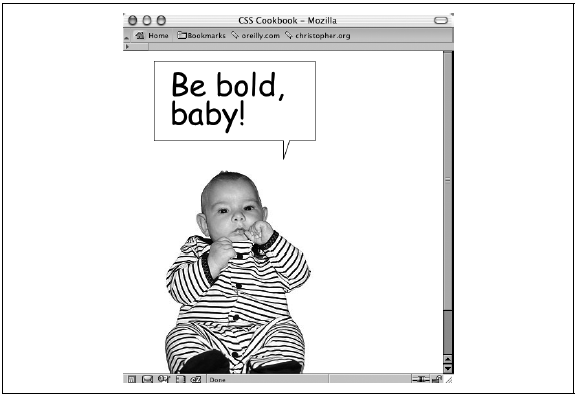
Figure: A speech bubble seemingly coming from an image.
See also
Background information on Comic Sans MS and Arguments against using Comic Sans MS.
Copyright of the German edition © 2007 by O’Reilly Verlag GmbH & Co. KG
You may print the online version for your private use.
Otherwise, this chapter from “CSS Kochbuch” is subject to the same conditions as the bound edition: the work, including all its parts, is protected by copyright. All rights reserved, including reproduction, translation, microfilming, and storage and processing in electronic systems.
O’Reilly Verlag GmbH & Co. KG, Balthasarstr. 81, 50670 Köln