

XML technologies / SVG / Using text elements / Special text formatting / Aligning text with a text anchor
(Excerpt from “Das Einsteigerseminar SVG — Webgrafiken mit XML” by Helma Spona)
Text positions always referring to the lower-left corner can sometimes be inconvenient. Define text anchors for better alignment.
The default anchor is at the text’s lower-left corner, shown in the next figure by a point on a vertical line.
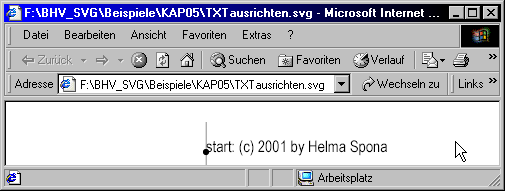
Figure: The default anchor is at the text’s lower-left corner.
Set the anchor with the property text-anchor in the style attribute. Its default value, shown above, is start. Alternatives are middle and end, illustrated in the next figure.
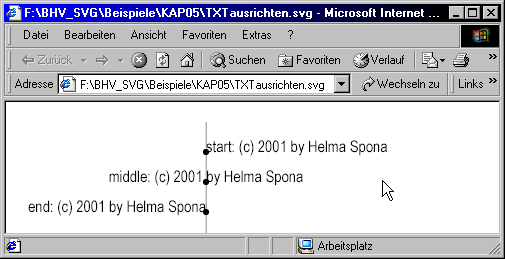
Figure: Effects of changing anchor points.
The baseline-shift properties also shift the baseline, for example to center text vertically and horizontally. The gray horizontal line marks the baseline in the next figure.
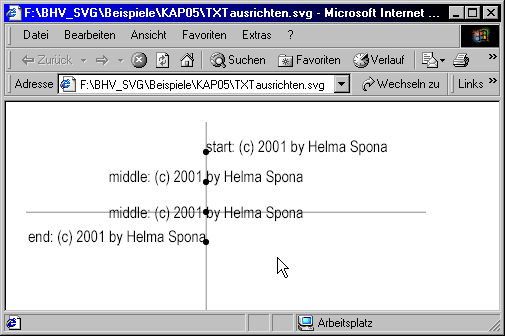
Figure: Centering text vertically and horizontally on the anchor.
The source code for the third line is:
<text x="200" y="110" style="text-anchor:middle;baseline-shift:-6">middle: <tref xlink:href="#cr"/></text>
Copyright © verlag moderne industrie GmbH 2001
You may print the online version for your private use.
Otherwise, this chapter from “Das Einsteigerseminar SVG — Webgrafiken mit XML” is subject to the same conditions as the bound edition. The work, including all its parts, is protected by copyright. All rights reserved, including reproduction, translation, microfilming, and storage and processing in electronic systems.
verlag moderne industrie GmbH, Justus-von-Liebig-Straße 1, D-86899 Landsberg/Lech, fon ++49 (0) 81 91 / 125 – 0, leserservice(at)mi-verlag.de
back to top