

XML technologies / SVG / Interactive graphics / The event and object model in detail / The SVG event model / Keyboard events
(Excerpt from “Das Einsteigerseminar SVG — Webgrafiken mit XML” by Helma Spona)
Although SVG documentation lists no keyboard events, SVG Viewer supports them. This example explains their operation. Watch future SVG standards and viewer or browser support: nonstandard features work only in selected programs. Keyboard events are therefore covered only briefly here.
The example retrieves each pressed key’s code. When users finish with Enter, it displays the resulting text in a message.
Note:
The text could instead appear in the graphic, requiring dynamic changes as explained in the next section.
Handle keypresses by implementing an event handler for the event keydown. Inside its function, retrieve the key code with the method getKeyCode( ). The Enter key has code 13, ending input. Remove the event listener too, or subsequent input will still be processed. Use the removeEventListener method with the same parameters used when registering the handler.
Note:
The method removeEventListener can also remove other event listeners, not only keyboard ones.
<?xml version="1.0"?>
...
<svg width="300" height="300" onload="init(evt)">
  <script type="text/ecmascript">
    <![CDATA[
      var elem;
      var svgdok;
      var eingabe="";
      function init(evt)
      {
        svgdok=evt.getTarget().getOwnerDocument();
        elem=svgdok.getElementById("Zeichnung");
        elem.addEventListener("keydown", ausgeben, false);
      }
      function ausgeben(evt)
      {
        var Taste= evt.getKeyCode();
        if (Taste==13)
        {
          //Eventhandler loeschen und Text ausgeben
          elem.removeEventListener("keydown", ausgeben, false);
          alert(eingabe);
        }
        else
        {
          eingabe=eingabe + String.fromCharCode(Taste);
        }
      }
    ]]>
  </script>
  <rect id="Zeichnung" x="0" y="0" width="300" height="300" style="fill:white;stroke:none;opacity:0"/>
</svg>
Note:
The method getKeyCode returns only uppercase ASCII codes. To distinguish letter case, check the Shift key with SVG Viewer’s method getShiftKey( ) or getAltKey( ) for the Alt key.
If input is not accepted during testing, activate the SVG graphic by clicking its drawing area.
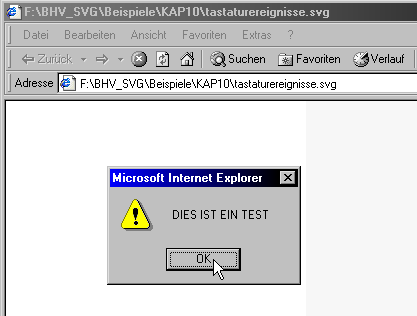
Figure: Display of entered text.
Note:
The event keydown occurs when a key goes down; keyup when it is released; and keypress when pressed and released.
Copyright © verlag moderne industrie GmbH 2001
You may print the online version for your private use.
Otherwise, this chapter from “Das Einsteigerseminar SVG — Webgrafiken mit XML” is subject to the same conditions as the bound edition. The work, including all its parts, is protected by copyright. All rights reserved, including reproduction, translation, microfilming, and storage and processing in electronic systems.
verlag moderne industrie GmbH, Justus-von-Liebig-Straße 1, D-86899 Landsberg/Lech, fon ++49 (0) 81 91 / 125 – 0, leserservice(at)mi-verlag.de
back to top