

Software / OCF validation / Summary and issue locations
Individual validators use different report formats. The interface normalises these results and combines them in a shared “Summary”, providing a consistent interface for display, navigation and analysis.
1. Normalising results
Schema validator,
link checker,
FShape
and AI
can produce technically different outputs. Normalisation converts them to a shared model. Regardless of the original validator, an issue can be described by severity, message, file and location.
2. The Summary as a detailed view
The Summary lists total errors and warnings and the results of individual checks. Below it are specific issues with source, severity, message, file and location.
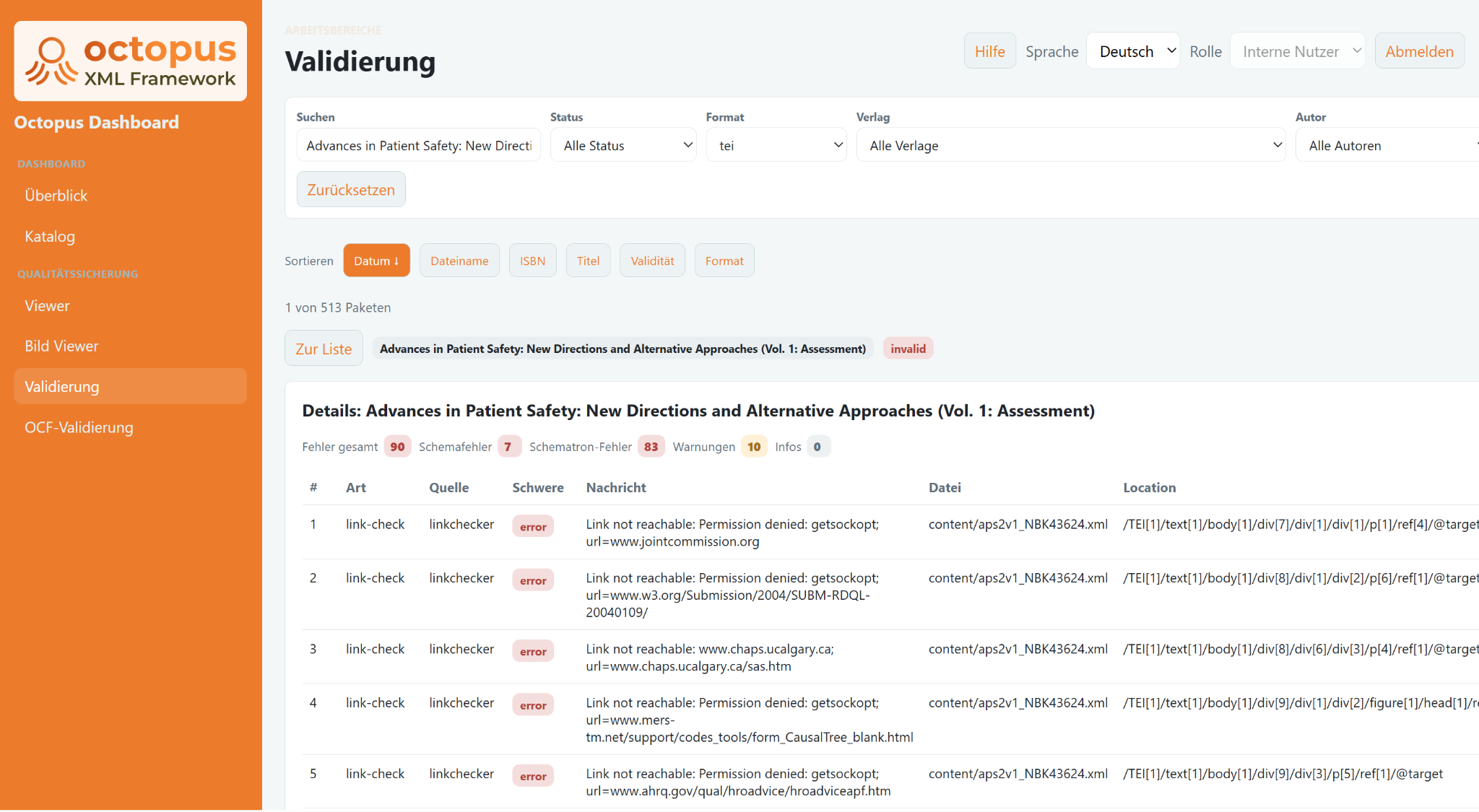
Figure 6: The validation menu with a brief Summary and all error locations.
3. From an error directly to the document
The XML location connects a normalised issue to the actual document. An XPath locates the affected part in the viewer and displays its structural context.
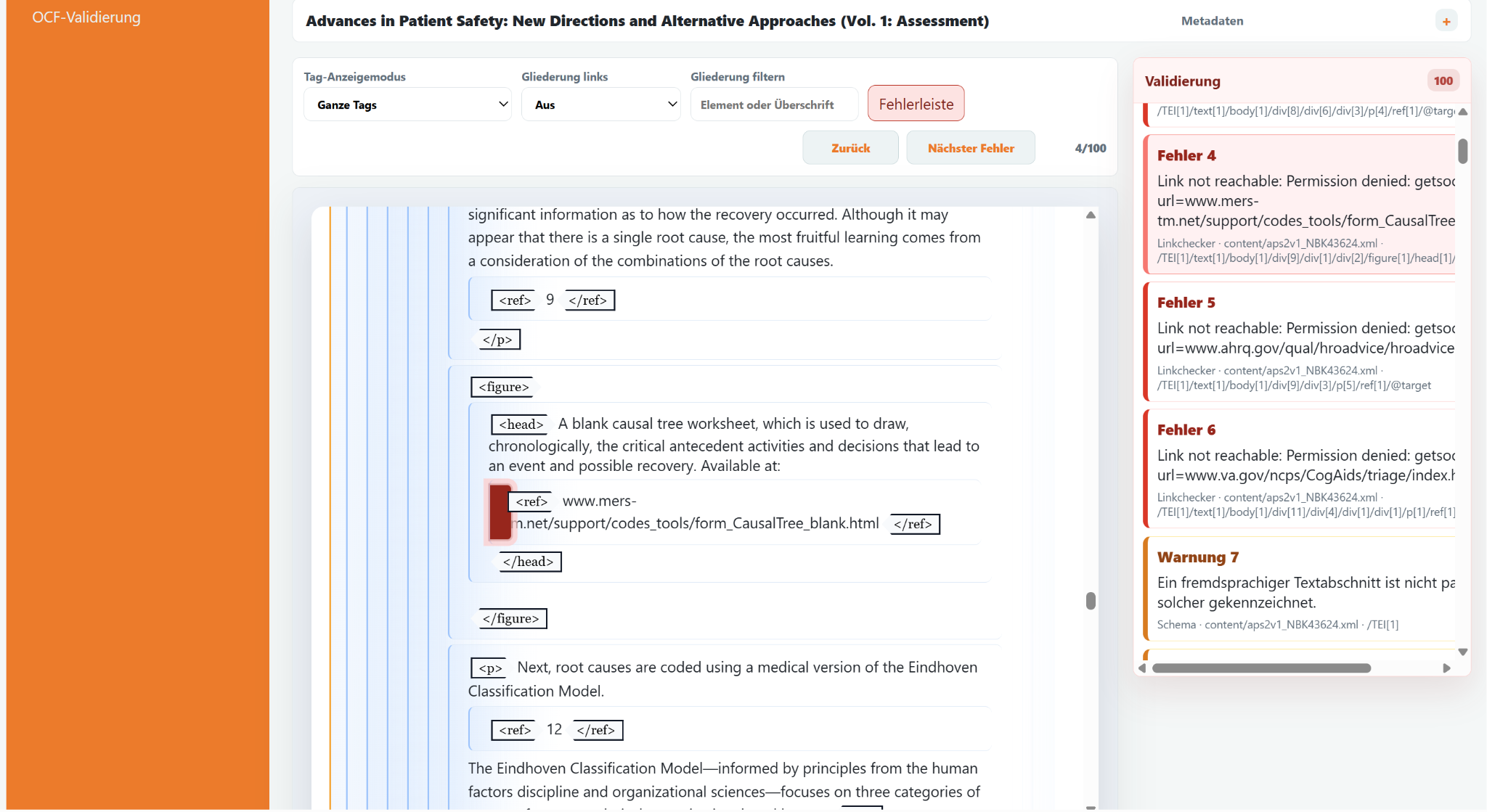
Figure 7: The viewer menu shows the error location in the document.
A technical report becomes navigable quality assurance:
Select an error
Show its location
Understand the context
And correct it precisely.
4. Results stay with the OCF
Validation reports can be stored under processing/validation/ in the OCF and registered in its manifest. The validation history stays with the package and remains available to subsequent processes.