

XML technologies / ePUB / Open Publication Structure / Graphics / Simple raster graphics
(Excerpt from “E-Books mit ePUB ─ Von Word zum E-Book mit XML” by Dr. Victor Wang)
XHTML and DTBook differ little in graphic references: use HTML’s familiar inline element <img> with the two required attributes src and alt. The src attribute references the image file; alt supplies alternate text if the graphic cannot display. Width and height use width and height. Our example displays the image centered as a block, enclosing it in a <div> container with a corresponding class attribute.
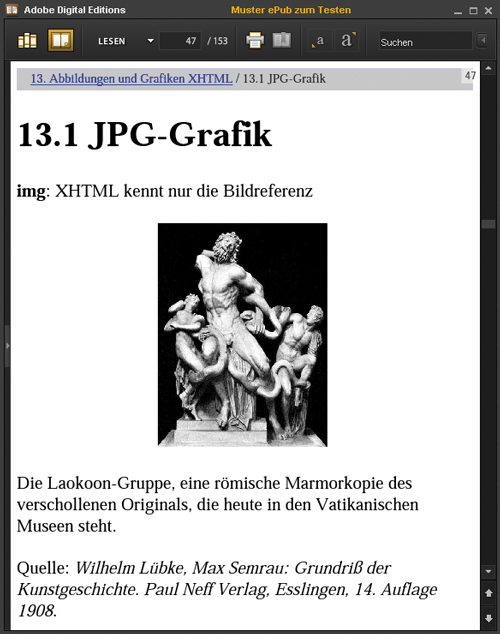
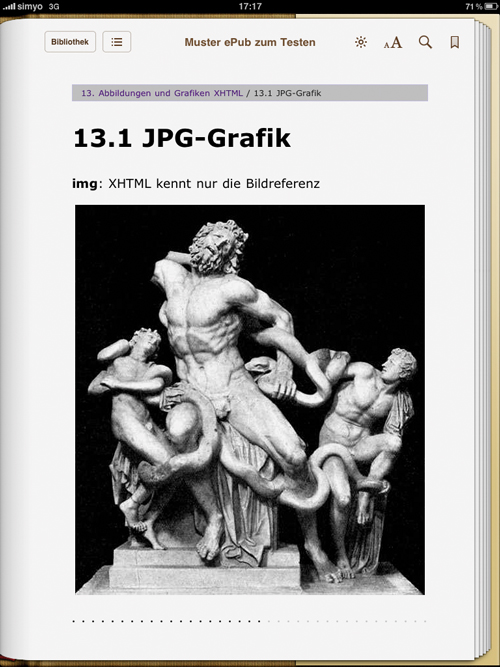
Figures: Block image in XHTML (Adobe Digital Editions and iBooks).
<?xml version="1.0" encoding="UTF-8"?>
<!DOCTYPE html  PUBLIC "-//W3C//DTD XHTML 1.0 Strict//EN" "http://www.w3.org/TR/xhtml1/DTD/xhtml1-strict.dtd">
<html xmlns="http://www.w3.org/1999/xhtml" xml:lang="de">
  <head>
    <title>Abbildungen und Grafiken XHTML</title>
  </head>
  <body>
    <div class="Gliederungsebene">
      <h1>JPG-Grafik</h1>
      <p>
        <strong>img</strong>: XHTML kennt nur die Bildreferenz</p>
      <div class="grafik-mitte">
        <img src="img/laokoon.jpg" alt="Laokoongruppe" width="198" height="261" longdesc="Römische Marmorkopie der Laokoon-Gruppe"/>
      </div>
      <p>Die Laokoon-Gruppe, eine römische Marmorkopie des verschollenen Originals, die heute in den Vatikanischen Museen steht.</p>
      <p class="Quelle">Quelle: <cite>Wilhelm Lübke, Max Semrau: Grundriß der Kunstgeschichte. Paul Neff Verlag, Esslingen, 14. Auflage 1908</cite>.</p>
      <p>Grafik stammt aus http://de.wikipedia.org/wiki/Laokoon_%28Lessing%29</p>
    </div>
  </body>
</html>
Code example: Raster image in XHTML
In DTBook, block images or groups have a dedicated container, <imggroup>. Groups may contain a caption in <caption> and a source in <prodnote>. The preceding block passage, analogous to <div>, becomes this in DTBook:
<imggroup>
  <img src="img/laokoon.jpg" alt="Laokoongruppe" width="198" height="261" longdesc="Römische Marmorkopie der Laokoon-Gruppe"/>
  <caption>Die Laokoon-Gruppe, eine römische Marmorkopie des verschollenen Originals, die heute in den Vatikanischen Museen steht.</caption>
  <prodnote render="required">Quelle: <cite>Wilhelm Lübke, Max Semrau: Grundriß der Kunstgeschichte. Paul Neff Verlag, Esslingen, 14. Auflage 1908</cite> (http://de.wikipedia.org/wiki/Laokoon_%28Lessing%29)</prodnote>
</imggroup>
Code example: Block image in DTBook
Which image format suits each use? JPEG, GIF and PNG have different properties, briefly outlined here:
GIF (Graphics Interchange Format): raster format with at most 256 colors and lossless compression. One color entry can be transparent; simple animation is possible.
PNG (Portable Network Graphics): developed as a GIF replacement for licensing reasons, with similar properties but usually better compression, no animation, and optional alpha-channel transparency controlling background visibility. Image-origin metadata is also possible.
JPEG/JFIF (JPEG File Interchange Format): raster format with 24-bit color, over 16.7 million colors, and lossy compression adjustable at creation. It cannot store transparency.
Practical choices follow: use JPEG for many colors, photos or gradients; GIF or PNG for line art, black-and-white or grayscale drawings. Few-color cartoons and logos require individual judgment. For finer transparency, PNG may suit. Remember many e-readers have monochrome displays with limited grayscale. Few readers, such as iBooks, support animated GIFs.
Once the format is chosen, check image size and resolution. Print often needs high resolution; electronic screens have fewer pixels. Huge images, such as photos several thousand pixels across, may show only a small section. Reduce resolution: a current guideline, to verify individually, is at most 500–600 pixels wide. This also reduces file size, often several megabytes for high-resolution photos. Test reader behavior: Sony PRS-600, for example, fails to display a JPEG of only 860 KB at 1688 x 2232 pixels.
Another approach accommodates different screens: show a reduced-width image first, with an enlargement link to a separate page displaying it at 100% width. Large-screen readers, such as iPad with its 1024-pixel display, can thus enjoy large images.
Copyright © mitp 2011
You may print the online version for your private use.
Otherwise, this chapter from “E-Books mit ePUB” is subject to the same terms as the printed edition: the work and all its parts are protected by copyright. All rights reserved, including reproduction, translation, microfilming, and storage and processing in electronic systems.
Verlagsgruppe Hüthig Jehle Rehm GmbH, Im Weiher 10, 69121 Heidelberg, kundenbetreuung(at)hjr-verlag.de
back to top