

Software / Octopus / NEW: Octopus Dashboard / AI features
Octopus adds useful AI-powered functions to the processing, checking and publishing of structured content. Rather than operating as a separate chatbot, AI works directly on data already available in Octopus:
XML content
Metadata
Images
Backlist holdings and
Production data.
Aim of the AI applications:
Support publishers and other publishing organisations in specific workflows, such as production, editorial work, marketing, sales, support and knowledge management
Authors receive reliable suggestions, overviews and answers more quickly.
Data protection first
As with all Octopus functionality, publication data remains protected. Content is not transferred to OpenAI or other large technology corporations. Processing can take place locally, on your own servers, in-house, in controlled infrastructures and under your organisation’s security requirements.
This is particularly important because the data includes manuscripts, backlist holdings, metadata, internal production data and sometimes unpublished content. Octopus is designed to combine AI assistance with the highest data security: no uncontrolled sharing, no open use of sensitive content, no loss of data or knowledge and no risk from third-party training or platform processes.
What this means in practice:
The organisation retains control over storage locations, access, keys and processing paths.
Content need not be transferred to OpenAI or other large external AI platforms.
The functions can run locally and be installed on your own servers.
AI results are suggestions and are only adopted after authorised review.
Unpublished content, internal metadata and backlist holdings also remain protected.
Octopus thus combines AI assistance with the requirements of professional publishing: structured data, traceable sources, controlled approval and data protection.
AI as a service layer in Octopus Dashboard
AI functions in Octopus are closely linked to existing publishing processes. Some, such as alt-text generation and checking, can be viewed and edited directly in Octopus Dashboard. Others run as background services or are offered at the appropriate workflow stage, for example for metadata, teaser texts, RAG queries or translation suggestions.
The key point is that Octopus generates suggestions. Subject-matter and editorial decisions remain with the organisation! Texts, metadata and answers can be reviewed, shortened, adapted, approved or discarded.
Typical AI functions in Octopus:
Suggestions for alt text and image descriptions
Teasers, short descriptions, keywords and target-audience information
Generating and supplementing structured metadata
Research and RAG systems across individual titles, groups of titles or entire libraries
Source-referenced questions and answers from selected publication content
Translation suggestions and language variants for individual text sections
The following AI functions in Octopus Dashboard are described in more detail below:
Teasers, descriptions and metadata
For marketing, sales and product communication, good short texts are often the first bottleneck. From existing publication data, Octopus can suggest teasers, product descriptions, catalogue texts, keywords, audience targeting and structured metadata.
In the following video, Manuel Montero shows how to generate teaser texts and summaries with AI in Octopus Dashboard:
YouTube video on generating teaser texts in Octopus Dashboard
A typical use case is the marketing department: websites, newsletters, catalogues, shops, advance catalogues and campaign planning need usable content quickly. Instead of immediately asking authors or editors for every short description, suggestions are already available in Octopus Dashboard. These can be reviewed, shortened, adapted and then approved.
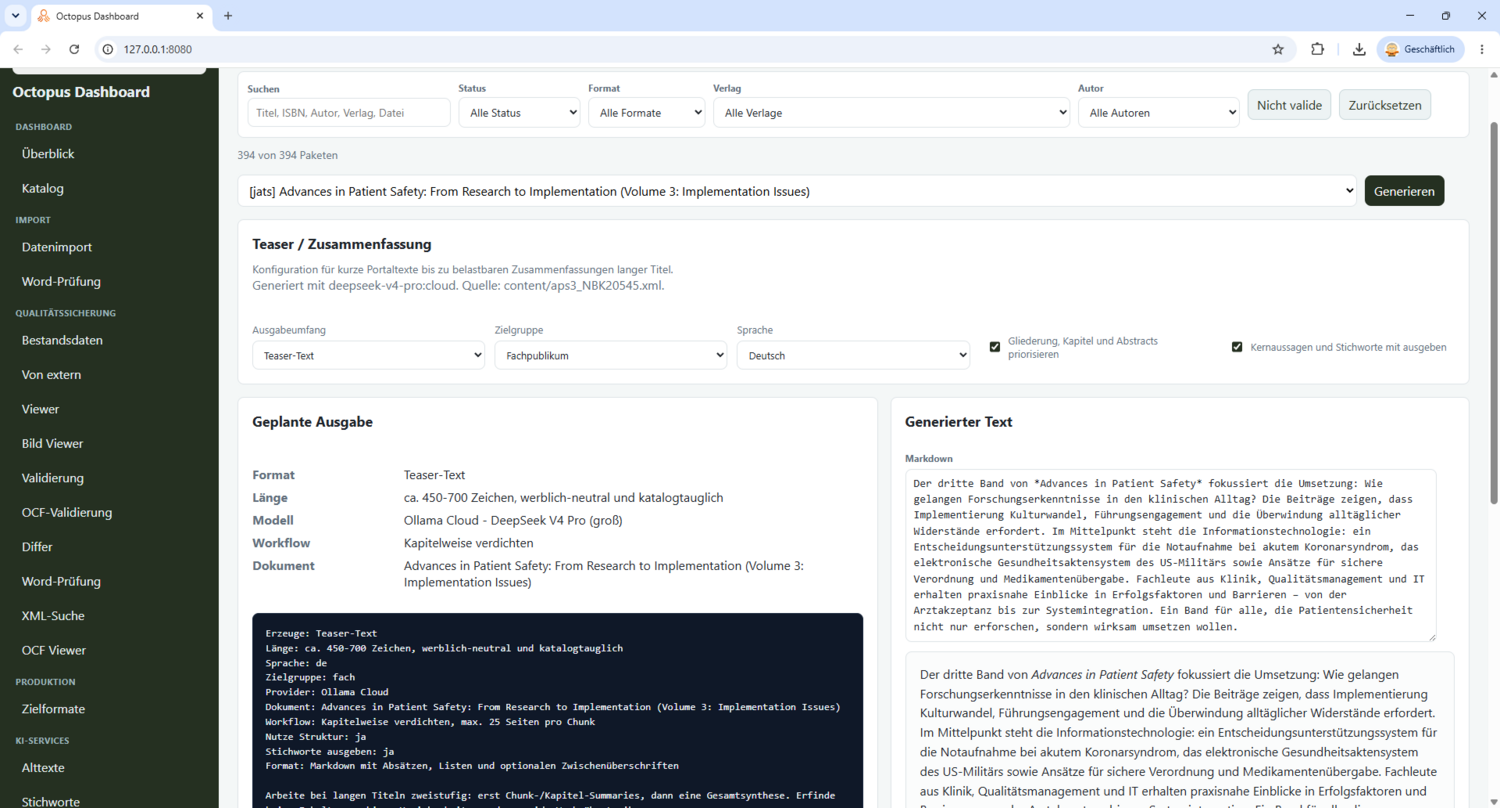
Fig.: Teasers and descriptions support portals, catalogues, shops and internal approval processes.
Use cases:
Prepare product texts for websites, shops and advance catalogues
Derive short descriptions for catalogues, newsletters and sales material
Generate keywords and audience information as a starting point for marketing and editorial work
Prepare metadata XML from existing OCF and XML content
Combine existing metadata with bibliographic sources such as DNB/MARC21
Alt text for accessibility
Alt text for illustrations is essential in production. Octopus Dashboard shows which images already have descriptions and which still lack alt text. Suggestions can be generated automatically for missing alt text. If desired, these can be adopted after review and incorporated into the production content.
Alt text can be generated in German and other languages. Central settings in the dashboard can specify, for example, the desired language, maximum length, level of detail, tone, handling of decorative images and labelling of automatically generated descriptions.
This turns laborious manual checking into a traceable production step: gaps become visible, suggestions remain reviewable and existing editorial alt text is protected.
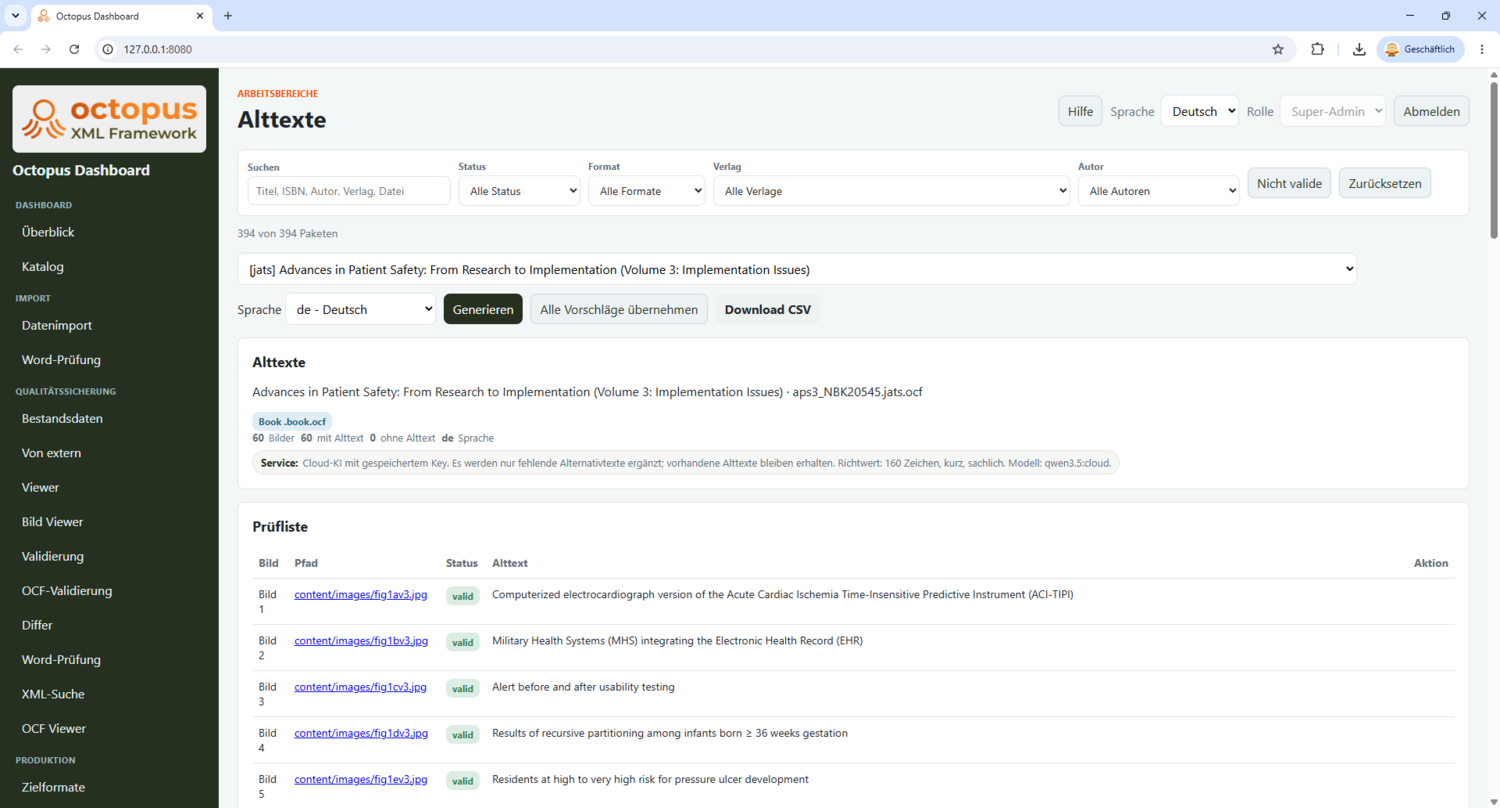
Fig.: Octopus Dashboard shows existing and missing alt text for images and generates reviewable suggestions.
Functions:
Detect images without alt text in an OCF package
Suggest short, factual, accessible image descriptions
Generation in different languages
Preset length, level of detail, tone and language requirements
Optional labelling of generated texts, for example “AI generated”
CSV export for coordination, review or quality assurance
Controlled adoption of suggestions into production
RAG and research systems for libraries and backlists
Research systems and RAG functions benefit many departments: editorial, marketing, sales, support, production, documentation and authors can work with publication content without searching it manually.
Octopus lets you “talk” to a single book, an entire library or the backlist. Several books can also be deliberately combined into a working corpus. Answers are then generated only from the selected content and therefore remain within the chosen subject scope.
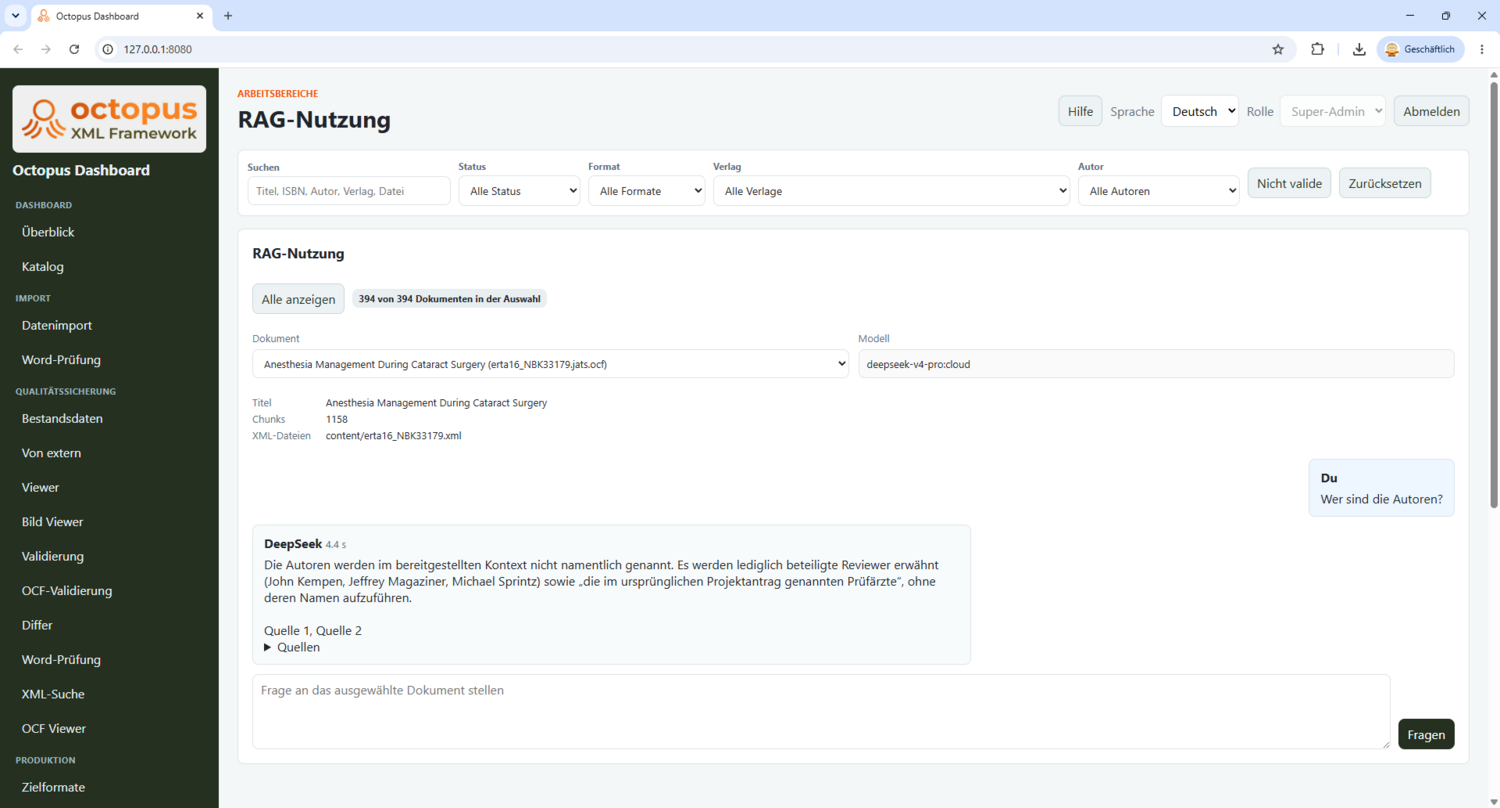
Fig.: RAG functions in Octopus Dashboard let users query individual titles, groups of titles and backlist holdings through chat.
Use cases:
Ask questions about individual books, book series or thematic collections
Analyse backlist holdings for new products, dossiers or campaigns
Accelerate editorial research with source references
Derive support and service answers from approved content
Enable authors to work specifically with existing publisher content
Combine several titles into a closed research corpus
Translations and language variants
For translations and language variants, Octopus uses structured, automated translation processes. We combine our publishing and XML workflows with machine translation, regulated processing steps and controlled reintegration into the respective output formats. In this area, we work closely with the Content Delivery Service (CDS) provider c-rex.net.
Content is taken from the respective sources, prepared for translation, machine-translated and then reintegrated into publishing and output workflows. This approach is particularly well suited to workflows based on OCF packages, XML and metadata because structure, source references and subsequent processing are preserved.
Translation is treated as an integrable process for structured publication data, rather than a single AI call. Language editions can thus be prepared automatically, processed further traceably and integrated into existing production, checking and output workflows.
Use cases:
Fully automated machine translation of information from different data sources
Link individual translation, checking and conversion steps into automated pipelines
Prepare structured content for translation workflows, for example from XML or OCF data
Prepare metadata, short texts, descriptions and publication content for other language editions
Support multilingual publishing in editorial work, production and delivery
Reintegrate language editions traceably into existing publishing and output processes
Control and configuration
Admins can configure AI functions in Octopus Dashboard individually. Settings include:
Language models
Software keys
Languages
Output formats
Alt-text rules
Metadata paths
Requirements for labelling AI-generated content.
For alt texts, presets can include length, level of detail, tone, language list and treatment of decorative images. This allows functions to be tailored to individual publishers, departments and production workflows.
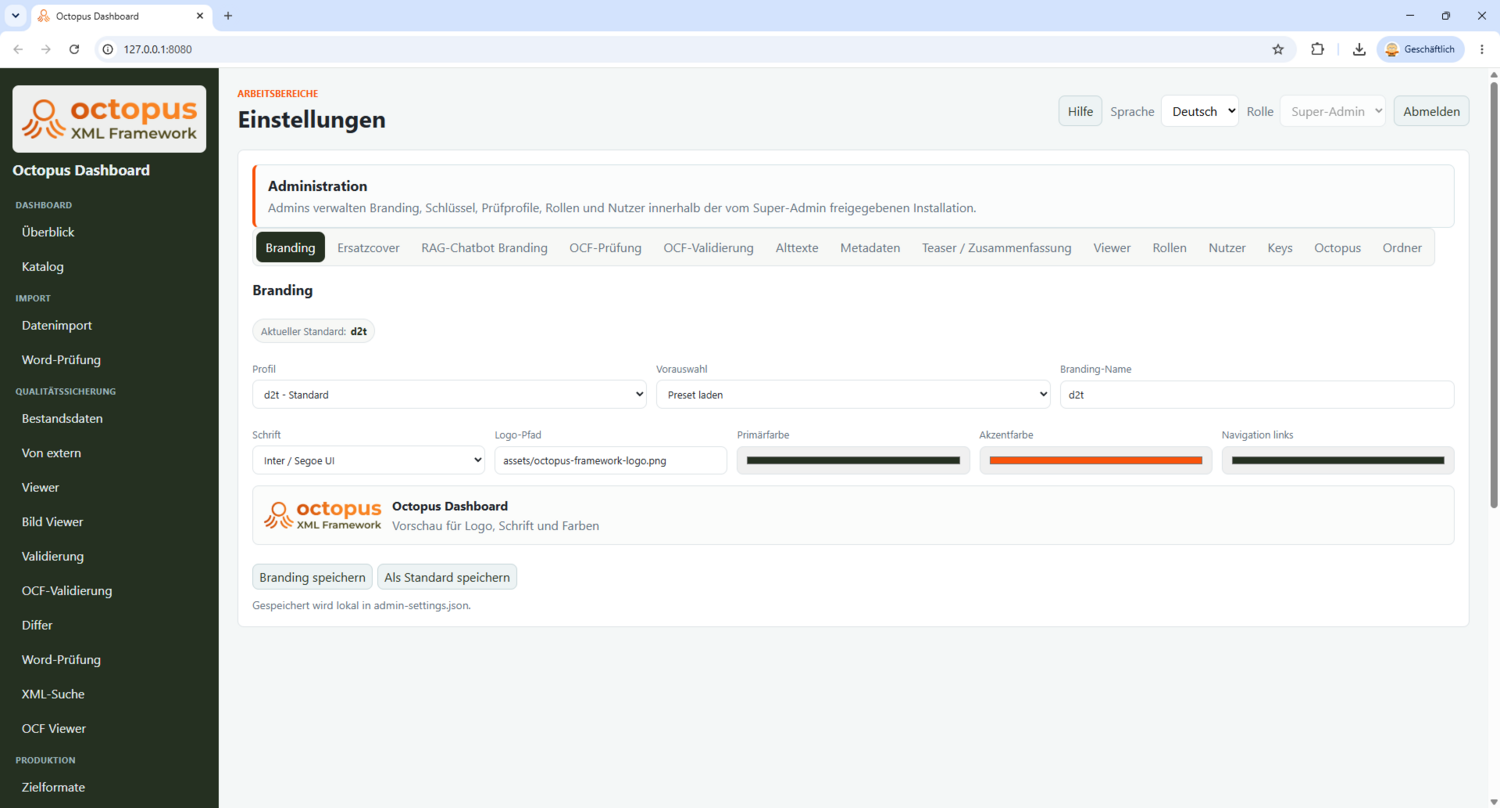
Fig.: Administrable settings in Octopus Dashboard make AI functions suitable for projects and publishers.