XML technologies / XSL-FO / Reference / Attributes in XSL-FO / leader-length.minimum
(Excerpt from "XSL-FO ― Die Referenz" by Manuel Montero Pineda & Steffen Herkert, 2016, dpunkt.verlag)
A | B | C | D | E | F | G | H | I | J | K | L | M | N | O | P | Q | R | S | T | U | V | W | X | Y | Z
Recommendation section: 7.22.4
Category: 7.22 Leader and Rule Properties
Description
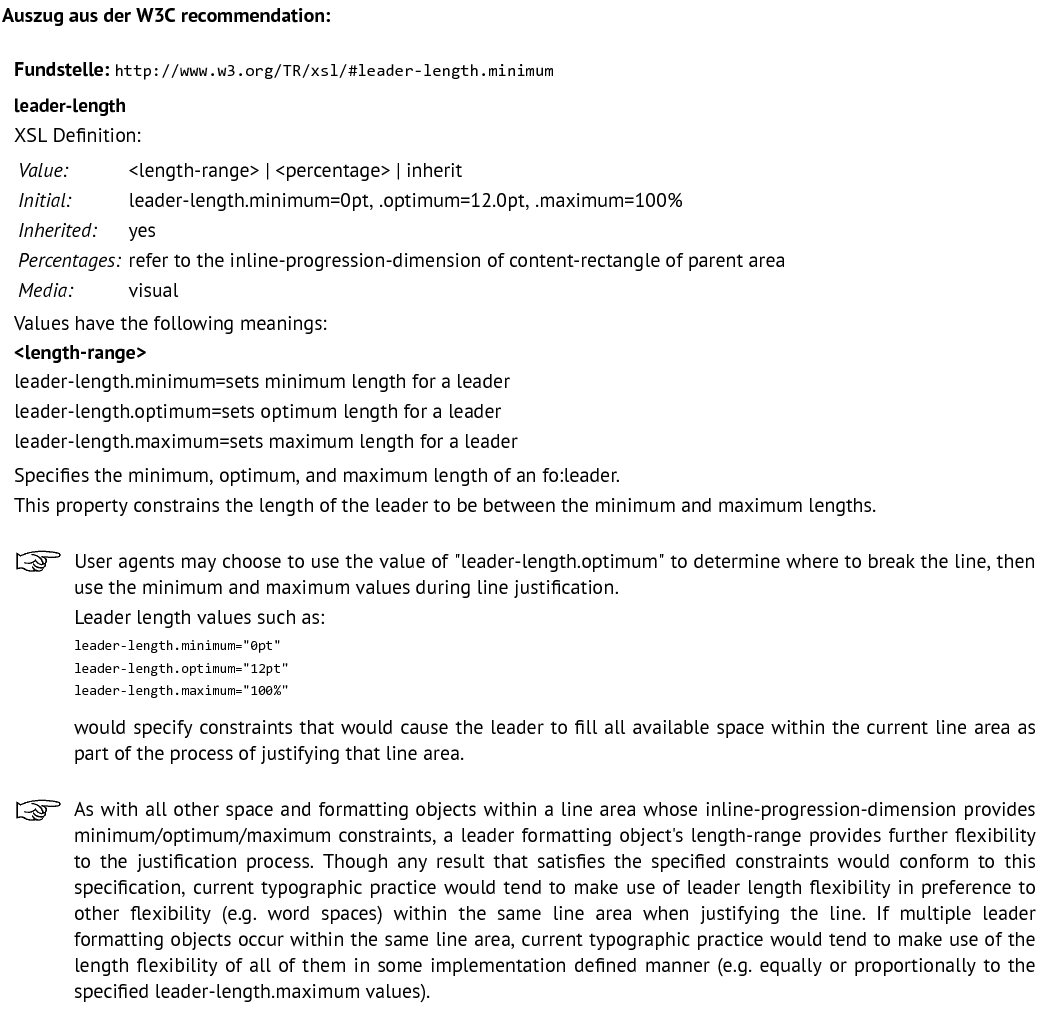
The <fo:leader> element fills an inline area with particular characters. This leader is mainly used in tables of contents to achieve justified alignment. The leader-length.minimum attribute specifies the minimum length of the leader. This allows limits to be set when its length is calculated automatically.
Values
Relative length | The leader’s length can be specified in em (relative to the width of uppercase "M" in the font), in ex (relative to the height of lowercase "x"), or as a percentage (%) of the parent area. |
Absolute length | The leader’s length can be specified as an absolute length (length). |
Inherited: | yes |
Default value: 0pt
XSL-FO version: 1.0
Allowed in:
This element creates a line of repeated characters to separate two text formatting objects, for example headings and their page numbers in a table of contents. |
Support:
Conformance level | Antenna House | FOP | RenderX XEP | Altsoft XML2PDF | Compart DocBridge |
Basic | Y | Y | Y | Y | Y |
XSL-FO example:
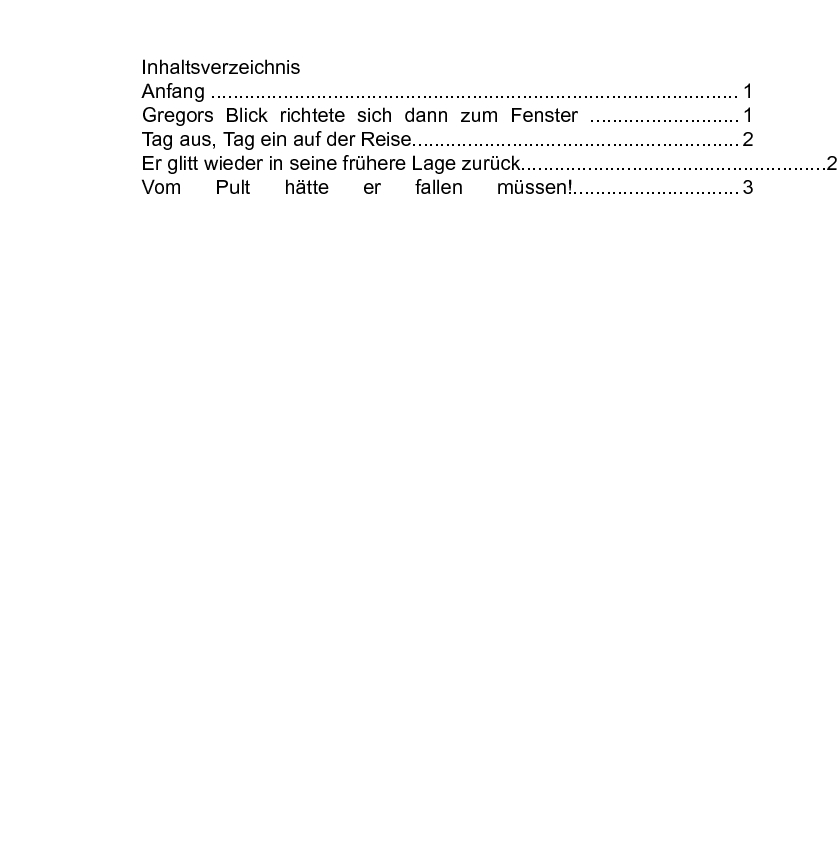
<fo:root font-family="Arial" font-size="10pt" line-height="1.2em" xmlns:fo="http://www.w3.org/1999/XSL/Format" xmlns:cpfo="http://www.compart.net/xmlns/cpfo" xmlns:svg="http://www.w3.org/2000/svg" xmlns:axf="http://www.antennahouse.com/names/XSL/Extensions">
<fo:layout-master-set>
<fo:simple-page-master master-name="Inhalt-Seiten" margin="0mm 0mm 0mm
                      0mm" page-height="150mm" page-width="148mm">
<fo:region-body margin="10mm 15mm 10mm
                        25mm"/>
</fo:simple-page-master>
</fo:layout-master-set>
<fo:page-sequence master-reference="Inhalt-Seiten" font-size="10pt">
<fo:flow flow-name="xsl-region-body">
<fo:table page-break-after="always" width="100%" text-align-last="justify">
<fo:table-body>
<fo:table-row>
<fo:table-cell>
<fo:block text-align="center">
Inhaltsverzeichnis
</fo:block>
</fo:table-cell>
</fo:table-row>
<fo:table-row>
<fo:table-cell>
<fo:block keep-together.within-line="always">
Anfang
<fo:inline>
<fo:leader leader-pattern="dots" leader-length.maximum="100%" leader-length.minimum="30mm"/>
</fo:inline>
1
</fo:block>
</fo:table-cell>
</fo:table-row>
<fo:table-row>
<fo:table-cell>
<fo:block keep-together.within-line="always">
Gregors Blick
                richtete sich dann zum Fenster
<fo:inline>
<fo:leader leader-pattern="dots" leader-length.maximum="25%" leader-length.optimum="20%" leader-length.minimum="10%"/>
</fo:inline>
1
</fo:block>
</fo:table-cell>
</fo:table-row>
<fo:table-row>
<fo:table-cell>
<fo:block keep-together.within-line="always">
Tag aus, Tag ein auf der Reise.
<fo:inline>
<fo:leader leader-pattern="dots" leader-length.maximum="100%"/>
</fo:inline>
2
</fo:block>
</fo:table-cell>
</fo:table-row>
<fo:table-row>
<fo:table-cell>
<fo:block keep-together.within-line="always">
Er glitt wieder
                in seine frühere Lage zurück
<fo:inline>
<fo:leader leader-pattern="dots" leader-length.maximum="100%" leader-length.optimum="75%" leader-length.minimum="50%"/>
</fo:inline>
2
</fo:block>
</fo:table-cell>
</fo:table-row>
<fo:table-row>
<fo:table-cell>
<fo:block keep-together.within-line="always">
Vom Pult hätte er fallen müssen!
<fo:inline>
<fo:leader leader-pattern="dots" leader-length.minimum="10mm" leader-length.maximum="30mm">
-
</fo:leader>
</fo:inline>
3
</fo:block>
</fo:table-cell>
</fo:table-row>
</fo:table-body>
</fo:table>
</fo:flow>
</fo:page-sequence>
</fo:root>In the output:
Excerpt from the W3C Recommendation: