

XML technologies / CSS / CSS Cookbook / Typography for the web / Indenting entire paragraphs
(Excerpt from “CSS Kochbuch” by Christopher Schmitt)
Problem
Indent an entire paragraph, turning the paragraph in the following figure into the one in the figure after it.
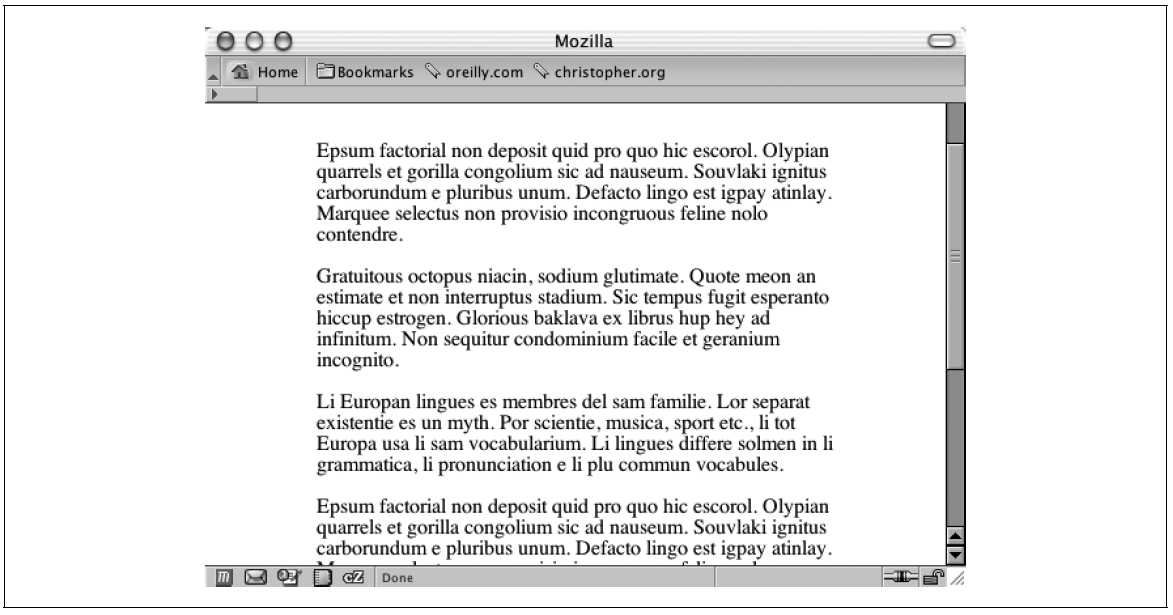
Figure: Paragraphs in the browser’s default presentation.
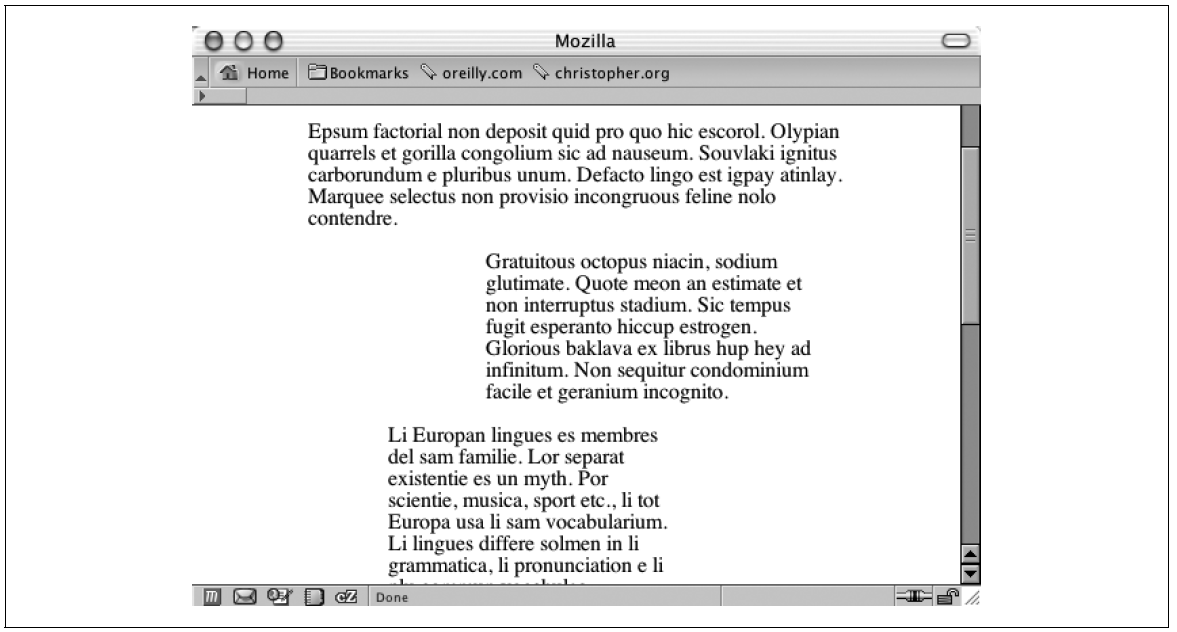
Figure: Indented paragraphs.
Solution
Use class selectors to achieve the desired effect:
p.normal {
 padding: 0;
 margin-left: 0;
 margin-right: 0;
}
p.large {
 margin-left: 33%;
 margin-right: 5%;
}
p.medium {
 margin-left: 15%;
 margin-right: 33%;
}
Then add the required attributes to the markup:
<p class="normal">Lorem ipsum dolor sit amet, consectetuer adipiscing elit, sed diam nonummy nibh euismod tincidunt ut laoreet dolore magna al iquam erat volutpat.</p>
<p class="large">Epsum factorial non deposit quid pro quo hic escorol. Olypian quarrels et gorilla congolium sic ad nauseum. Souvlaki ignitus carborundum e pluribus unum.</p>
<p class="medium">Li Europan lingues es membres del sam familie. Lor separat existentie es un myth. Por scientie, musica, sport etc., li tot Europa usa li sam vocabularium</p>
Discussion
Class selectors select HTML elements with a matching attribute class. Unlike class selectors, type selectors select every instance of an HTML element. The first CSS rule below uses a type selector to find all elements marked as h2 and display them red; the second uses a class selector to give all matching elements 33% left padding:
h2 {
 color: red;
}
.largeIndent {
 padding-left: 33%;
}
Combining type and class selectors gives an element greater specificity than other elements. In the markup below, the third element appears red with 33% left padding:
<h2>Dieses Element ist rot.</h2>
<h3 class="largeIndent">Dieses Element wurde recht weit eingerückt.</h3>
<h2 class="largeIndent">Dieses Element ist rot und eingerückt.</h2>
Instead of class selectors, margins and adjacent sibling selectors could also create the indentation:
p, p+p+p+p {
 padding: 0;
 margin-left: 0;
 margin-right: 0;
}
p+p, p+p+p+p+p {
 margin-left: 33%;
 margin-right: 5%;
}
p+p+p, p+p+p+p+p+p {
 margin-left: 15%;
 margin-right: 33%;
}
Adjacent sibling selectors consist of two or more regular selectors separated by plus signs. Thus, the selector h2+p can select a paragraph immediately following an element h2.
This recipe styles paragraphs in their on-screen order. The expression p+p selects a paragraph directly following another paragraph. With more than two paragraphs, however, the third and all later ones receive the second paragraph’s styles too, because each also directly follows a paragraph.
To distinguish the second and third paragraphs’ styles, write another rule selecting three consecutive paragraphs:
p+p+p {
 margin-left: 15%;
 margin-right: 33%;
}
You can now group these CSS rules. Instead of separate rules for the third and sixth paragraphs, separate the selectors with a comma and a space:
p+p+p, p+p+p+p+p+p {
 margin-left: 15%;
 margin-right: 33%;
}
The main problem with adjacent sibling selectors is Internet Explorer for Windows’ poor support in all versions. These browsers therefore do not indent the paragraphs. Safari, Firefox, Netscape Navigator 6+ and Opera 5+ support adjacent sibling selectors.
See also
The CSS 2.1 specification on class selectors and the CSS 2.1 specification on adjacent sibling selectors.
Copyright of the German edition © 2007 by O’Reilly Verlag GmbH & Co. KG
You may print the online version for your private use.
Otherwise, this chapter from “CSS Kochbuch” is subject to the same conditions as the bound edition: the work, including all its parts, is protected by copyright. All rights reserved, including reproduction, translation, microfilming, and storage and processing in electronic systems.
O’Reilly Verlag GmbH & Co. KG, Balthasarstr. 81, 50670 Köln