

XML technologies / CSS / CSS Cookbook / Tables / Removing space between images and cell bottoms
(Excerpt from “CSS Kochbuch” by Christopher Schmitt)
Problem
When a table cell contains only an image, remove the gap below it (see the next two figures).
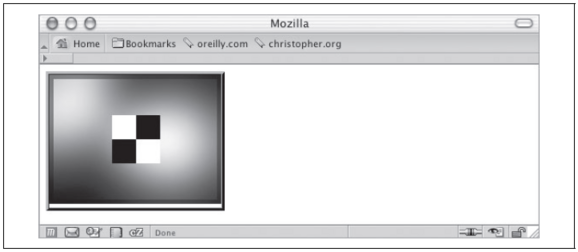
Figure: Space below an image in a table cell.
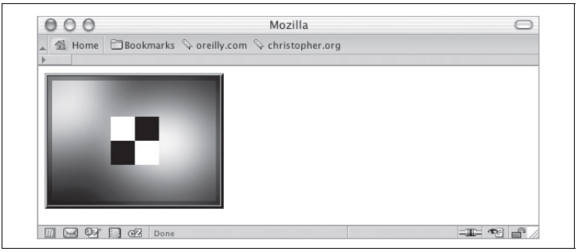
Figure: Displaying a cell’s image as a block element.
Solution
Define the image as a block element:
td img {
 display: block;
}
Discussion
Display the image as a block-level element to remove the gap below it. Images normally count as inline content, like text. The browser puts the image on the text baseline even if the cell contains no text. That baseline is above the cell bottom because letters such as g, p, q and y extend below it (see the following figure).
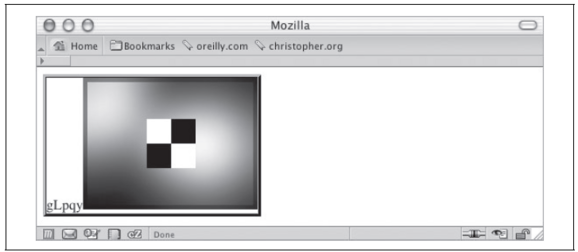
Figure: Lowercase g, p, q and y reveal the space below the image.
This so-called descender cannot be removed because the baseline is calculated proportionally to the font’s overall size. The best way to position images independently of the baseline is therefore to set their display role with the property display to the value block.
Document type definitions
Another solution uses a particular DTD. A document type definition (Document Type Definition, DTD) formally specifies relationships between a page’s elements. HTML 2 and HTML 4.1 DTDs differ in several ways, themselves expressed in a separate DTD. A small declaration before the markup specifies the DTD to use for the document’s rendering.
In many browsers, certain declarations DOCTYPE activate quirks mode instead of standards mode. Quirks mode describes certain nonstandard browser behaviors. Standards mode shows the gaps between image and table border. A different document type activates quirks mode: the document still validates, but the gap disappears. Use this if you want to avoid standards mode. A comparison of DOCTYPEs and browsers appears at The Web Standards Project: DOCTYPEs and their Respective Layout Modes.
Making the image a block may not be the best solution. Another option sets the image’s property vertical-align to bottom. The image must then be taller than the cell’s line box.
See also
The CSS 2.1 specification for the property display.
Copyright of the German edition © 2007 by O’Reilly Verlag GmbH & Co. KG
You may print the online version for your private use.
Otherwise, this chapter from “CSS Kochbuch” is subject to the same conditions as the bound edition: the work, including all its parts, is protected by copyright. All rights reserved, including reproduction, translation, microfilming, and storage and processing in electronic systems.
O’Reilly Verlag GmbH & Co. KG, Balthasarstr. 81, 50670 Köln