

XML technologies / CSS / CSS Cookbook / Forms / Submit buttons displayed as plain HTML text
(Excerpt from “CSS Kochbuch” by Christopher Schmitt)
Problem
A submit button should look like ordinary HTML text.
Solution
Various CSS formatting properties produce the desired HTML text appearance.
First give the element input an attribute class with a suitable value:
<input type="submit" name="submit" value="send »" class="submit" />Then assign the class the CSS properties needed to remove the button’s border and background color (see the next figure):
.submit {
 border: none;
 background-color: #fff;
 padding: 0;
 margin: 0;
 width: 5em;
}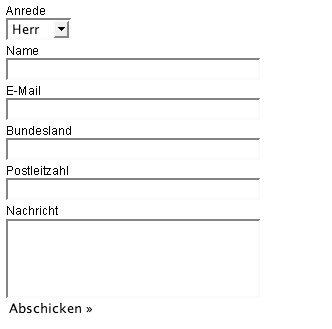
Figure: A submit button displayed as HTML text.
The pseudo-class :hover also creates a rollover effect (see the next figure):
.submit:hover {
 text-decoration: underline;
}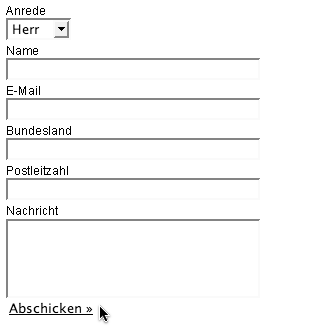
Figure: The text-style button is underlined when hovered.
Discussion
Matching submit buttons to surrounding HTML text suits designers who feel generic buttons do not fit their design but do not want to use an image instead.
Submit buttons can sometimes reduce the user experience because some users hesitate to send data through a form with such a button. Displaying it as a text link can remove that hesitation, since clicking a link presents a lower barrier.
This recipe works only in browsers allowing submit button appearance to change, including Mozilla, Firefox, Netscape Navigator 7+ and Opera. Safari is excluded because it always uses native Macintosh buttons.
See also
The recipe Using plain HTML text links as submit buttons for the reverse approach.
Copyright of the German edition © 2007 by O’Reilly Verlag GmbH & Co. KG
You may print the online version for your private use.
Otherwise, this chapter from “CSS Kochbuch” is subject to the same conditions as the bound edition: the work, including all its parts, is protected by copyright. All rights reserved, including reproduction, translation, microfilming, and storage and processing in electronic systems.
O’Reilly Verlag GmbH & Co. KG, Balthasarstr. 81, 50670 Köln