

XML technologies / ePUB / Open Publication Structure / Tables / Simple table
(Excerpt from “E-Books mit ePUB ─ Von Word zum E-Book mit XML” by Dr. Victor Wang)
A table structurally consists of three parts: table head, table body and table foot. The table head <thead> usually contains column headings, while the table foot <tfoot> contains text to display below the table. The table body contains the actual row entries. A row <tr> contains individual table cells <td>, the lowest hierarchical units of a table. A table caption can be marked at its beginning with the element <caption>.
Here is a short, simple example, without a table foot:
<?xml version="1.0" encoding="UTF-8"?>
<!DOCTYPE html PUBLIC "-//W3C//DTD XHTML 1.0 Strict//EN" "http://www.w3.org/TR/xhtml1/DTD/xhtml1-strict.dtd">
<html xmlns="http://www.w3.org/1999/xhtml" xml:lang="de">
  <head>
    <title>Tabellen in XHTML</title>
    <link rel="stylesheet" type="text/css" href="xhtml-styles.css"/>
  </head>
  <body>
    . . .
    <div class="Gliederungsebene">
      <h1>Einfache Tabelle (ohne width, ohne col)</h1>
      <table border="1">
        <caption>Wichtige Elemente in DTBook</caption>
        <thead>
          <tr>
            <th>Zeile</th>
            <th>Elementname</th>
            <th>Bedeutung</th>
            <th>Besondere Attribute</th>
          </tr>
        </thead>
        <tbody>
          <tr>
            <td>1</td>
            <td>level</td>
            <td>Kapitelstruktur/Ebene in DTBook</td>
            <td>depth</td>
          </tr>
          <tr>
            <td>2</td>
            <td>hd</td>
            <td>Überschrift einer Level-Ebene in DTBook</td>
            <td>keines</td>
          </tr>
          <tr>
            <td>3</td>
            <td>p</td>
            <td>Absatz in DTBook</td>
            <td>keines</td>
          </tr>
        </tbody>
      </table>
    </div>
  </body>
</html>
Code example: Simple table in XHTML
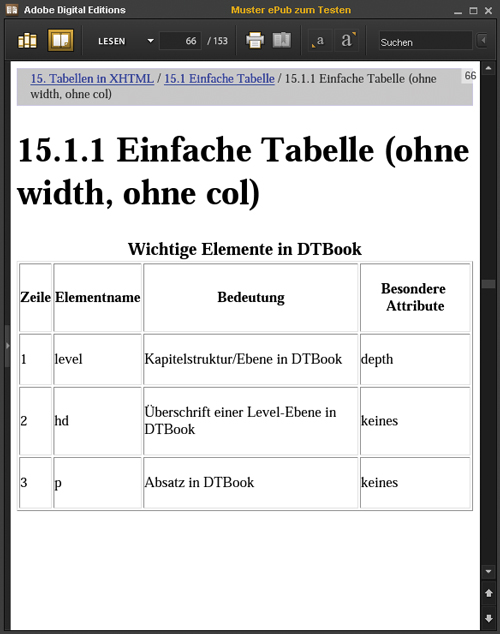
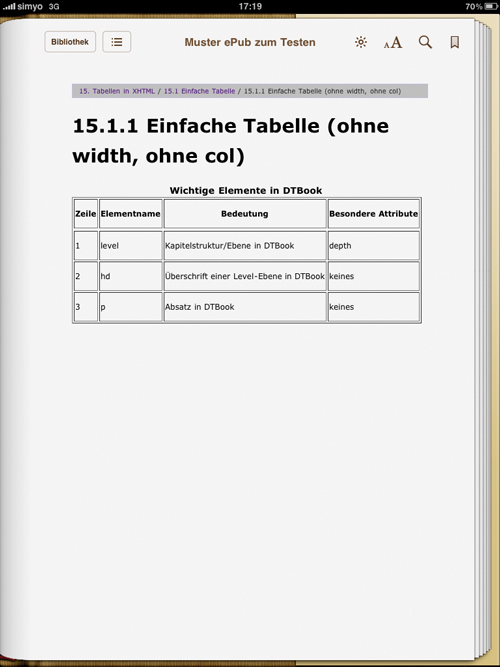
Figures: Simple XHTML table (Adobe Digital Editions and iBooks)
Dividing a table into head, body and foot optimizes display in different media. On printed pages, a long table may span several pages. Column headings, and often the foot, then repeat on every page. In electronic media, long tables can have a scrollbar while their head stays fixed until scrolling reaches the end.
Copyright © mitp 2011
You may print the online version for your private use.
Otherwise, this chapter from “E-Books mit ePUB” is subject to the same terms as the printed edition: the work and all its parts are protected by copyright. All rights reserved, including reproduction, translation, microfilming, and storage and processing in electronic systems.
Verlagsgruppe Hüthig Jehle Rehm GmbH, Im Weiher 10, 69121 Heidelberg, kundenbetreuung(at)hjr-verlag.de
back to top