

XML technologies / WordML / To Word and back
(Montero Pineda, Manuel, Herkert, Steffen, Klevenz, Tobias, Kutscherauer, Nico: Praxistipps Word: Einmal Word und zurück, in: technische kommunikation, Heft 4, 2009).
A key use of Word’s XML support since version 2003 is automatically generating Word documents from XML through XSLT. How does this work, and what benefits does it bring to technical communication?
In practice, automated conversion from Word to XML and back prepares XML data for customers as Word documents, or supports collaboration with technical writers and service providers who lack an XML editor or for whom learning one would not be worthwhile.
The format WordML, used by Word 2003 and 2007, is XML-based. Consider a short paragraph example:
<w:p>
   <w:r>
      <w:t>Als Gregor Samsa eines Morgens aus unruhigen Träumen erwachte, fand er sich in seinem Bett zu einem ungeheueren Ungeziefer verwandelt.</w:t>
   </w:r>
</w:p>
WordML uses <w:p> to define a paragraph. Within <w:r> (a text run), inline formatting and properties can be specified. The element <w:r> also contains <w:t> (text), holding the paragraph’s actual text.
What happens in an XSLT transformation?
For example, a transformation takes a DITA paragraph element <p> and uses an XSLT stylesheet and processor to generate a paragraph fragment in the target language. The target can be XHTML, FO for PDF output, or WordML. The DITA fragment would look like this:
<p>Als Gregor Samsa eines Morgens aus unruhigen Träumen erwachte, fand er sich in seinem Bett zu einem ungeheueren Ungeziefer verwandelt.</p>The XSLT stylesheet fragment transforming paragraphs to WordML would be:
<xsl:template match="p">
   <w:p>
      <w:r>
         <w:t><xsl:value-of select="."/></w:t>
      </w:r>
   </w:p>
</xsl:template>
Very simply, XSLT is an intelligent search-and-replace language published by the W3C, and therefore a W3C standard.
The example searches for <p> in the DITA document (<xsl:template match=“p“>). Each paragraph is converted to a WordML paragraph defined by the content of <xsl:template>. The result is the WordML fragment above.
How does this work in practice?
There are two main approaches. XSLT can run fully automatically as a black-box batch, producing a Word file. Alternatively, Word can open the DITA XML file and use its integrated XSLT processor (MSXML) for the transformation.
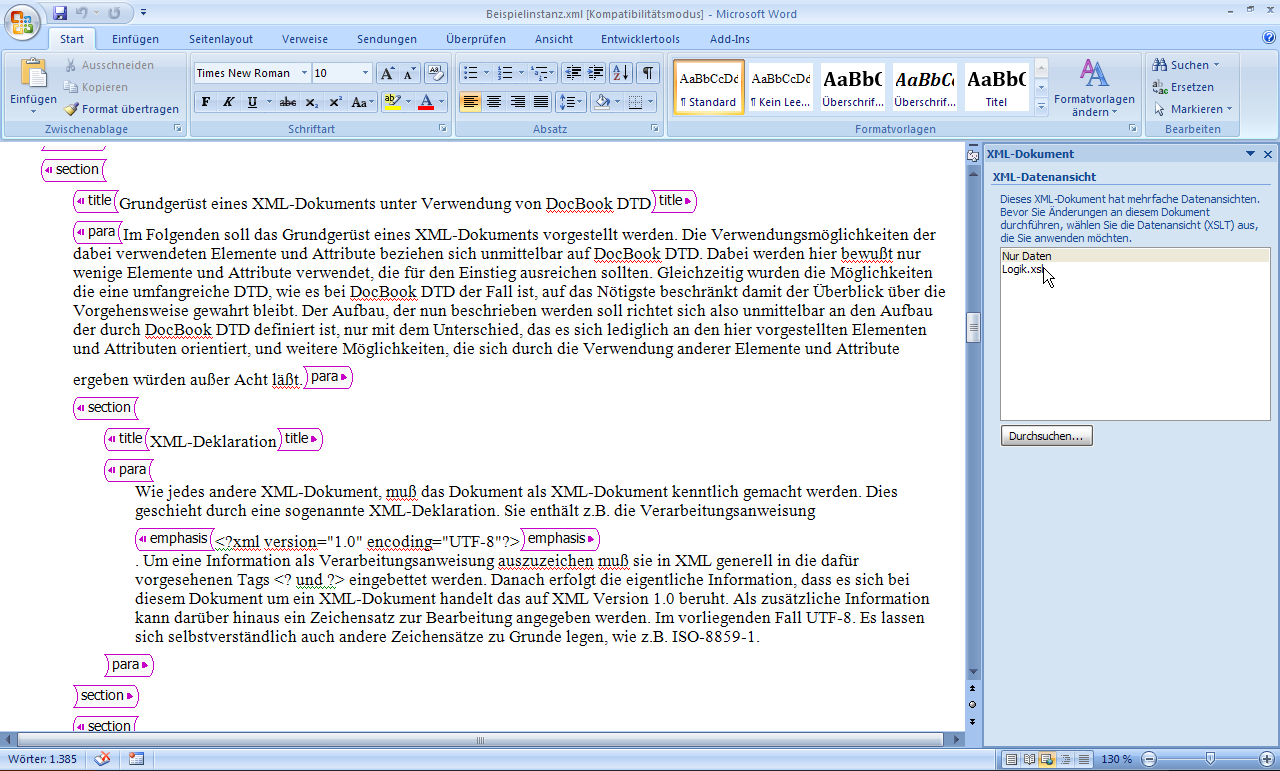
Fig.: excerpt from an XML file.
Opening XML in Word normally displays a menu for assigning an XSLT stylesheet. Selecting a suitable stylesheet runs the transformation in the background and displays its result directly in Word.
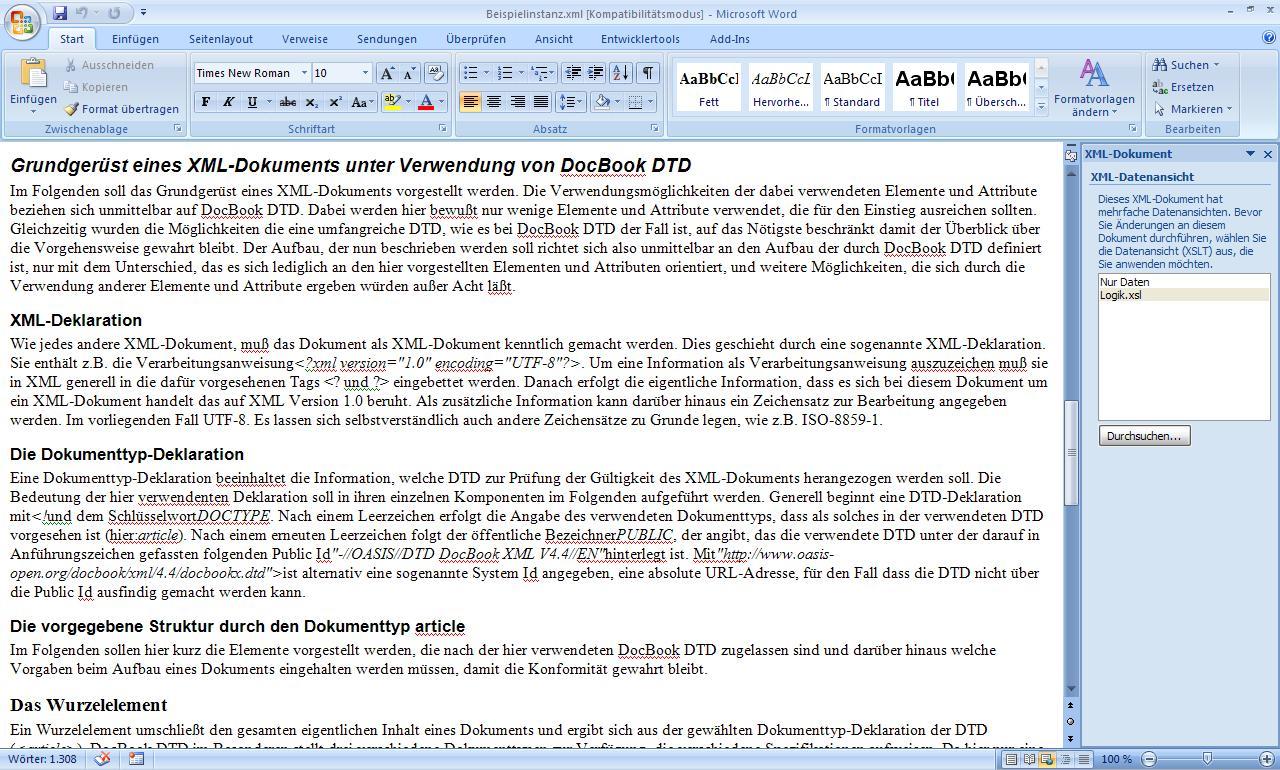
Fig.: displaying XML as Word through a stylesheet.
Further XSLT applications
This technology processes XML fragments as well as complete documents. Tables can, for example, be maintained centrally as XML and loaded into existing Word documents through simple links, retaining formatting. This helps departments share sensitive data centrally and avoid redundancy, such as marketing using device specifications maintained by product development.
Automatic tagging
Converting Word to XML is equally important, for example when migrating documentation to an XML editorial system. Existing Word documents then need handling. Word’s WordML interface provides new possibilities: the same XSLT approach works in reverse, with reversed search-and-replace rules. For example, a <w:p> element in Word becomes a <p> element in DITA.
Though simple in theory, this can be difficult in practice. Reliable Word-to-XML conversion requires consistent use of styles. Styles identify headings and thus chapter structure. A heading simulated by font-size and bold changes cannot be converted reliably. At worst, all text becomes paragraphs, requiring XML-editor cleanup to obtain valid DITA. Another approach sends poor-quality Word files to specialist providers for quality assurance, while better files are converted automatically with XSLT. XSLT scripts can also sort files into these quality groups.
Easier external collaboration
External authors who do not use XML can receive and edit Word files. Depending on the kind and scale of their work, different XSLT-script solutions are possible. VBA macro interfaces are often added to ensure reliable workflows.
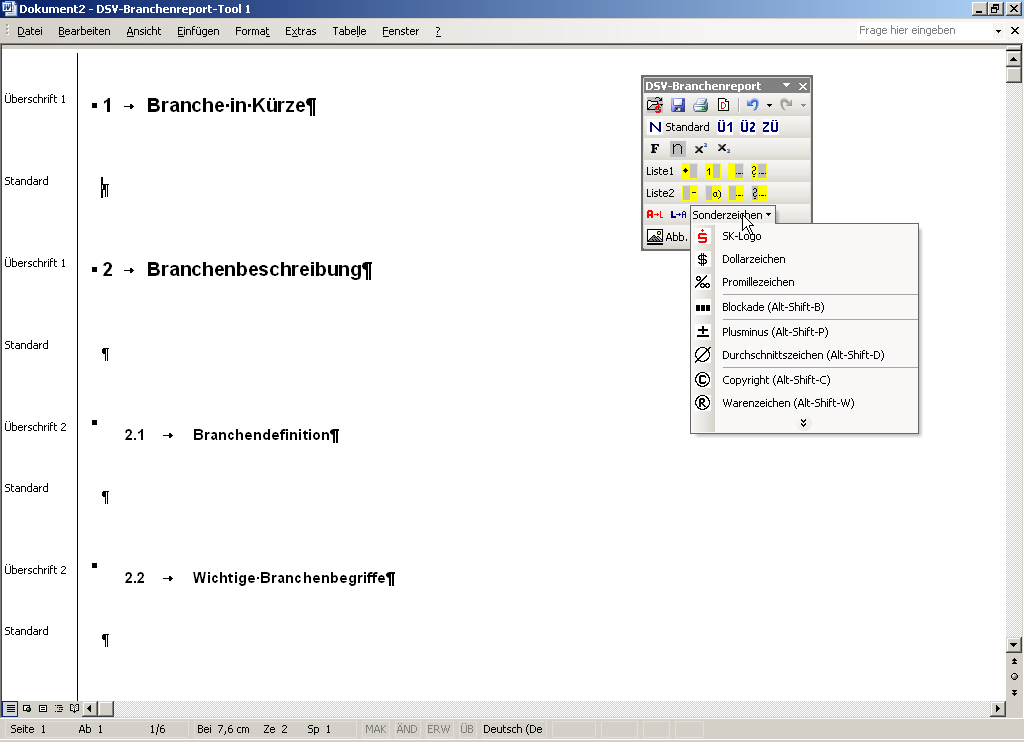
Fig.: Word document generated by XSLT with VBA support.
Conclusion
XSLT stylesheets open new ways to connect XML and Word. They do not make a proper XML editor redundant, but provide an important complement in cross-media workflows.
Copyright © 2009 tcwolrd GmbH
You may print the online version for private use.
Otherwise, this article from "technische kommunikation" (issue 4, 2009) is subject to the same terms as the printed edition: the work and all its parts are protected by copyright. All rights reserved, including reproduction, translation, microfilming, and storage and processing in electronic systems.
tcworld GmbH, Rotebühlstraße 64, 70178 Stuttgart, info@tekom.de, www.tekom.de