

XML technologies / PresentationML / The slide part / Shape / Tables
2.2.3 Tables
Tables also commonly structure slides in PowerPoint presentations. To insert a table, PresentationML uses a graphic frame.
2.2.3.1 Graphic frame container
<p:graphicFrame> creates a graphic frame, another kind of shape (see 2.2 Shape). It can therefore also receive position and size through <p:xfrm> (see 2.2.1.2 Position and size). <p:nvGraphicFramePr> likewise assigns non-visual properties such as ID and name. It cannot have visual properties such as fills or outlines, so the frame itself is always invisible and purely functional. Its content uses <a:graphic> with an <a:graphicData> child. Together these form a container that can theoretically hold any elements. The uri attribute of a:graphicData provides a URI identifying the container’s content model.
<p:graphicFrame>
   <p:nvGraphicFramePr>                       (1)
      <p:cNvPr id="3" name="Tabelle 2"/>
      <p:cNvGraphicFramePr/>
      <p:nvPr/>
   </p:nvGraphicFramePr>
   <p:xfrm>                                   (2)
      <a:off x="1524000" y="1397000"/>
      <a:ext cx="1524000" cy="370840"/>
   </p:xfrm>
   <a:graphic>                                (3)
      <a:graphicData uri="http://schemas.openxmlformats.org/drawingml/2006/table">(4)
            …                                 (5)
      </a:graphicData>
   </a:graphic>
</p:graphicFrame>
1 | Contains the graphic frame’s non-visual properties. |
2 | Specifies position and size. |
3 | Container model for graphic frame content. |
4 | Here uri identifies table content. Other possible content models include charts with URI "http://schemas.openxmlformats.org/drawingml/2006/chart" and SmartArt with URI "http://schemas.openxmlformats.org/drawingml/2006/diagram". |
5 | The graphic frame’s content is inserted here. |
2.2.3.2 Table structure in DrawingML
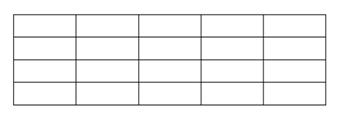
One container content model uses URI "http://schemas.openxmlformats.org/drawingml/2006/table", identifying DrawingML’s table model. As in most XML table models, the enclosing table (<a:tbl>) contains a row element (<a:tr>) per row, and each row contains a cell element (<a:tc>) per cell.
<a:tbl>
   <a:tblGrid>                                (1)
      <a:gridCol w="1024000"/>
        …                                     (2)
   </a:tblGrid>
   <a:tr h="370840">                          (3)
      <a:tc>                                  (4)
        …                                     (5)
      </a:tc>
        …                                     (6)
   </a:tr>
   …                                          (7)
</a:tbl>
1 | This model has no grouping element for all cells of a column, so <a:tblGrid> contains one a:gridCol per column. Its w attribute specifies width in EMUs. |
2 | Add an a:gridCol for each further column. Their order determines column association: the first corresponds to column 1, the second to column 2, and so on. |
3 | a:tr creates a table row; h gives its height in EMUs. |
4 | a:tc creates a table cell. |
5 | Cell content and formatting properties go here. |
6 | Add an a:tc for each further cell in the row. There must be as many a:tc elements as defined columns (2). Cell order likewise determines column association. |
7 | Add an a:tr for each further row. Their order likewise determines display order. |
Cells spanning columns and rows
So far this model closely resembles HTML tables, including some similarities for spanning cells. Merging two adjacent cells in a row gives the first gridSpan="2", comparable to HTML colspan, specifying how many cells are merged. The first cell supplies the merged content. Unlike HTML, the other cell is not removed: its a:tc must remain even though it is not displayed. It may be empty or hold content that is also hidden. Every row therefore retains the same number of cells.
Row spans work similarly: add rowSpan to <a:tc> with the number of spanned rows; the covered cells remain defined but are not displayed.
2.2.3.3 Table cells
A table cell resembles a text frame (see 2.2.2 Text frames). a:tc can also contain a text area through <a:txBody>, using the same principles as text frames. <a:tcPr> supplies cell properties. Fill is specified in the same way (see 2.2.1.4 Area fills). Outlines are similar, but instead of one a:ln there is one element per side: right <a:lnR>, left <a:lnL>, top <a:lnT> and bottom <a:lnB>. Geometry, size and position necessarily differ. Cells are always rectangular, with size determined by column width and cell height, so no alternative values can be specified here.
<a:tc>
   <a:txBody>
      <a:bodyPr/>
      <a:p>
         <a:r>
            <a:t>Z1S1</a:t>
         </a:r>
      </a:p>
   </a:txBody>
   <a:tcPr>
      <a:solidFill>
         <a:srgbClr val="F38222"/>
      </a:solidFill>
   </a:tcPr>
</a:tc>
|