

XML technologies / CSS / Advanced websites with CSS / Adding some color / Background images
(Excerpt from “CSS − Advanced websites with Cascading Stylesheets” by Rachel Andrew & Dan Shafer)
You should now be familiar with assigning background colors through background-color. Next, insert background images with the property background-image and the function url, as shown here:
body {
  background-color: white;
  color: black;
  background-image: url(fish.jpg);
}
The function url embeds any image file, like the attribute src of the tag <img>.
A page background image repeats, or tiles, horizontally and vertically until the screen is filled. It scrolls with the page. This is the default behavior shown below.
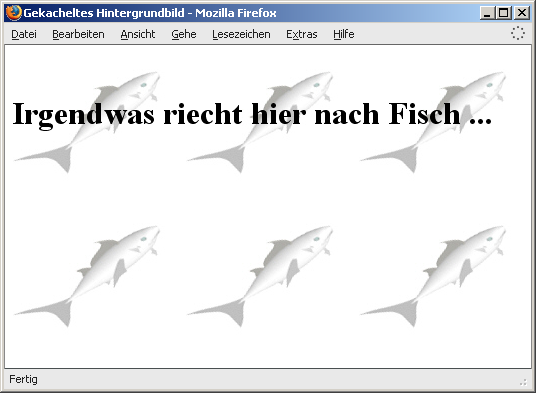
Figure: Background images are tiled.
Always pair a background image with a background color!
Always define a suitable background color beneath images. It appears while loading and for users who disable images.
CSS can disable tiling or fix images so other content scrolls over them.
The next two figures show this: the image is smaller than the window but appears once and remains fixed. First, the page before scrolling.
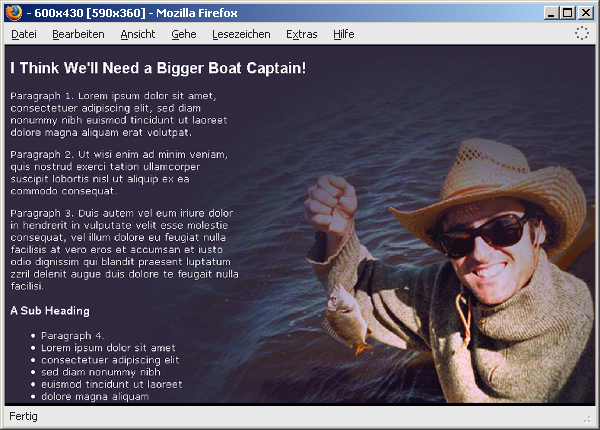
Figure: Background before scrolling.
After scrolling, the previously clipped list has moved up, but the background has stayed in place.
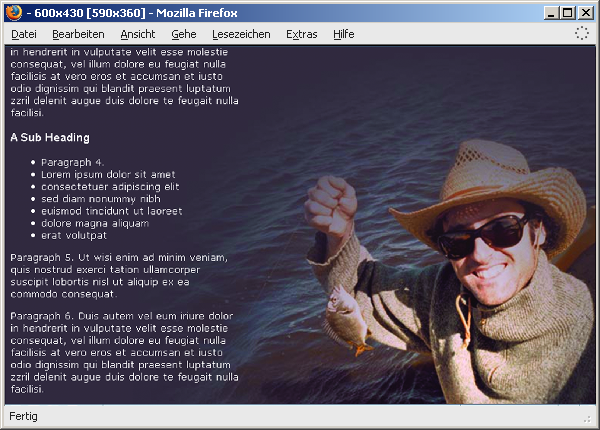
Figure: Background after scrolling.
This CSS rule fixes the background as shown:
body {
  background-color: #30293f;
  color: white;
  background-image: url(fisherman.jpg);
  background-repeat: no-repeat;
  background-attachment: fixed;
  background-position: right bottom;
}
The property background-repeat: no-repeat prevents tiling. Together with background-image, the image appears only once. background-repeat also accepts repeat (the default), repeat-x and repeat-y. With repeat-x, tiling occurs horizontally only; with repeat-y, vertically only.
The property background-attachment controls whether the background scrolls with content. Its default is scroll; use fixed for the behavior shown above.
Finally, the property background-position: right bottom positions the image at the window’s bottom right. It normally takes two values: horizontal then vertical. Horizontal options are left, center or right; vertical options are top, center or bottom. The defaults for background-position are left top.
Percentages also work, with the first defining horizontal position. The value 0% aligns left and 100% aligns right. Vertically, 0% aligns top and 100% bottom. Intermediate values between 0% and 100% also work. This declaration places the image in the lower-right quarter, offset from the window edges:
background-position: 80% 80%;CSS offers extensive background-image control. A single shorthand combines these properties, described in the CSS property reference.
Copyright © 2006 of the German translation, dpunkt.verlag GmbH
You may print the online version for your private use.
Otherwise, this chapter from “CSS − Anspruchsvolle Websites mit Cascading Stylesheets” is subject to the same conditions as the bound edition: the work, including all its parts, is protected by copyright. All rights reserved, including reproduction, translation, microfilming, and storage and processing in electronic systems.
dpunkt.verlag GmbH, Ringstraße 19, 69115 Heidelberg
back to top